23
HVS-30OU
6-7. KEY1 Pattern Transitions
HVS-30OU units can perform pattern transitions for KEY1 as well as backgrounds, but not
for KEY2.
KEY1 Pattern Transitions
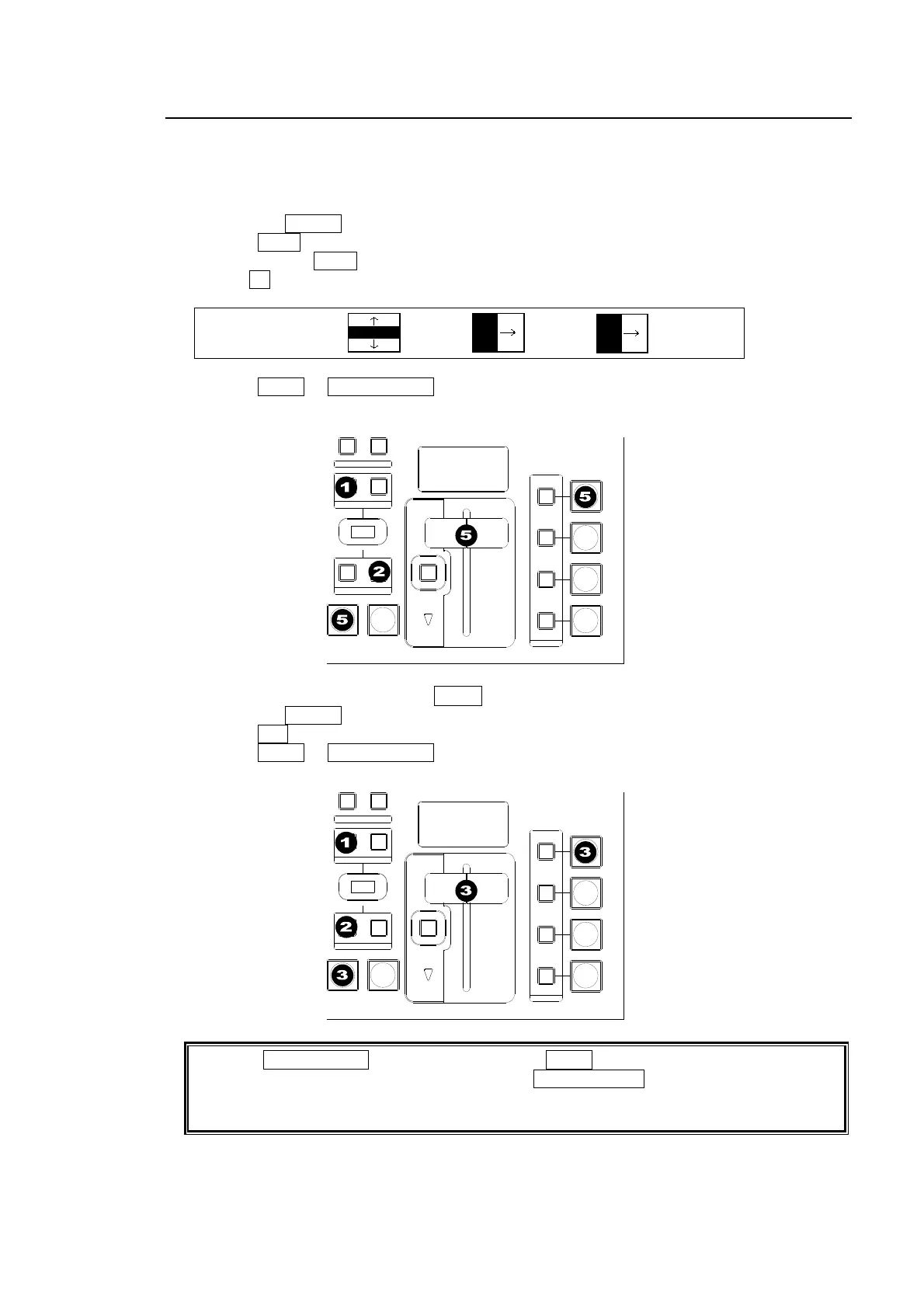
(1) Press the KEYER button in the NEXT TRANSITION block.
(2) Press WIPE in the TRANSITION TYPE block.
(3) Quickly press WIPE twice to display the [WIPE - PATTERN] menu.
(4) Turn F2 to select a desired pattern.
WIPE :BKGD :KEY1 :KEY2 : 1/1
PAT M1 :20 :00 :00 :
(5) Press AUTO or KEYER AUTO, or move the fader lever to perform the transition.
KEY1 MIX Transitions Using AUTO or Fader Lever
(1) Press the KEYER button in the NEXT TRANSITION block.
(2) Press MIX in the TRANSITION TYPE block.
(3) Press AUTO or KEYER AUTO, or move the fader lever to perform the transition.
Note that KEYER AUTO acts in the same way as AUTO, if KEYER is selected in the NEXT
TRANSITION block. For example, pressing KEYER AUTO performs the KEY1 MIX
transitions if the MIX type is selected or KEY1 pattern transitions if the WIPE type is
selected.
AUTO CUT
DSK
KEYER
P IN P
1
2
P IN P
NOR/REVREV
BKGD
WIPEMIX
KEYER
FADER LIMIT
ON AIR
DIRECTION
NEXT TRANSITION
PATTERN /RATE
TRANSITION TYPE
AUTO CUT
DSK
KEYER
P IN P
1
2
P IN P
NOR/REVREV
BKGD
WIPEMIX
KEYER
FADER LIMIT
ON AIR
DIRECTION
NEXT TRANSITION
PATTERN /RATE
TRANSITION TYPE



 To Next Page