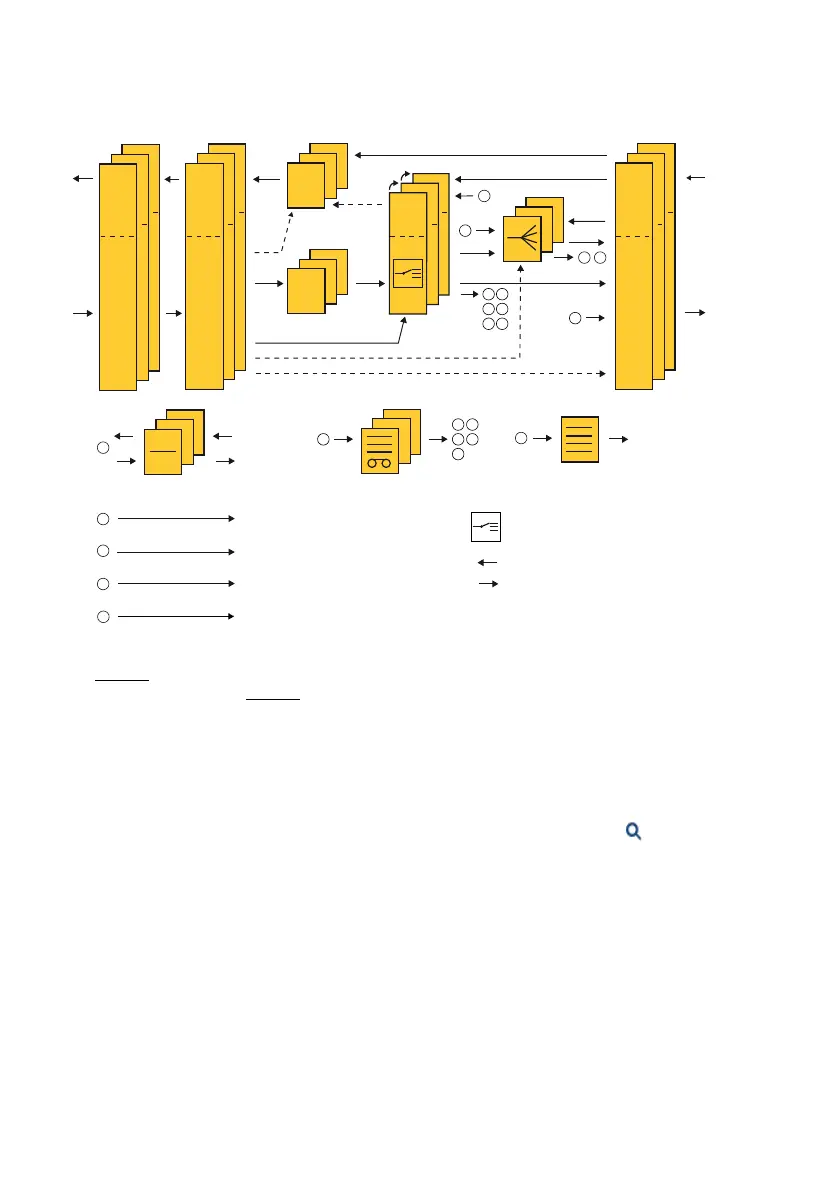
Routing elements
104
System functions and features as of R4.1
syd-0570/1.2 – R4.1 – 08.2016
[1] Routing via the numbering plan to one of the elements. Applies only to calls from the permanent network PISN
(page 174
)
[2] Routing via a transit route (page 241
) or as [1]. Applies only to calls from the permanent network PISN
[3] Does not apply to calls from the analogue network
[4] Outgoing KT calls
Fig. 49 How calls are routed in the system
Configuration
You can find the configuration of the routing element in the call routing ( =df).
Switch over with Outgoing and Incoming links in the header between outgoing and in-
coming call routing.
Open the switch group configuration via the Switch groups link on the header.
To configure all other routing elements, double-click the element you want or tick the
box for the element you want then select the entry Edit via the context menu (right
mouse button).
76
54
31
73
5
8
9
1
6
8
9
Special destinations (PSTN overow, voice mail, mobile phone integration,
IP remote management (SRM), modem
Net-
work
side
Incoming calls
Outgoing calls
Changeover one or several
switch groups
ACD Server
ACD queue
External remote control
Transfer
General bell
KT Lines
Key
telephones
Direct Dialling Plans
User side
User congurationsUser groupsCall distribution
elements
Routes
Trunk groups
Network interfaces
Queue with announcement



 To Next Page