Features
347
System functions and features as of R4.1
syd-0570/1.2 – R4.1 – 08.2016
9. 4. 7 Do not disturb
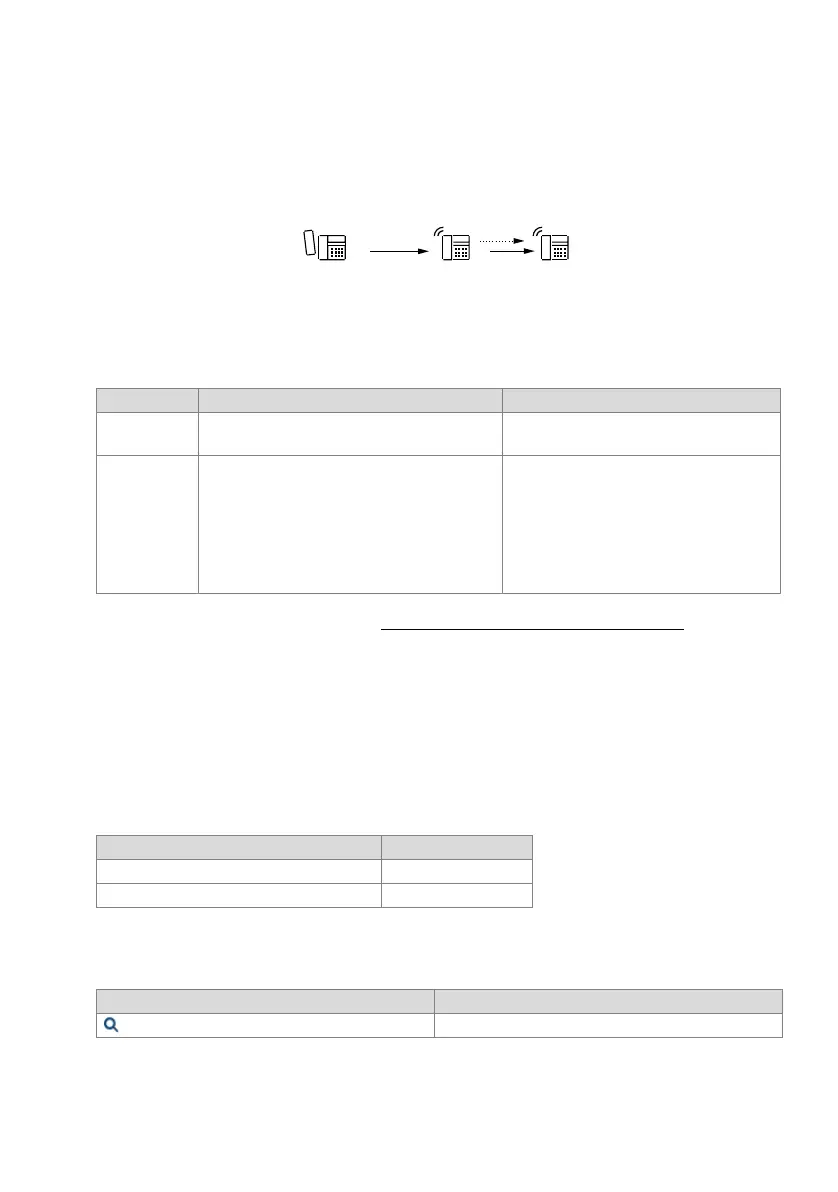
To ensure that user B is no longer disturbed, all incoming calls are automatically di-
verted to an alternative destination C, which has to be specified using the system con-
figuration.
Fig. 193 Do not disturb
Detailed Description
Tab. 144 Do not disturb
C is the only user who can still reach user B.
The alternative destination C is valid for the entire system.
The Do not disturb destination cannot be forwarded to the exchange.
Functions in prefix dialling
Tab. 145 Do not disturb: Functions
System configuration
Tab. 146 Do not disturb: System configuration
End point Operating sequence / signalling on terminal Scope
B Once the feature has been activated, B obtains an
acknowledgement tone.
C Possible destinations:
• User: internal, PISN
1)
• Operator phone
Requirement:
C is not protected against calls (Do not dis-
turb, *26) or Call Forwarding Unconditional
(*02).
1)
The settings authorising exchange-to-exchange traffic need to be observed for PISN users in the public net-
work or on a virtually connected PINX (see "Exchange-to-Exchange Connections", page 224
). (If the con-
nection is not authorized, the call is not forwarded.)
Functions Function codes
Activate Do not disturb *26
Clear Do not disturb #26
Parameter Remarks
Global call forwarding destination for do not disturb Setting valid throughout the system
%$ &
KD]DD[[E



 To Next Page