Features
316
System functions and features as of R4.1
syd-0570/1.2 – R4.1 – 08.2016
Tip
Certain features depend on the software version of the communication server. The software
version can be displayed as follows on MiVoice 5300/MiVoice 5300 IP phones:
– Access the configuration menu Settings.
– Long-click on the * key
Information can be retrieved on /Mitel 6700 SIP / 6800 SIP SIP phones as well as on
/Mitel 600 DECT DECT phones via the menu.
Depending on the phone, additional information is displayed.
9. 1. 1 Description categories and terminology
Each feature consists of a detailed description with the following headings:
• Scenario
• Detailed Description
• Prefix and suffix dialling Function Codes
• System configuration
• Reference to Other Features
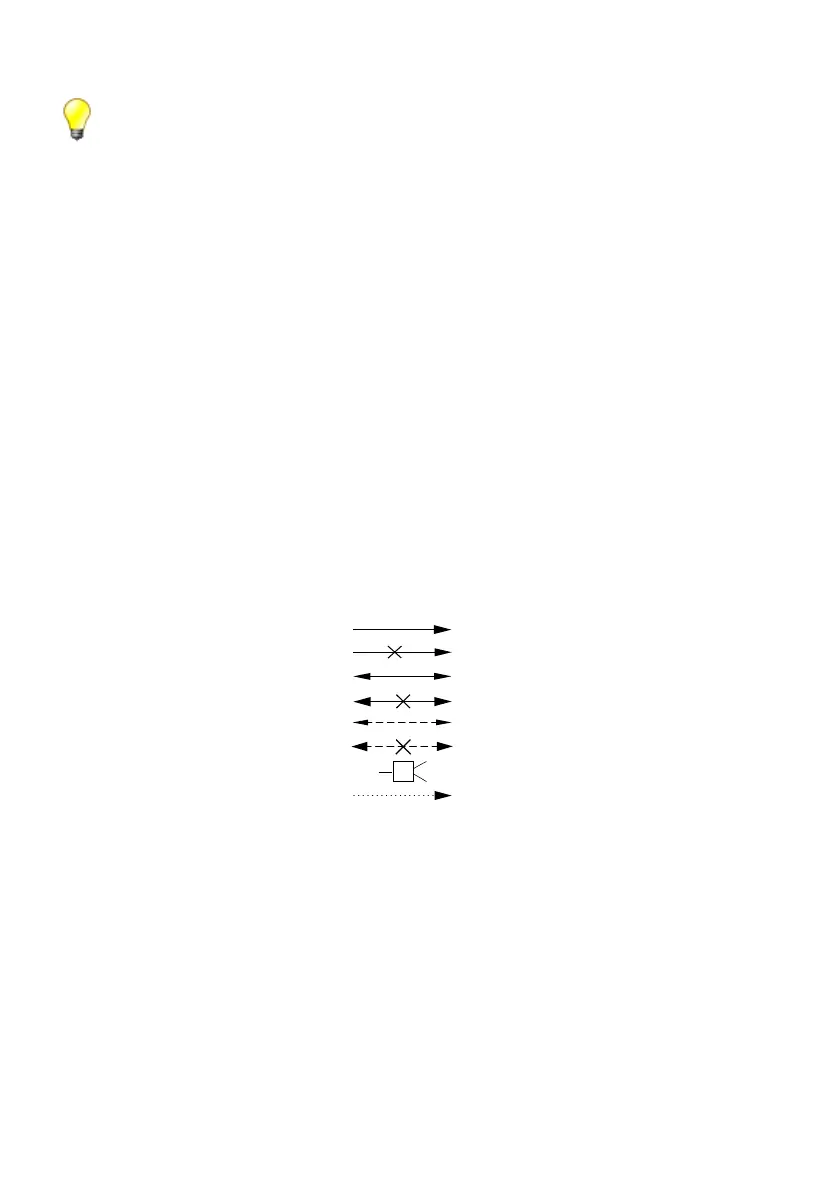
An illustration represents the feature scenario in a simple, clearly structured form. The
following symbols are used:
Tab. 118 Symbols used
Detailed Description
This heading contains:
• A description of the feature-relevant signalling on the system phones.
• A definition of the scope within which the feature can be carried out.
• Remarks, tips or information on the sequence of operation of the feature or on ex-
ceptional cases.
Call set-up
Cancel call set-up
Connection active
Active connection cleared down
Connection on hold
Connection on hold cleared down
Conference circuit
Activating a feature



 To Next Page