Features
434
System functions and features as of R4.1
syd-0570/1.2 – R4.1 – 08.2016
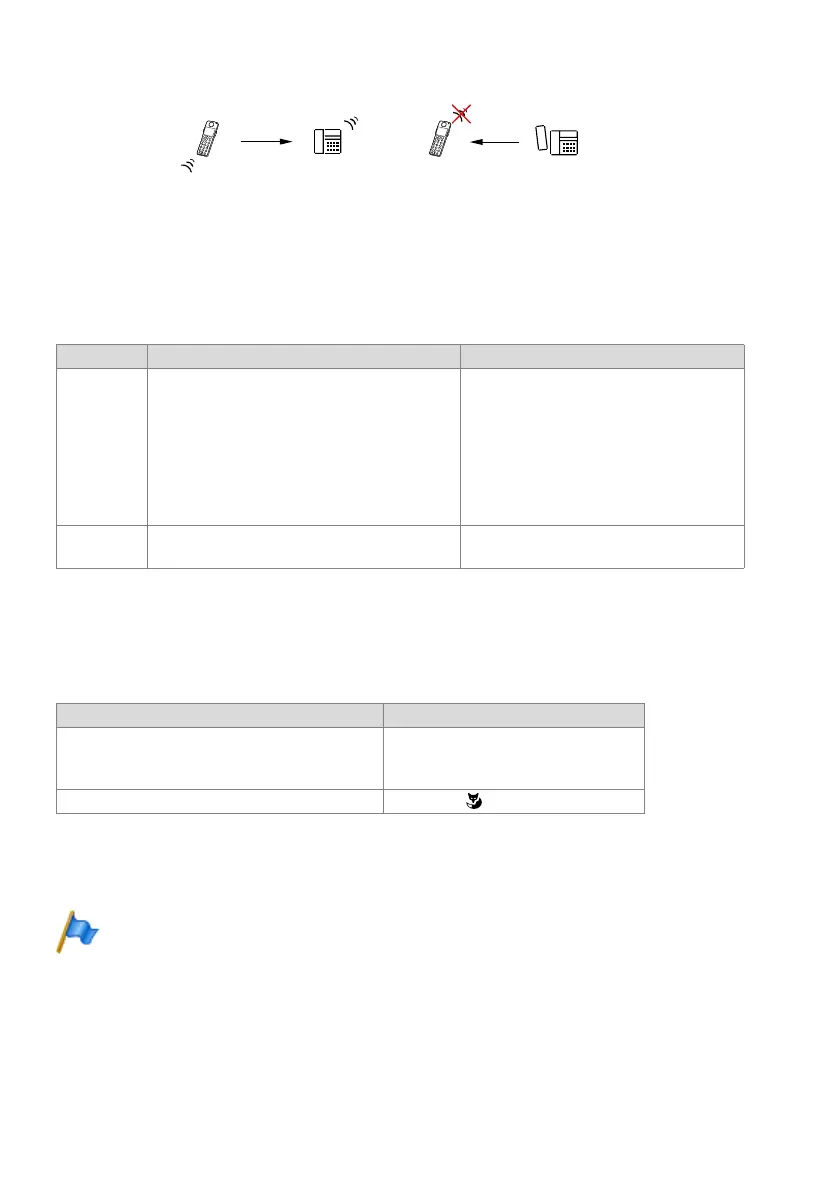
Fig. 235 Room monitoring (baby listening)
9. 6. 27. 1 Detailed Description
Tab. 262 Active and passive room monitoring
9. 6. 27. 2 Functions
Room monitoring is activated on the monitoring cordless phone A:
Tab. 263 Active and passive room monitoring: Functions
Note:
By default, a user is assigned permission set 1 with internal digit barring 5. By default, the func-
tion code *25 is barred in internal digit barring 5.
End point Operating sequence / signalling on the terminal Scope
A • Once the feature is activated, A obtains a confir-
mation tone and a permanent indication on the
display showing the destination user.
• A flashing exclamation mark indicates that the
microphone is switched on at A (active room mon-
itoring).
Cordless phones on which room monitoring
can be activated:
• Office 135/135pro
Terminals of the series Mitel 600 DECT
Requirements so that a check call can be
made from the outside:
• DDI is set up at user A.
• The caller’s CLIP is not suppressed.
B Possible destinations:
• User: internal, external, PISN
Functions Function codes
Activating room monitoring
x = mode [1...3]
1)
y = level [1...3]
2)
(optional)
1)
x = 1: Active room monitoring with a one-way call connection.
x = 2: Active room monitoring with a two-way call connection.
x = 3: Passive room monitoring
2)
y: Sensitivity to noise (1: low, 2: average, 3: high, default value: 2)
*25 x <user No.> [* y] #
Cancelling room monitoring #25 or using
%
$
$%
$FWLYHURRPPRQLWRULQJ 3DVVLYHURRPPRQLWRULQJ



 To Next Page