Features
405
System functions and features as of R4.1
syd-0570/1.2 – R4.1 – 08.2016
9. 6. 12 Hotline
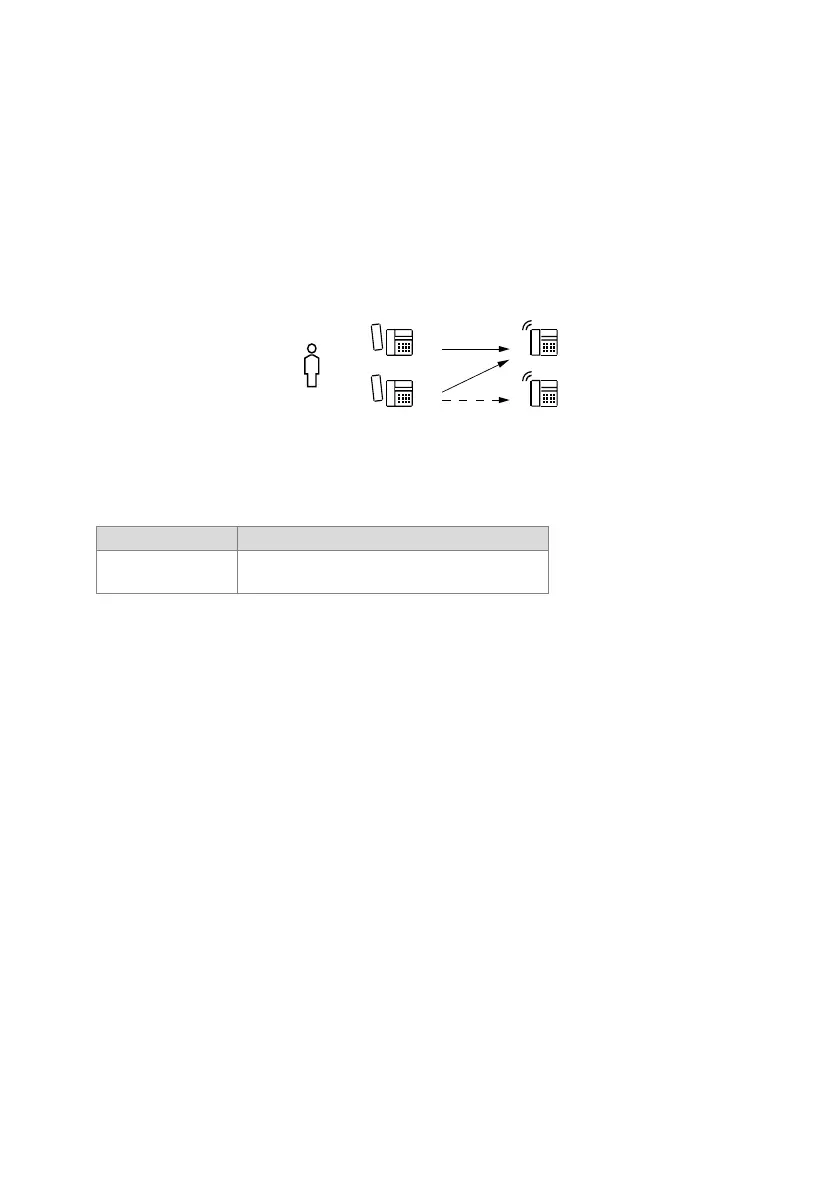
User A can be allocated one of 20 different hotline destinations. Whenever the handset
of a terminal assigned to user A is picked up, the configured hotline call number D will
automatically be dialled once the set delay has expired.
One hotline call number and a delay time can also be configured for each terminal. The
configuration on the terminal takes precedence over the user configuration. If hotline
destination E is also configured on terminal C, the destination is called regardless of
the configured delay times.
Fig. 219 Automatic dialling with hotline
Detailed Description
Tab. 216 Hotline
Once the hotline call number has been dialled, other digits can be suffix dialled (for ex-
ample, for a fax terminal the network access prefix is entered as the hotline destina-
tion).
If the user is not connected with the hotline destination, he has the following options:
• Press the Disconnect key. This stops the timer with the configured delay or, once it
has expired, the ringing at the hotline destination is interrupted and the user has the
possibility of dialling a different call number. If no disconnect key is available on the
system terminal, a function key with the Macro "Y" (end call and reseize line) can be
configured.
• Dial a new call number before the configured delay expires. The timer is restarted
every time a number key is pressed, which means that the entire dialling sequence
does not have to be made within the configured delay. The timer is stopped as soon
as dialling is completed and a call connection has been set up.
End point Scope
D, E Possible interfaces:
internal, external, PISN



 To Next Page