System interfaces
50
System functions and features as of R4.1
syd-0570/1.2 – R4.1 – 08.2016
2. 2. 1. 3 IP terminal interface
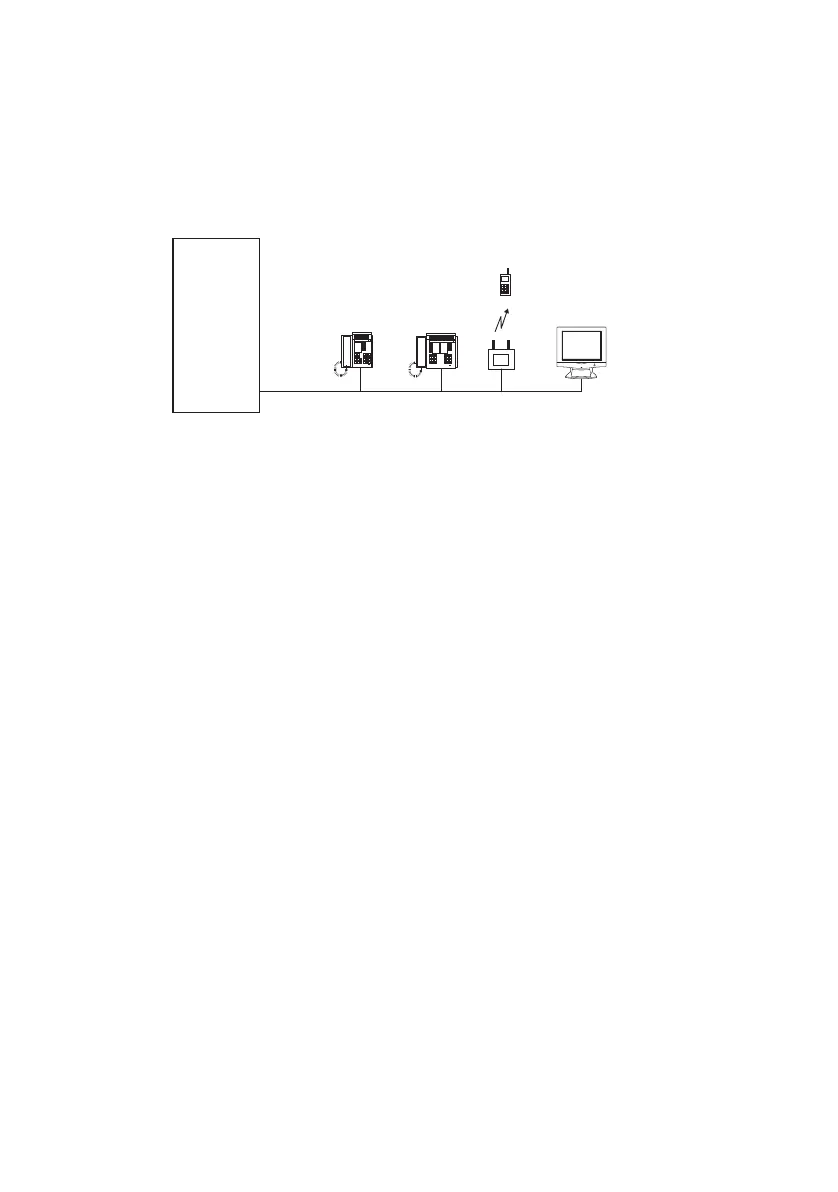
The IP terminal interfaces are implemented via an Ethernet interface on the communi-
cation server. MiVoice Office 400 supports IP system phones, Mitel SIP terminals and
standard SIP terminals from third-party manufacturers.
Fig. 20 IP terminal interface
The following IP system phones are supported:
• Terminals of the series MiVoice 5300 IP
• IP softphone MiVoice 2380 IP
• MiVoice 1560 PC Operator
Like the digital system phones the IP system phones (softphones and desk phones)
communicate with the communication server via the AD2 protocol. Unlike digital sys-
tem phones, however, call and signalling data is transmitted in the IP network. The de-
vices are connected to the IP network. The number of IP terminals on the communica-
tion server is determined by the system limits.
The following SIP terminals are supported:
• Terminals of the series Mitel 6700 SIP / 6800 SIP
• Mitel SIP-DECT cordless phones:
• Mitel BluStar 8000i Desktop Media Phone
• Mitel BluStar for PC
• Mitel BluStar for iPhone/iPad
• Mitel BluStar for Android Phone/Tablet
• Mitel BluStar for Conference Room
• MiVoice Conference Phone
Communica-
tion server
Ethernet
IP system
phone
SIP
terminal
Access
point
IP
softphone
WiFi mobile
phone



 To Next Page