Features
474
System functions and features as of R4.1
syd-0570/1.2 – R4.1 – 08.2016
9. 8. 1 Remote controlling features from within the system
A user A can use function code *06 to carry out features from his terminal on behalf of
another authorized user B.
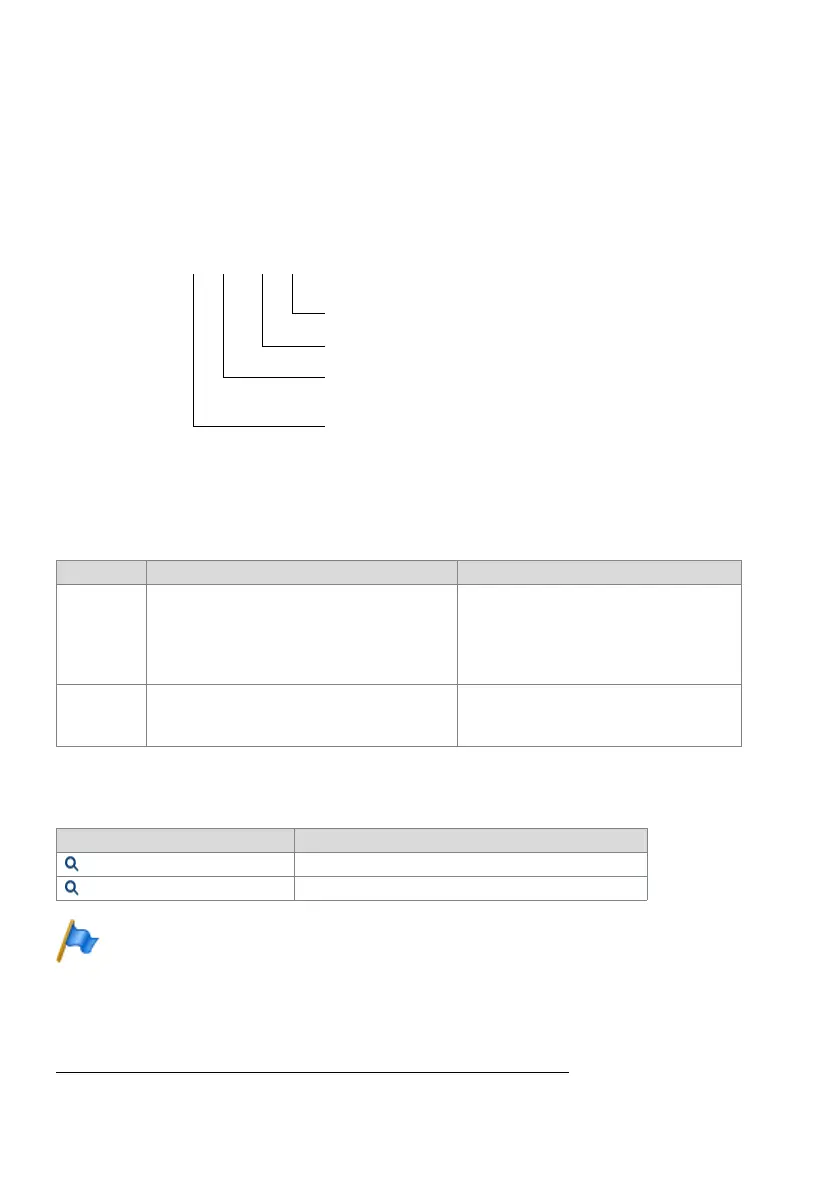
Example:
An internal user activates call forwarding on no reply:
Fig. 244 Example of remote control
Detailed Description
Tab. 314 Remote-controllable, user-related feature
System configuration
Tab. 315 Internal remote control: System configuration
Note:
By default, a user is assigned permission set 1 with internal digit barring 5. By default, the func-
tion code *06 is barred in internal digit barring 5. Moreover the user is protected against remote
control by default.
Reference to Other Features
"Remote controlling features from outside the system", page 475
End point Operating sequence / signalling on the terminal Scope
A When activating and deactivating the feature the
user carrying out the feature obtains the acknowl-
edgement tone.
Possible interfaces:
• A and B are on the same system
Requirements:
• For user A, *06 is not barred in the internal
digit barring.
B Requirement:
• User B is not protected against remote con-
trol.
Parameter Remarks
Remote control protection User configuration of user B.
Internal digit barring Assigned digit barring user A
*06 3303 *61 3304
Destination number for the CFNR
Feature to be executed (CFNR)
Number of the user for whom a feature is to be
activated / deactivated
"Remote-controlled features" identication



 To Next Page