Features
404
System functions and features as of R4.1
syd-0570/1.2 – R4.1 – 08.2016
9. 6. 11 Picking up a call
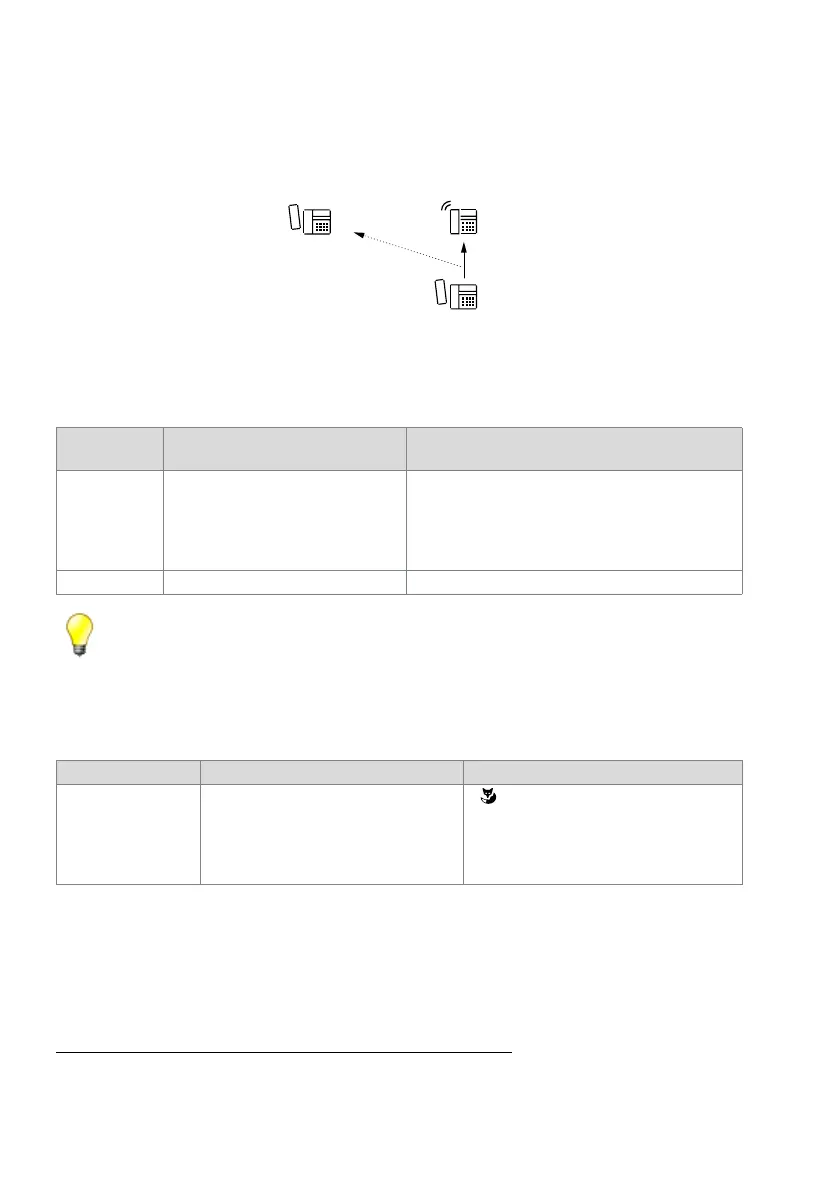
An incoming call from user A to user B can be fetched from any terminal C and then
answered.
Fig. 218 Call pick-up
Detailed Description
Tab. 214 Picking up a call
Tip:
Users who are not at their desk can take their calls from another terminal.
Calls from persons who have not configured CFU can be fetched and answered.
Function in prefix dialling
Tab. 215 Picking up a call: Function
System configuration
No settings
Reference to Other Features
"Fast Take (pick up a call or a call connection)", page 431
End point
Operating sequence / signalling on
the terminal
Scope
A-B Incoming call to be fetched:
• To a user
• On a user group (UG)
• Excluded: Call to line key, appointment reminder call,
recall
B Possible destinations: internal only
Function Function code System phones
Call pick-up *86 <User No.> or *86 <UG No.> for any
user called in the UG at that particular
moment.
•
• Office 35, Office 45, MiVoice 5370,
MiVoice 5380: click the Team key
• Mitel 6700 SIP / 6800 SIP
1)
: click the busy
lamp field key
1)
except Mitel 6863 SIP



 To Next Page