Call routing
204
System functions and features as of R4.1
syd-0570/1.2 – R4.1 – 08.2016
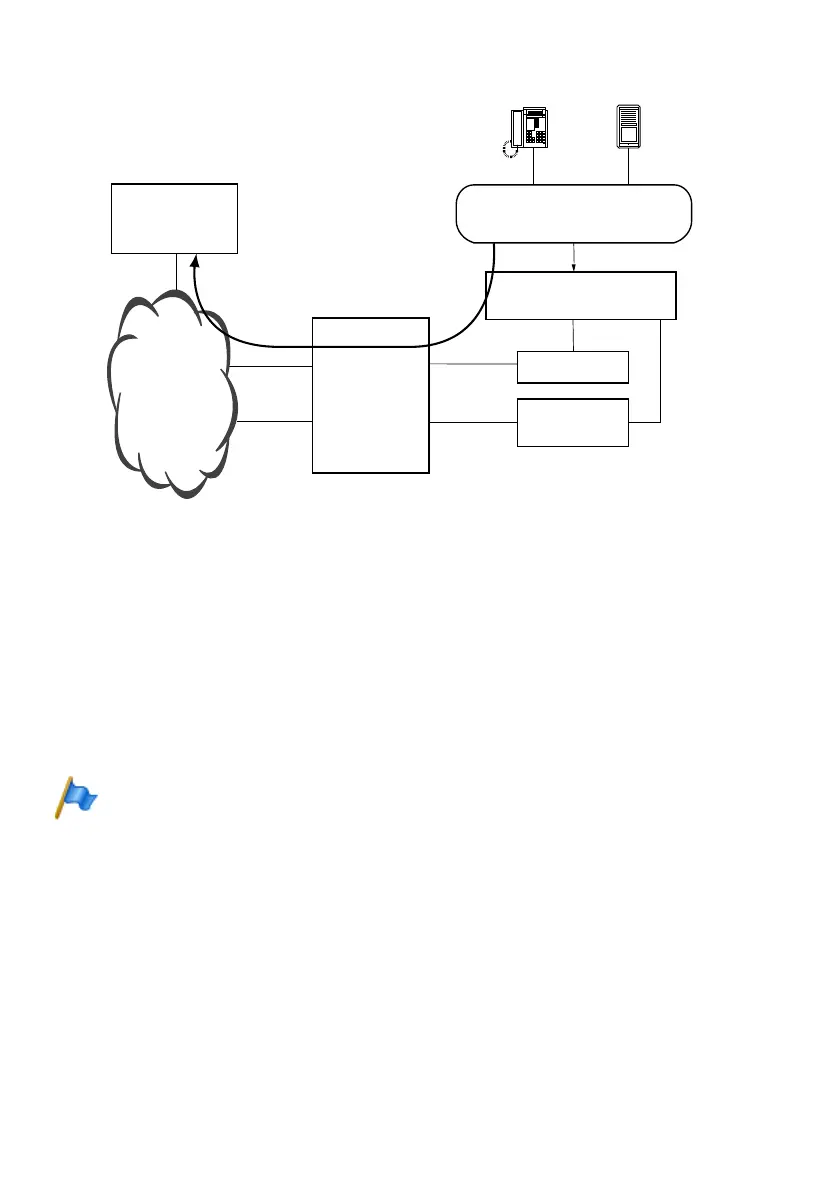
Fig. 97 Overview of a configuration for emergency applications
Scope
The priority setting is activated only in the case of direct dialling, not however in the
case of call forwarding, CFNR etc
In a private network the prioritization of an outgoing connection is only possible on the
communication server connected to the public network (gateway PINX).
In principle all internal users can be defined with activated external priority, even if
there are fewer B channels to the public network than authorized users.
Connections seized by users who also have priority will not be cleared down.
Note:
Network interfaces used for external priority calls must be connected with the public network
and active. It is advisable to provide a specific network interface for this purpose and to check it
on a regular basis. Connections to the public network via analogue network interfaces cannot
be cleared down.
Default setting
By default, External priority is disabled for all users.
FXS
BRI-S
Input devices for emergencies
(switch , keys, phones...)
Alarm system independent
Modem
Terminal
adapter
Public / private
network
Remote alarm
central (police
etc)
BRI-T
BRI-T
Communica-
tion server



 To Next Page