Routing elements
129
System functions and features as of R4.1
syd-0570/1.2 – R4.1 – 08.2016
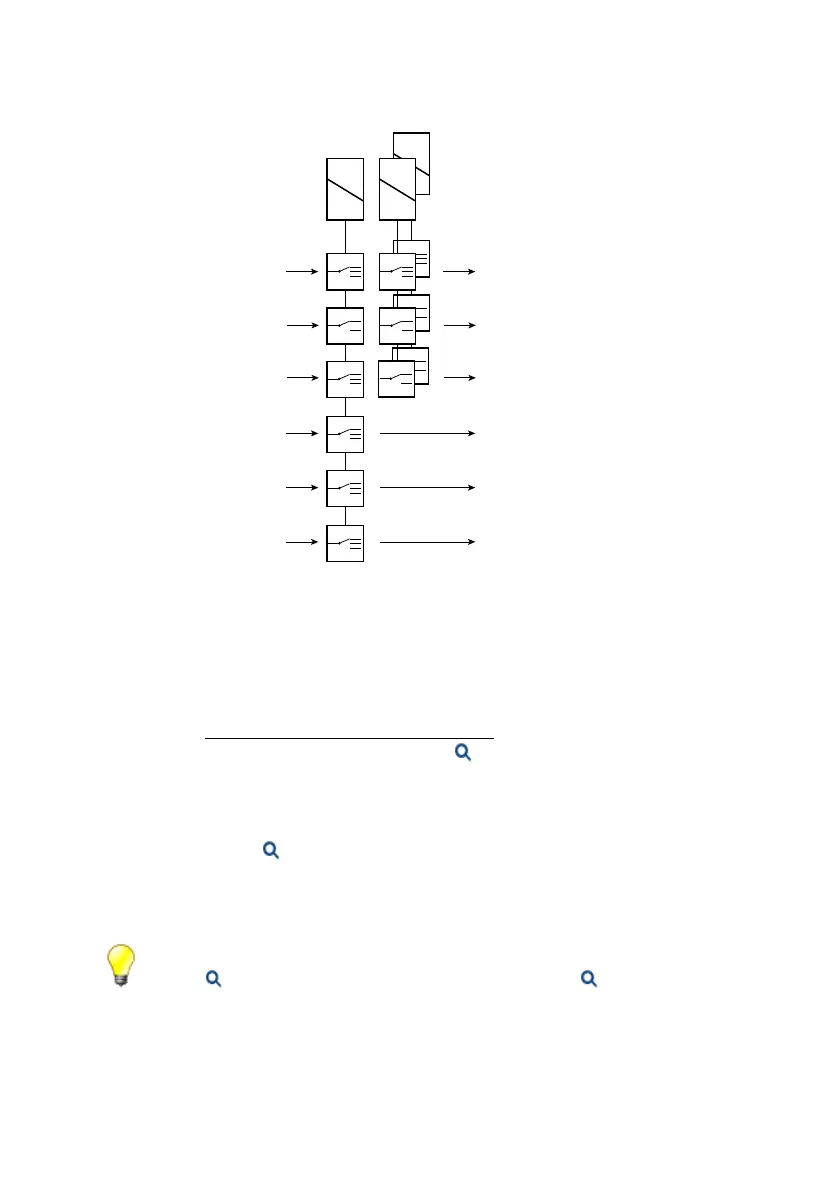
Fig. 62 Switch groups and how their changeover switches are used
The choice of switch group and the assignment of the switch positions are carried out
in the appropriate menus of the system configuration. After initialization the changeo-
ver switches are allocated throughout to switch group 1.
Switch groups are selected via menu selection or by dialling */# function codes on a
terminal (see "Switching switch groups", page 460
). The relevant authorization can be
regulated individually for each internal user. ( Operate switch group setting). Digit
barrings can also be used to limit authorizations to individual switch groups.
The switch groups can also be switched over via FXS interfaces configured as control
inputs or via the control inputs of an ODAB options card (Mitel 415/430). The switch
group configuration ( =xb) determines which of the switch groups are switched. Se-
lection via the control inputs takes precedence over selection via */# function codes.
This means that the */# function codes cannot be executed as long as a signal is im-
posed at the control inputs.
Tip:
Via the Position parameter in the switch group configuration ( =xb) you can also switch
the switch group directly in WebAdmin.
XX
1
2
internal and internal PISN destinations
Announcement service
internal and external digit barring settings
internal digit barring
internal, internal PISN or external
destination
internal destinations
incoming calls
incoming calls
outgoing calls
internal calls
Emergency calls
Switch groups



 To Next Page