INSTALLATION PROCEDURE
3-12
C231/C237/C238 SM
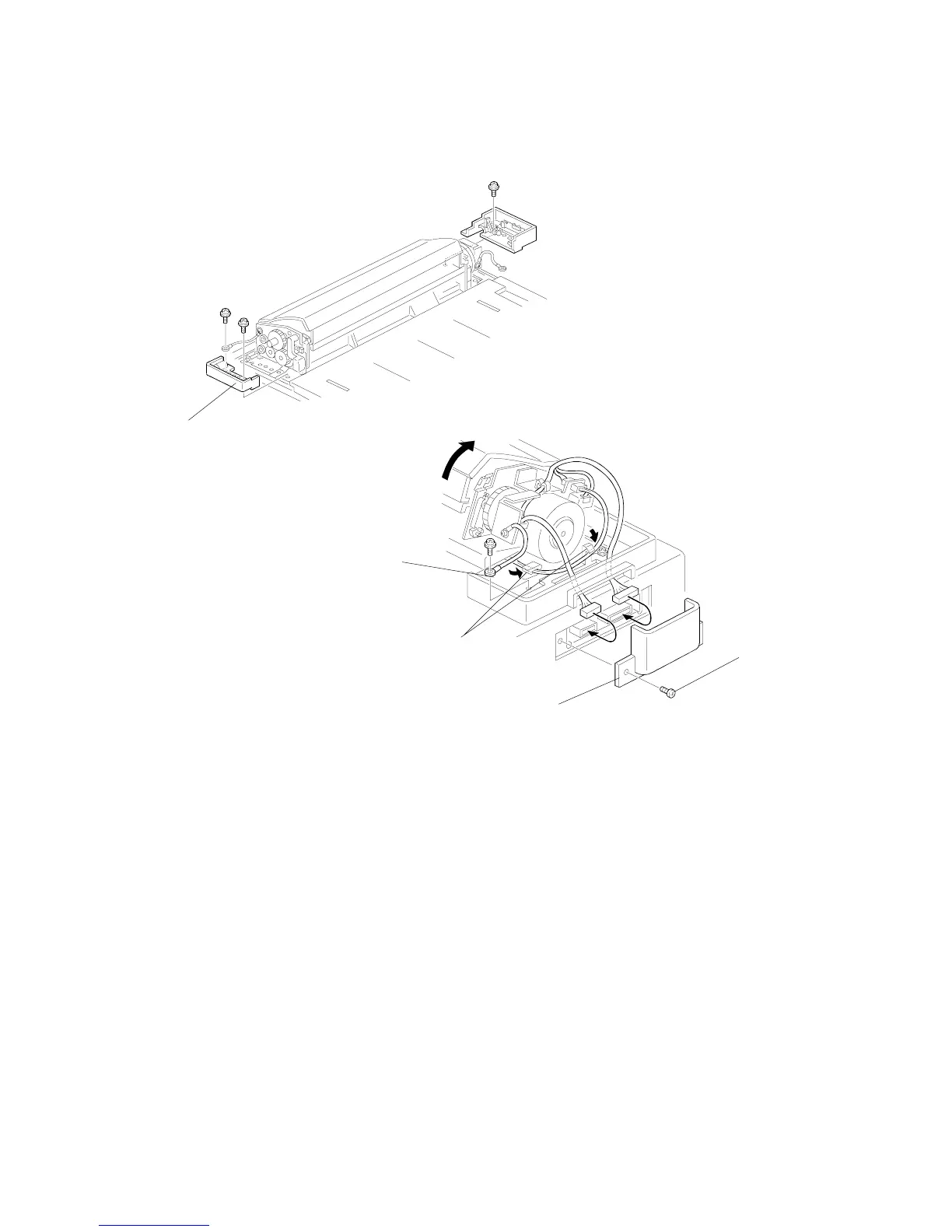
5. Secure the operation side of the ADF unit with the ADF lower front cover [K] (2
screws). Secure the grounding wire as shown.
6. At the non-operation side of the ADF unit, secure the harness with the two
clamps [L].
7. Secure the grounding wire [M] (1 screw).
8. Pass the two harnesses through the cutout in the ADF lower rear cover, and
then connect the harnesses to the main body.
9. Attach the connector cover [N] with the screw [C] removed in step 2.
C231I512.WMF
C231I513.WMF
[K]
[L]
[C]
[M]
[N]



 To Next Page