INSTALLATION PROCEDURE
3-13
SM C231/C237/C238
Installation
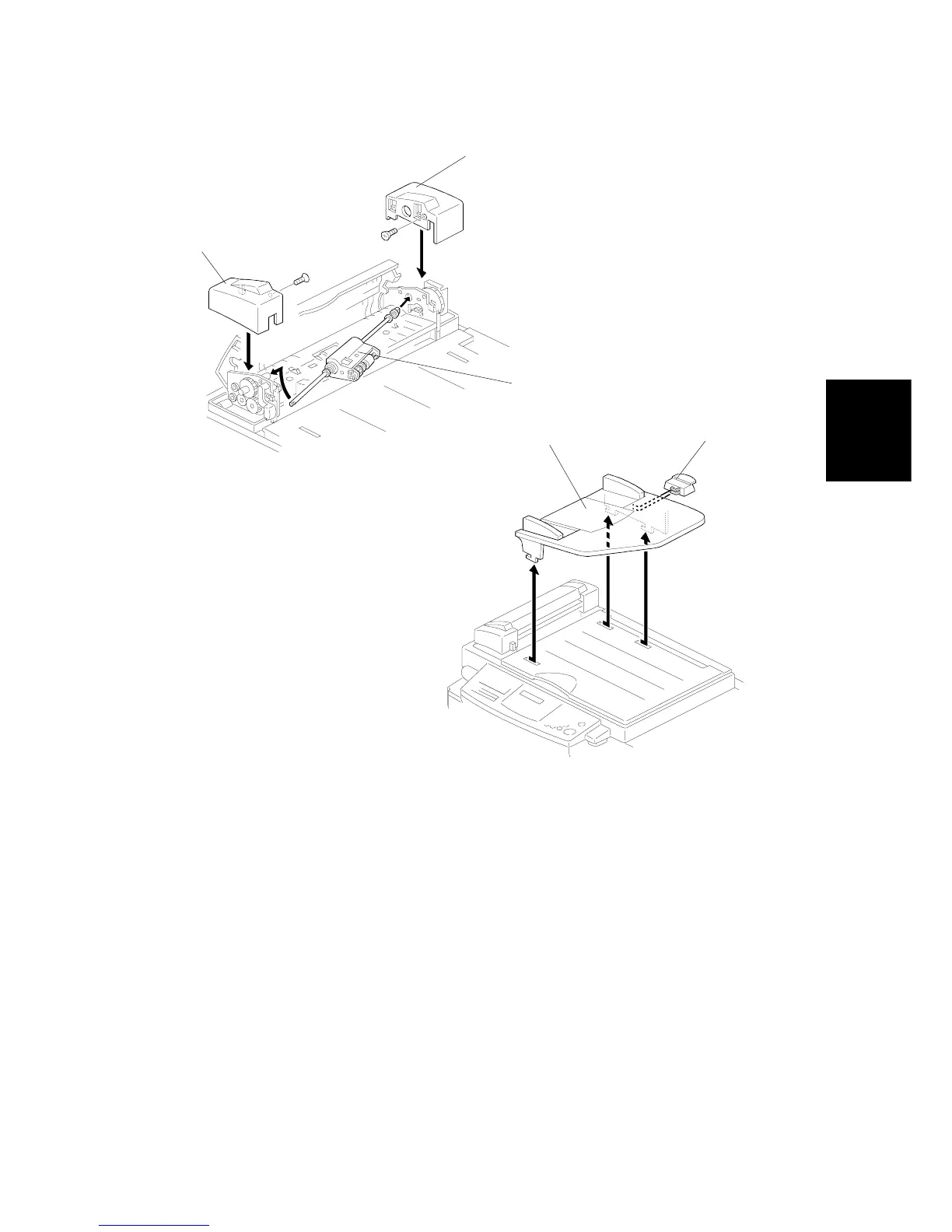
10. Attach the ADF upper rear cover [O] (1 sunken screw and 1 hook).
11. Attach the ADF upper front cover [P] (1 sunken screw and 2 hooks).
12. Install the ADF roller assembly [Q].
13. Attach the original table [R], then the platen cover stopper [S].
NOTE:
To enable the use of the ADF, access the SP mode and set SP No. 2 to
"1". Refer to section 4.4.2.
C231I514.WMF
C231I515.WMF
[O]
[P]



 To Next Page