MAIN MENU NO.6: ADJUSTMENT
C231/C237/C238 5-16 SM
5.7.6 SP6-23: PAPER REGISTRATION – EACH SPEED
The following procedure allows the image position to be adjusted for each speed
(15, 30, 60, 75, 90,105, and 120 rpm).
Note:
If you want to adjust the image position for all speeds at the same time, use
SP6-21 (Paper Registration position).
The procedure below can also be used for SP6-24 to –26.
1. Set SP2-24 (Slow starting mode) to a value of “2” (print from 15 rpm).
2. Set SP8-10 (Test patterns) to a value of “6”, then press the Start key.
3. Make 6 copies at speed 5 (finishing with 120 rpm). Perform the adjustment
below for all 6 copies:
Trial print: 15 rpm
1st print: 30 rpm
2nd print: 60 rpm
3rd print: 75 rpm
4th print: 90 rpm
5th print: 105 rpm
6th print: 120 rpm
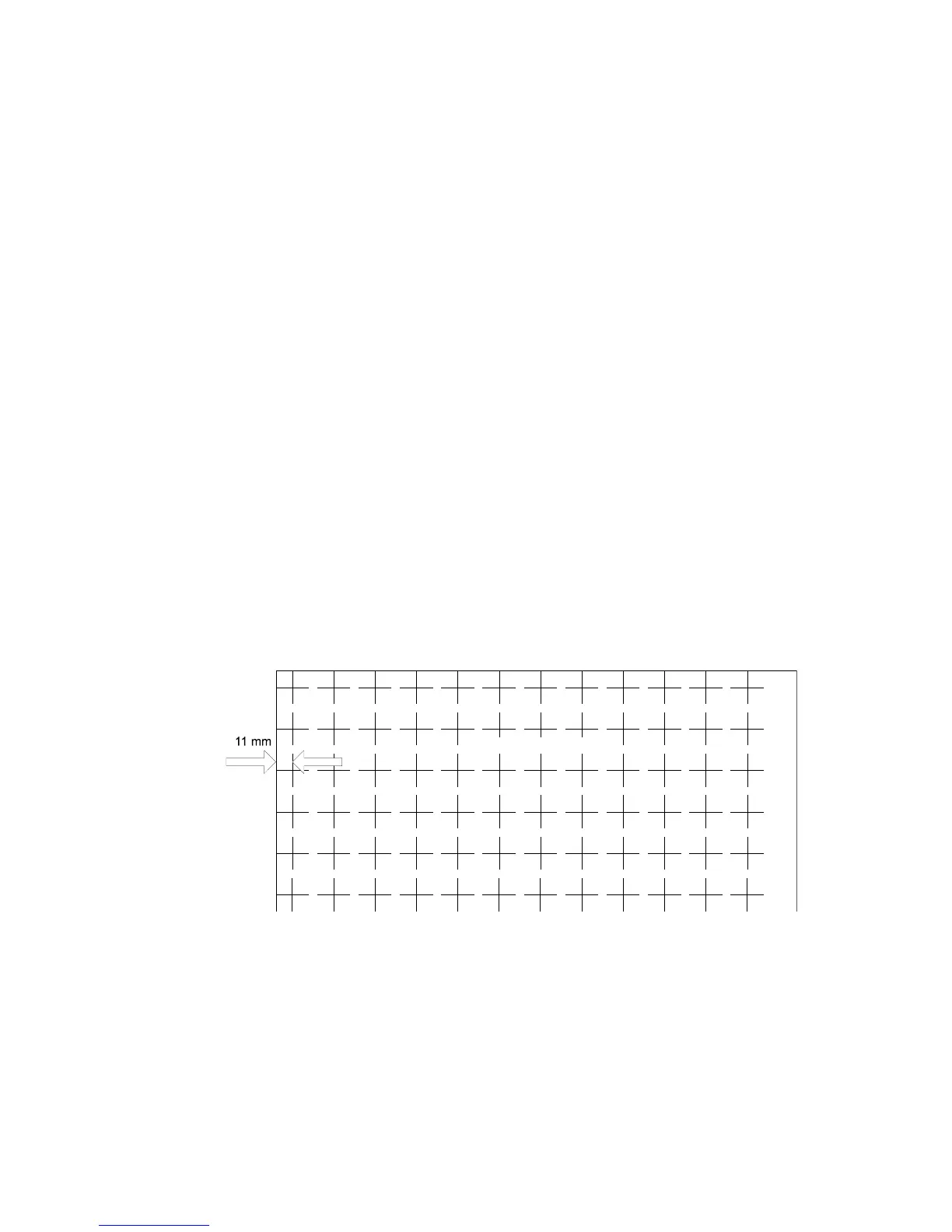
4. The distance between the leading edge and first line should be 11 mm, as
shown below.
C238A081.WMF
Rev. 05/2003



 To Next Page