Service
Tables
MAIN MENU NO.6: ADJUSTMENT
SM 5-17 C231/C237/C238
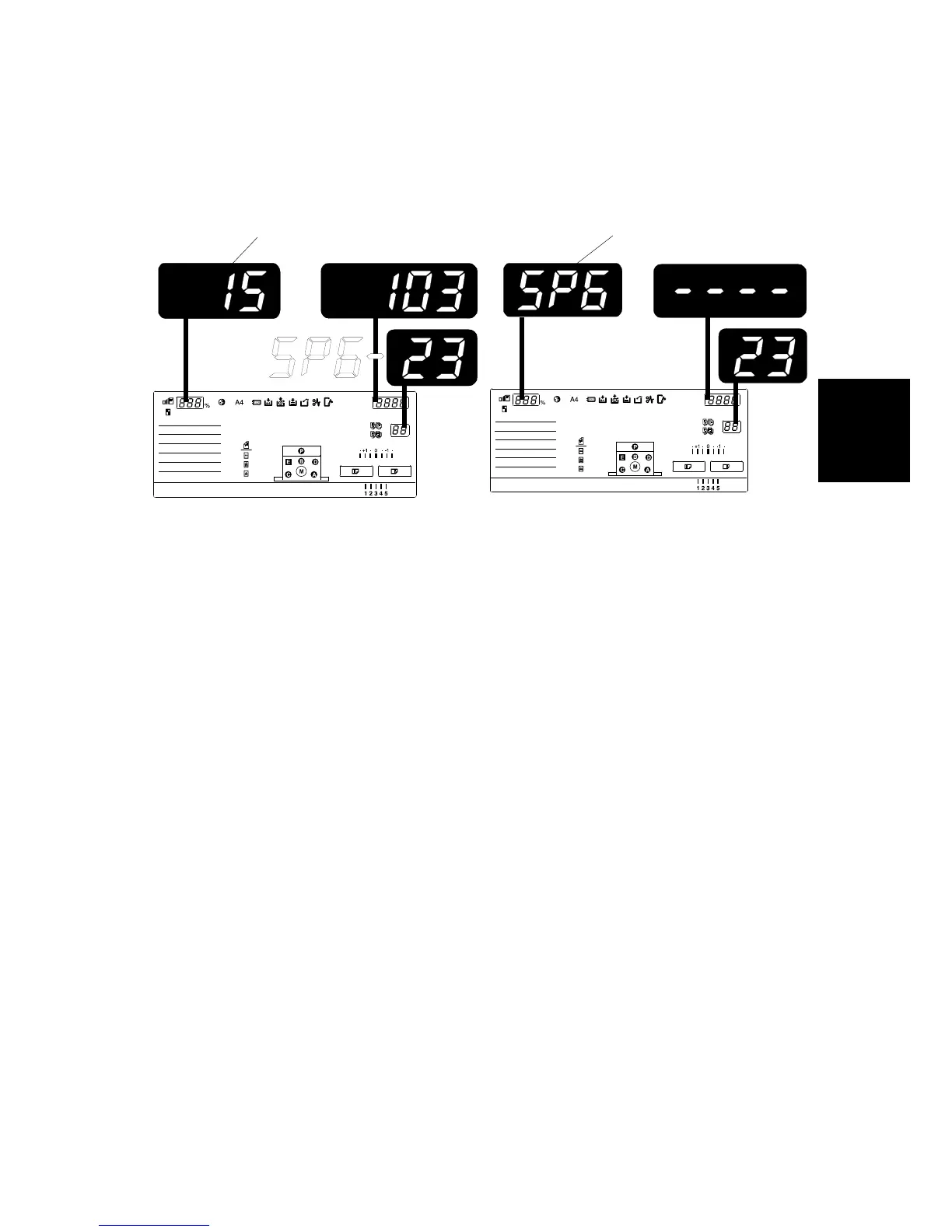
5. If this distance is not 11mm, access SP6-23. The zoom counter [A] displays the
speed. If the I/O ROM is not C2385124-G or newer, the zoom counter [B]
displays “SP6”, and cannot be adjusted.
6. Input a value to adjust the distance (range 0 to 255):
The higher the value, the narrower the distance between the leading edge and
1
st
line becomes (and vice-versa). Also, each step corresponds to
approximately 0.58mm. Input the value that will bring the distance to 11mm.
7. Press the Enter key twice, which will change the zoom counter [A] to the next
printing speed. Then repeat Steps 4 thru 6 for each of the other five copy
samples (i.e. 30, 60, 75, 90, 105, and 120rpm samples).
8. Perform the adjustment again for any of the samples that are still outside the
11mm standard.
9. Return SP2-24 (Slow starting mode) to the value it was at before the
adjustment.
C238A077.WMF
C238A076.WMF
[B]
[A]
Rev. 05/2003



 To Next Page