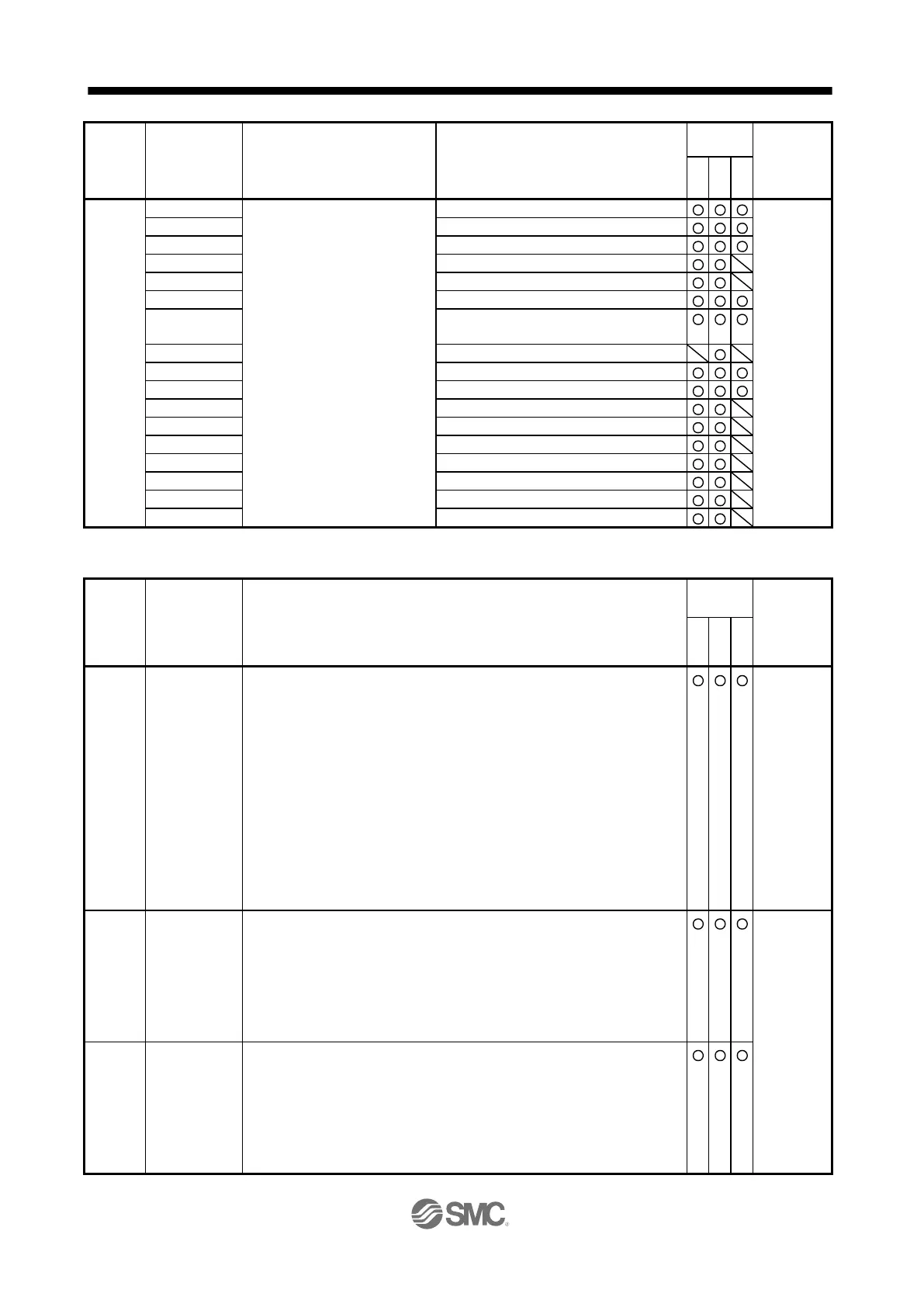
Status display data value and
processing information
Number of tough drive operations
Unit total power consumption
Command remaining distance
Point table No./Program No./
Station position No.
Cam axis one cycle current value
Cam axis feed current value
Cam stroke amount in execution
Main axis one cycle current value
(2) Parameter (command [0] [4], [1] [5], [1] [6], [1] [7], [0] [8], and [0] [9])
Reading parameter group
0000: Basic setting parameters ([Pr. PA_ _ ])
0001: Gain/filter parameters ([Pr. PB_ _ ])
0002: Extension setting parameters ([Pr. PC_ _ ])
0003: I/O setting parameters ([Pr. PD_ _ ])
0004: Extension setting 2 parameters ([Pr. PE_ _ ])
0005: Extension setting 3 parameters ([Pr. PF_ _ ])
0009: Option setting parameters ([Pr. Po_ _ ])
000B: Linear servo motor/DD motor setting parameters ([Pr. PL_ _ ])
000C: Positioning control parameters ([Pr. PT_ _ ])
Reads the parameter group specified with the command [8] [5] + data No. [0]
[0]. Before reading the current values, therefore, always specify the parameter
group with the command [8] [5] + data No. [0] [0].
Current value of each parameter
Reads the current values of the parameters in the parameter group specified
with the command [8] [5] + data No. [0] [0]. Before reading the current values,
therefore, always specify the parameter group with the command [8] [5] + data
No. [0] [0].
The decimal equivalent of the data No. (hexadecimal) value corresponds to the
parameter No.
Upper limit value of each parameter setting range
Reads the permissible upper limit values of the parameters in the parameter
group specified with the command [8] [5] + data No. [0] [0]. Before reading the
upper limit values, therefore, always specify the parameter group with the
command [8] [5] + data No. [0] [0].
The decimal equivalent of the data No. (hexadecimal) value corresponds to the
parameter No.


 To Next Page
 Loading...