217
Masterpiece
User Manual
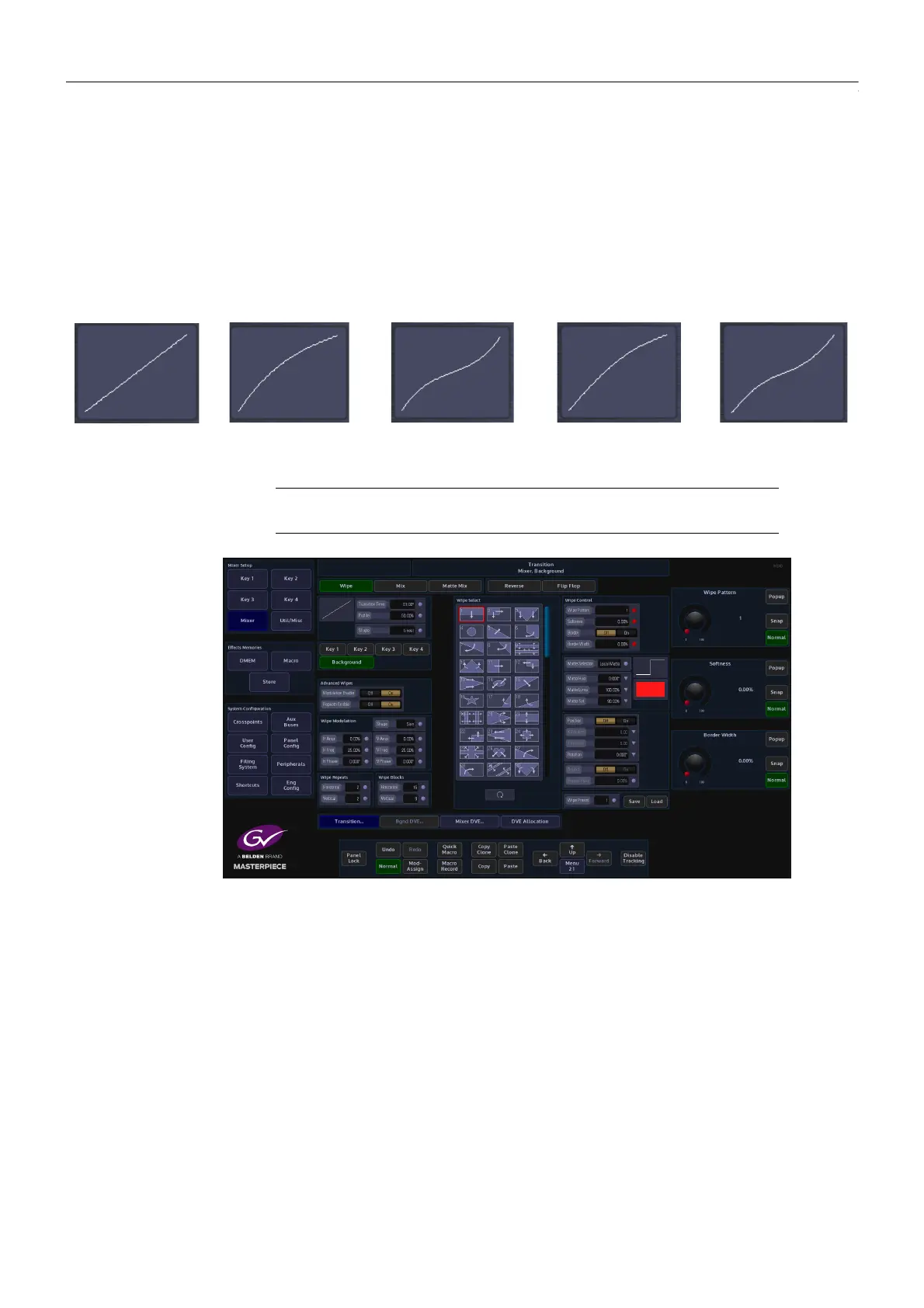
Shape - Selecting one of the Shape options will depict the type of profile curve; this will alter
the acceleration rate for a transition.
• Linear - constant transition, no change in transition acceleration
• Cubic C and Sin C - these profiles are similar to each other, the default transition will
have a fast acceleration at the start and slowdown towards the end.
• Cubic S and Sin S - these profiles are also similar to each other, the default transition
will accelerate at the start slow down towards the mid point and accelerate again.
Wipe Pattern - Adjust to select the required wipe pattern. There are a number of individual
wipe patterns available. The number of available wipe patterns will vary depending on
whether the background or Key is selected.
Softness - This parameter adjusts the softness of the leading edge or edges of the selected
wipe pattern. 0% is the default setting which Shows a hard clean edge and 100% blends the
edge into the background making it barely visible until the transition is complete.
Border - This turns the border function On/Off
Border Width - If a border has been selected for example on a square wipe which starts from
the center of the screen, the width of the border in relation to the edge of the wipe can be
adjusted.
Border Fill - Select the border Fill from either a Matte or one of the two Util Buses, as described
in the Mix menu structure.
Shapes Parameters
Linear
Cubic C
Cubic S
Sine C
Sine S
Note: The following parameter are the Grass Valleye for Wipe, Mix and
Matte Mix menus.



 To Next Page
 Loading...



