EasyManua.ls Logo

Honeywell SmartPAC 2 - User Manual

Honeywell SmartPAC 2
522 pages
Print Icon
To Next Page IconTo Next Page
Loading...
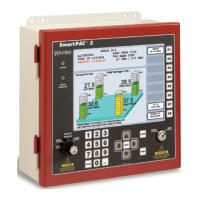
SmartPAC 2 Press Automation Control
Tech Support Hotline 800-586-8324 8-5 EST
www.wintriss.com
®
includes optional DiPro PAC and ProCam PAC
1126800 Rev. 1 September 2003
®®
with Wintriss WPC Clutch/Brake Control
®
Wintriss
Wintriss Controls Group
100 Discovery Way
Acton MA 01720-3648 USA
Phone (978) 264-9550 (800) 586-8324
Fax (978) 263-2491
PRINTED IN USA DA70194
3

Table of Contents

Questions and Answers

  • J
    johnsonamyAug 11, 2025
    What to do if Honeywell Control Unit shows Brake Monitor - Stop Time Exceeded?
    • B
      Brian CamachoAug 12, 2025
      If the Honeywell Control Unit displays a 'Brake Monitor - Stop Time Exceeded' message, it means the press's actual stopping time has exceeded the limit set in SmartPAC. It's crucial to check the brakes and ensure the press is safe to operate.
  • J
    janice40Aug 20, 2025
    Why Honeywell SmartPAC 2 shows Brake Monitor Brake Warning?
    • M
      michaelfosterAug 20, 2025
      If your Honeywell Control Unit displays a 'Brake Monitor Brake Warning,' it could mean that your brake is defective or wearing. Have your maintenance crew immediately investigate the condition of the brake.
  • J
    jessica21Aug 27, 2025
    What to do if Honeywell Control Unit is in Lockout?
    • D
      Donald CombsAug 27, 2025
      If the Honeywell Control Unit is in a lockout state, turn the STROKE SELECT key switch to OFF, wait at least one second, and then turn it to the desired operating mode.
  • T
    thomasdonaldSep 4, 2025
    What to do if Honeywell SmartPAC 2 has Interrupted Stroke?
    • J
      James BishopSep 4, 2025
      If the Honeywell Control Unit experiences an interrupted stroke, clear the error message by pressing the RESET key.

Honeywell SmartPAC 2 Specifications

General IconGeneral
Power Supply24 VDC
DisplayLCD
ConnectivityEthernet, USB
Input Voltage24 VDC
Operating Temperature0°C to 50°C
CompatibilityHoneywell

Related product manuals