System interfaces
36
System functions and features as of R4.1
syd-0570/1.2 – R4.1 – 08.2016
Types of connection setup
Requests and responses are defined in SIP in order to set up a connection between
two subscribers. The User Agent Client generates a request, to which the User Agent
Server responds with a response.
There are essentially three methods for setting up an SIP connection. The descriptions
below are greatly simplified and explain only the principle and the different methods.
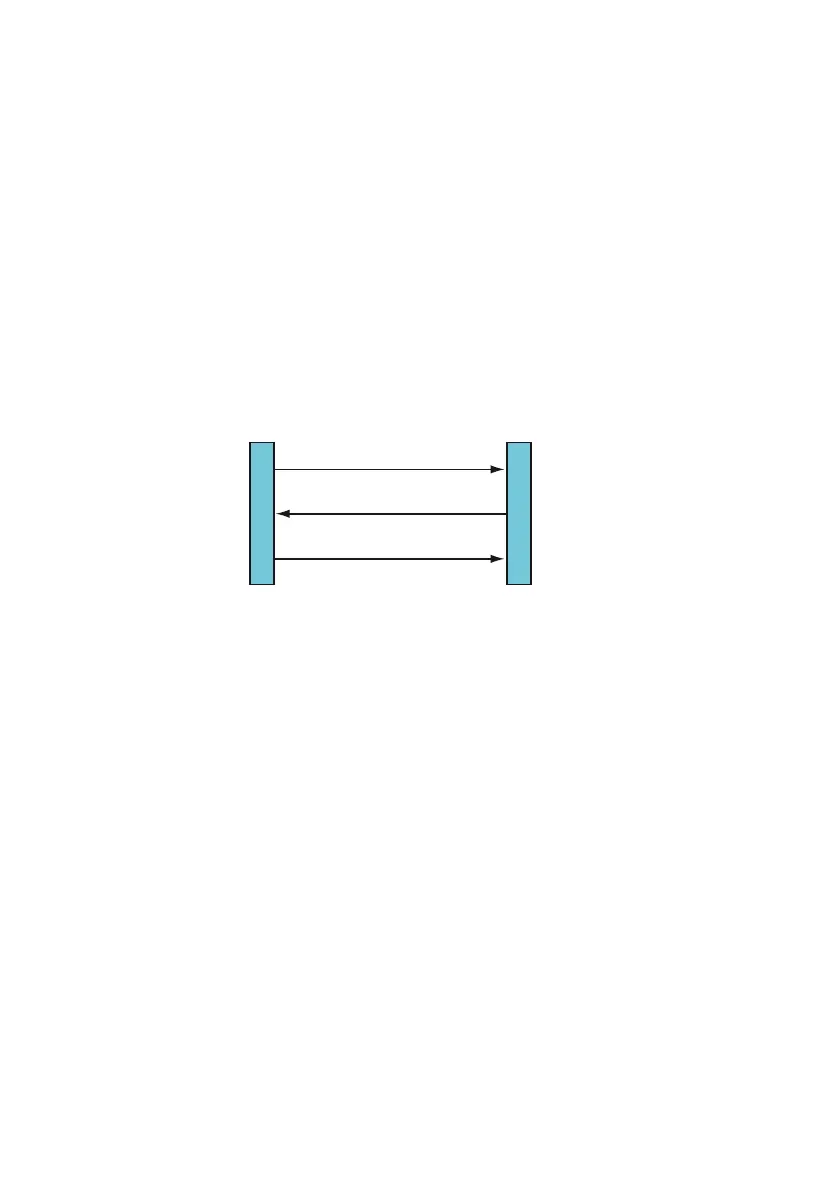
Method 1: Direct connection setup between the User Agents
The User Agent Client sends the "INVITE" request for a connection setup to the User
Agent Server. If the User Agent Server takes the call, he sends back the response
"OK" together with the connection parameters. The User Agent Client confirms this
with an "ACKNOWLEDGE" and the call connection is set up.
Fig. 12 Direct connection setup
As the IP address changes depending on the User Agent’s location, this method does
not guarantee that the connection is set up.
Method 2: Connection setup using a Proxy Server
The User Agent Client sends the "INVITE" request for a connection setup with the User
Agent Server to the Proxy Server. The Proxy Server retrieves the current IP address of
the User Agent Server from the database of the location service and forwards the con-
nection request to the User Agent Server. If the User Agent Server takes the call, it
sends the response "OK" back to the Proxy Server, which in turn forwards it to the User
Agent Client. The response contains all the connection parameters. From this point on-
wards the two User Agents communicate directly with each other. The User Agent Cli-
ent confirms the connection parameters with an "ACKNOWLEDGE" and the call con-
nection is set up.
INVITE
OK
ACKNOWLEDGE
User Agent ServerUser Agent Client



 To Next Page