Numbering plan
66
System functions and features as of R4.1
syd-0570/1.2 – R4.1 – 08.2016
Entering PISN Users
There are two ways of entering PISN users:
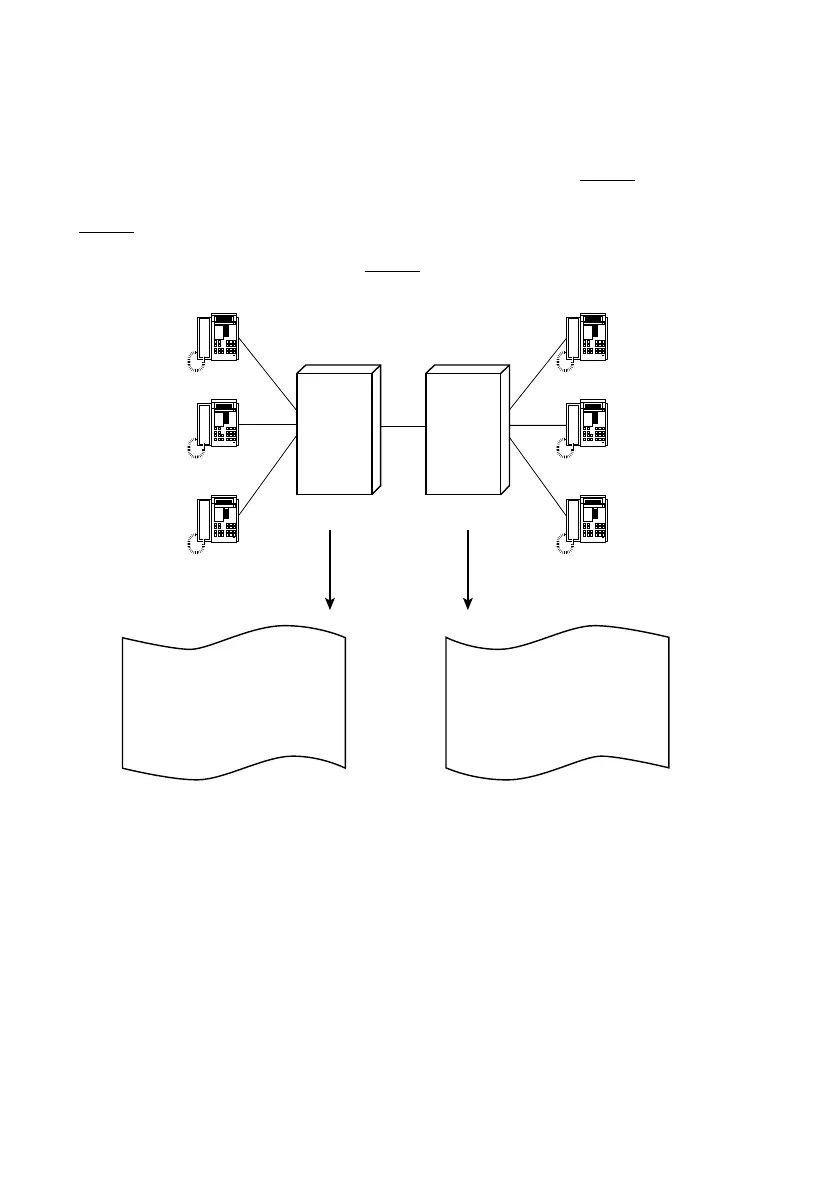
• A PISN user’s call number is entered in full and unequivocally (Fig. 24, PINX 2).
• One number with wildcards is entered for several PISN users (group of PISN users,
Fig. 24
, PINX 1, PISN users D and E).
These variants can also be combined (Fig. 24
, PINX 1).
Fig. 24 PISN users entered with and without wildcards
Entering the Number of a PISN User in Full
A complete PISN user number unequivocally identifies a user at another PINX or a vir-
tual user.
Each unequivocal number of a PISN user can be allocated a name in the user configu-
ration. This enables:
• these users to be dialled by entering the name rather than the call number (dialling
by name)
• the name of a virtual PISN user to be displayed (CNIP)
201
202
203
A
B
C
216
217
218
D
E
F
201
202
203
21X
218
216
217
218
201
202
203
Internal user D
Internal user E
Internal user F
PISN user A
PISN user B
PISN user C
Internal user A
Internal user B
Internal user C
PISN users D, E
PISN user F
Numbering plan PINX 2
Numbering plan PINX 1
PINX 2
PINX 1



 To Next Page