ProSYS Installation and Programming Manual 131
55
99
Dialer: Periodic Test
The Periodic Test menu enables you to set the time period that the ProSYS will automatically
call the MS or Upload/Download phone numbers in order to check the phone line connection.
It also sends reports of non-urgent events, which reduces the number of calls made (only if
the Call Save option is defined as YES). (Refer to Call Save, page 119, for additional details).
To access the Periodic Test menu:
1 Access the Dialer menu, as described on page 110.
2 From the Dialer menu, press [9] to access the Periodic Test menu options. The
following display appears:
3 Access and configure the parameters in the Periodic Test menu, as follows:
Dialer: Periodic Test
Quick Keys Parameter Default Range
55
99
11
MS Test
HR:00
MIN:00
00-24 hours
00-59 minutes
Sends Periodic Test reports to the MS Receiver monitoring the account and
assigns a valid Report Code for these Periodic Test reports.
1. Set the test time and daily interval for Periodic Test Reporting, as
follows:
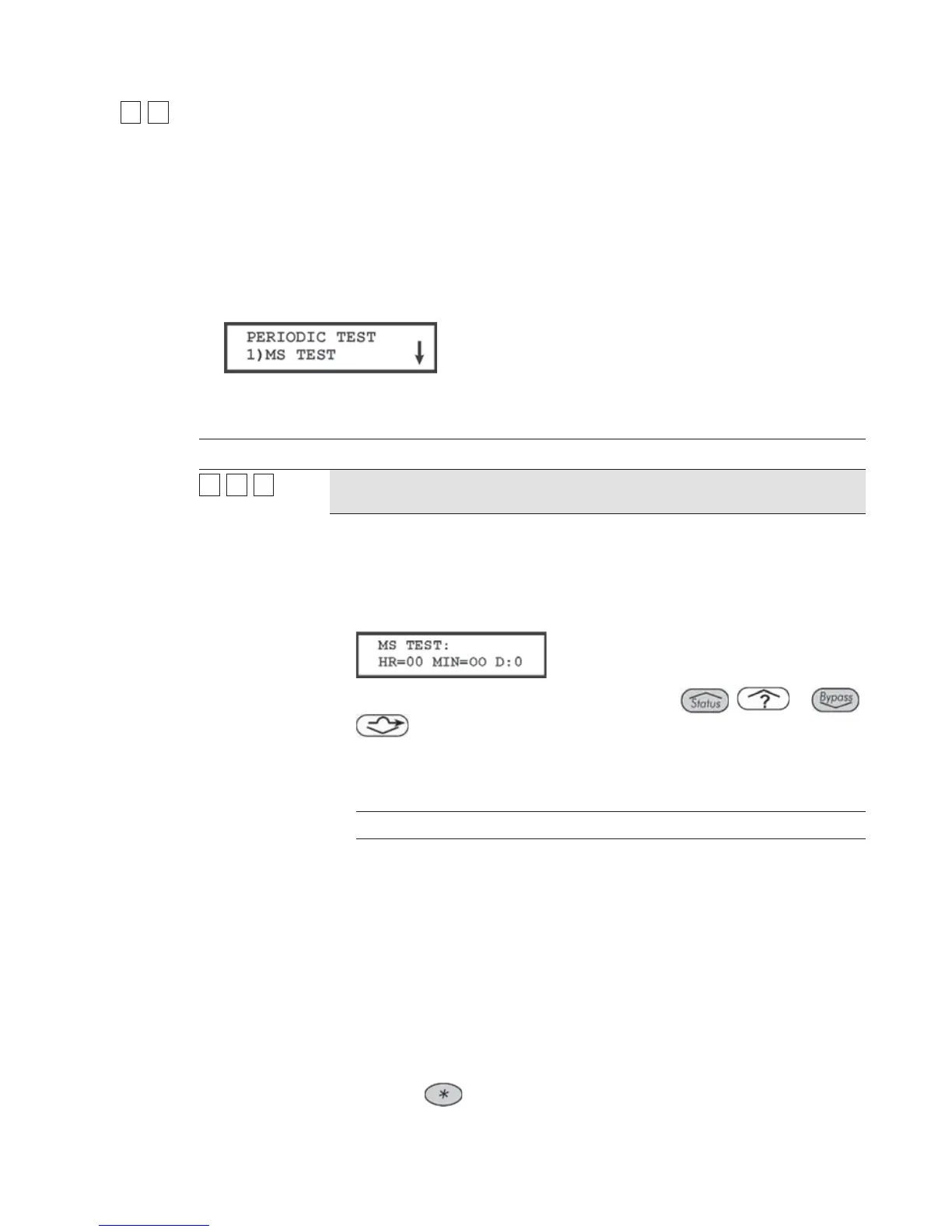
2. Press [1]. The following display appears:
3. Use the keypad's numeric keys [0 to 9] and the
/ or /
keys to type in the time of day (in 24-hour format) for Periodic Test
reports to be sent.
4. Use the table below to specify the daily testing intervals
(D)-effective from the day of programming:
D Meaning
0 Never
H Every hour
1 Every day
2 Every other day
3 Every 3rd day
4 Every 4th day
5 Every 5th day
6 Every 6th day
7 Once a week
5. Press the
key to return to the Dialer menu.



 To Next Page