ProSYS Installation and Programming Manual 187
00
Exit Programming
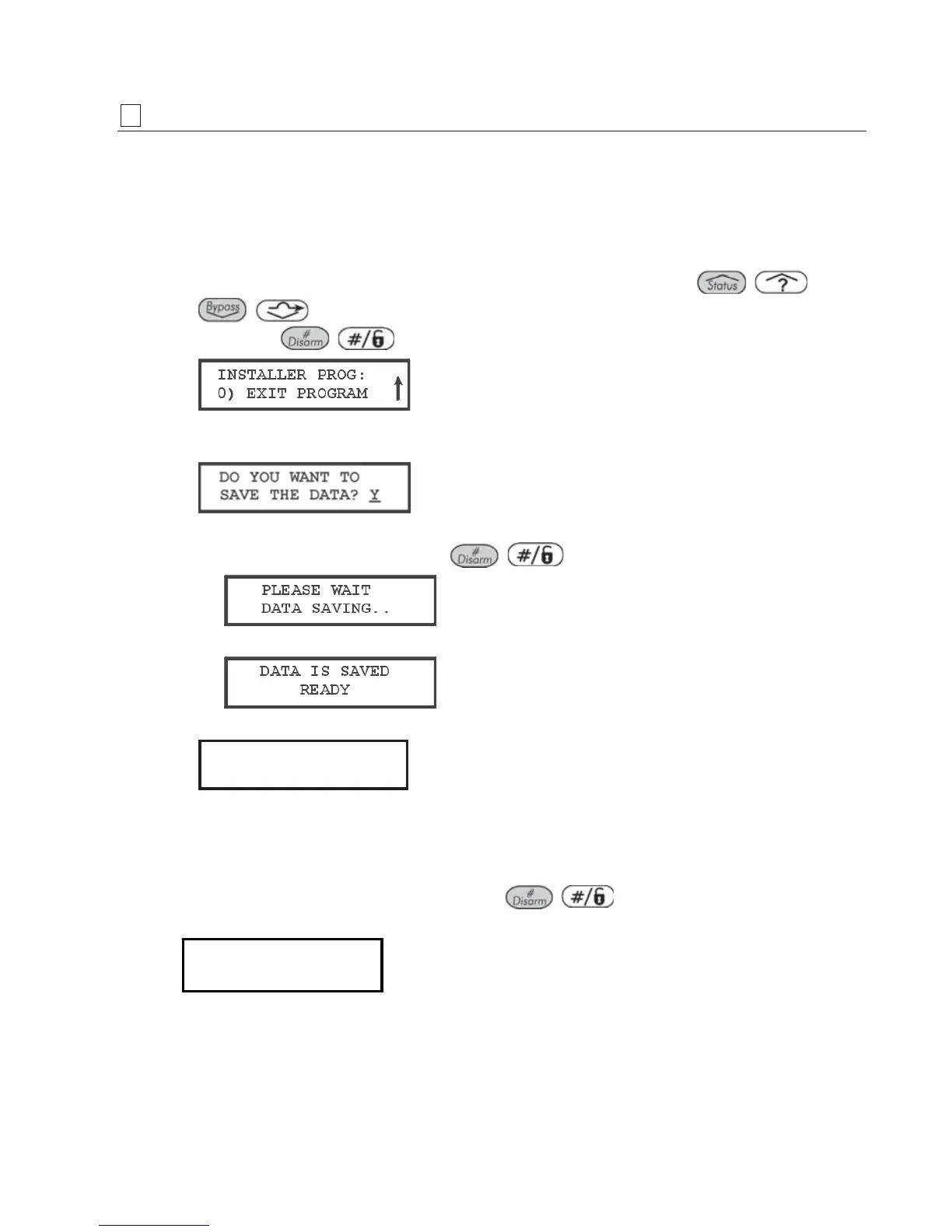
The Exit Programming menu enables you to save any programming changes made during
the current session.
Important: Any changes you make to the programmed parameters are not saved until you
exit the Installer Programming Menu correctly.
To access the Exit Programming menu:
1 From the main Installer Programming menu, press [0], or press the / or
/ keys until you find the number [0] Exit Program option, shown below, and
then press
/ .
This display is the last option in the main Installer Programming menu.
The following display appears:
2 Select the appropriate option to save or discard your changes, as follows:
O Save your changes by pressing
/ . The following display appears:
When the data has been saved, the following display appears:
3 Next, the system will perform a Tamper Test. The following display appears:
TESTING:
TESTING:
PLEASE WAIT
PLEASE WAIT
TESTING:
TESTING:
PLEASE WAIT
PLEASE WAIT
If a tamper occurs in the system (Bell, box or other) the display will show a list of the
tamper faults in the system.
It is advisable to scroll down the list and fix the tamper before exiting the installer
programming mode to prevent tamper alarm.
4 After reviewing the tamper fault list press
/ key. The following display
appears:
Quit with
Tamper? N
Quit with
Tamper? N
Selecting Yes will result in exiting the installer programming menu and activating a
tamper alarm in the system.
When the save function is complete and no tamper fault exists, the keypad displays
the regular operation mode
-OR-



 To Next Page