ProSYS Installation and Programming Manual 73
Use this option to define TEOL termination (see above description) for the
relay zone input that exists on a BUS zone detector.
22
66
Zones: Loop Response
The Loop Response menu enables you to set the different times for which a zone violation
must exist before the zone will trigger an alarm condition.
To access the Loop Response menu:
1 Access the Zones menu, as described on page 62.
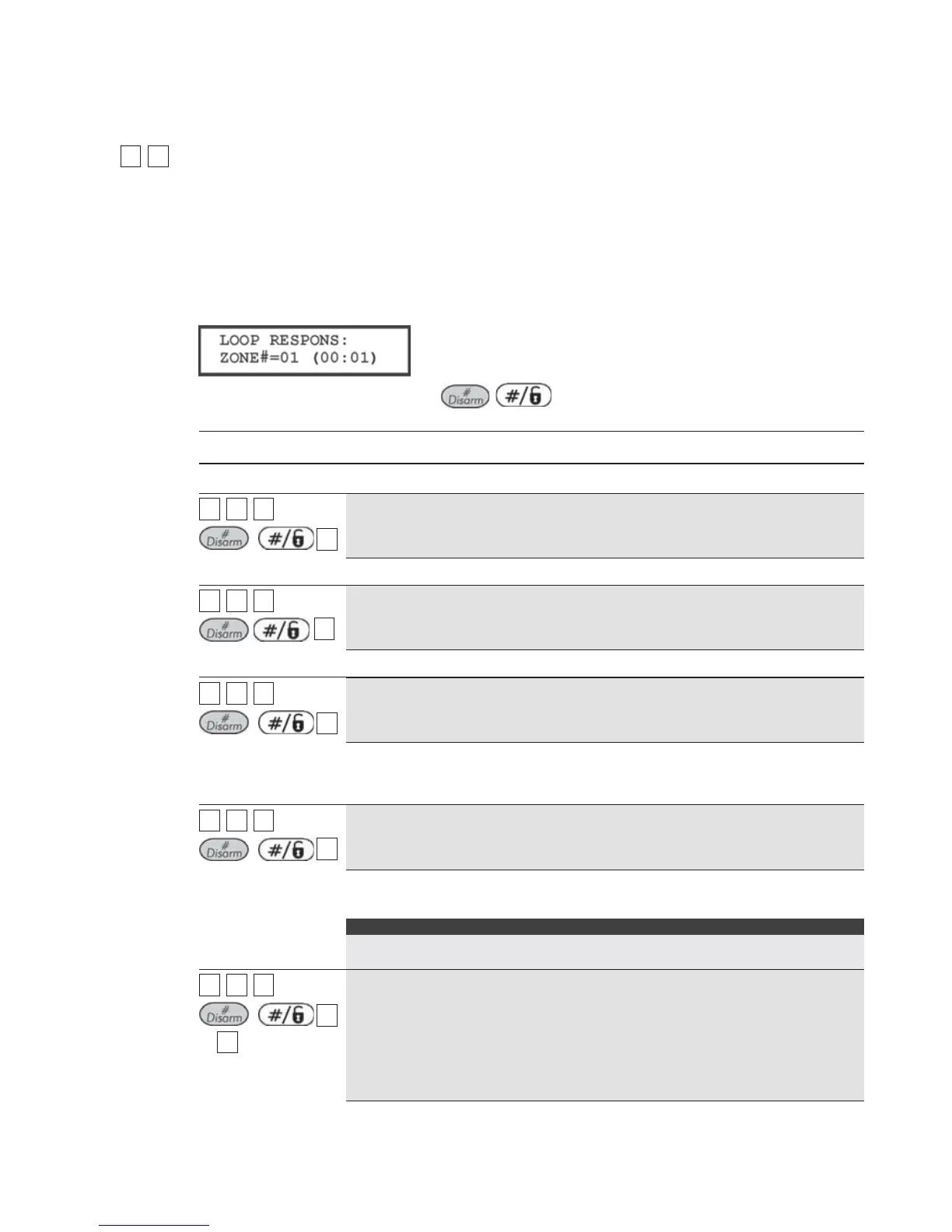
2 From the Zones menu, press [6] to access the Loop Response menu options. The following
display appears:
3 Specify a zone number and press
/
.
4 Access and configure the parameters in the Loop Response menu, as follows:
Zones: Loop Response
Quick Keys Parameter
22
66
ZZZZ
+
/
11
Normal
400 ms (milliseconds).
22
66
ZZZZ
+
/
22
Long
1 second.
22
66
ZZZZ
+
/
33
Fast
10 ms (milliseconds). This loop response time is usually used for devices
that require very quick responses, such as shockwave detectors or
keyswitches.
22
66
ZZZZ
+
/
44
Very Fast
1 ms (millisecond). This loop response is usually used for shutters or other
devices that require very quick responses.
Note:
This loop response time will be available only for zones located on the zone
expander RP128EZ8F00A.
22
66
ZZZZ
+
/
55
to
1212
Half Hour
5 = 0.5 HR 9 = 2.5 HRS
6 = 1.0 HR 10 = 3.0 HRS
7 = 1.5 HRS 11 = 3.5 HRS
8 = 2.0 HRS 12 = 4.0 HRS



 To Next Page