ProSYS Installation and Programming Manual 83
Zones: Maintenance
Quick Keys Parameter
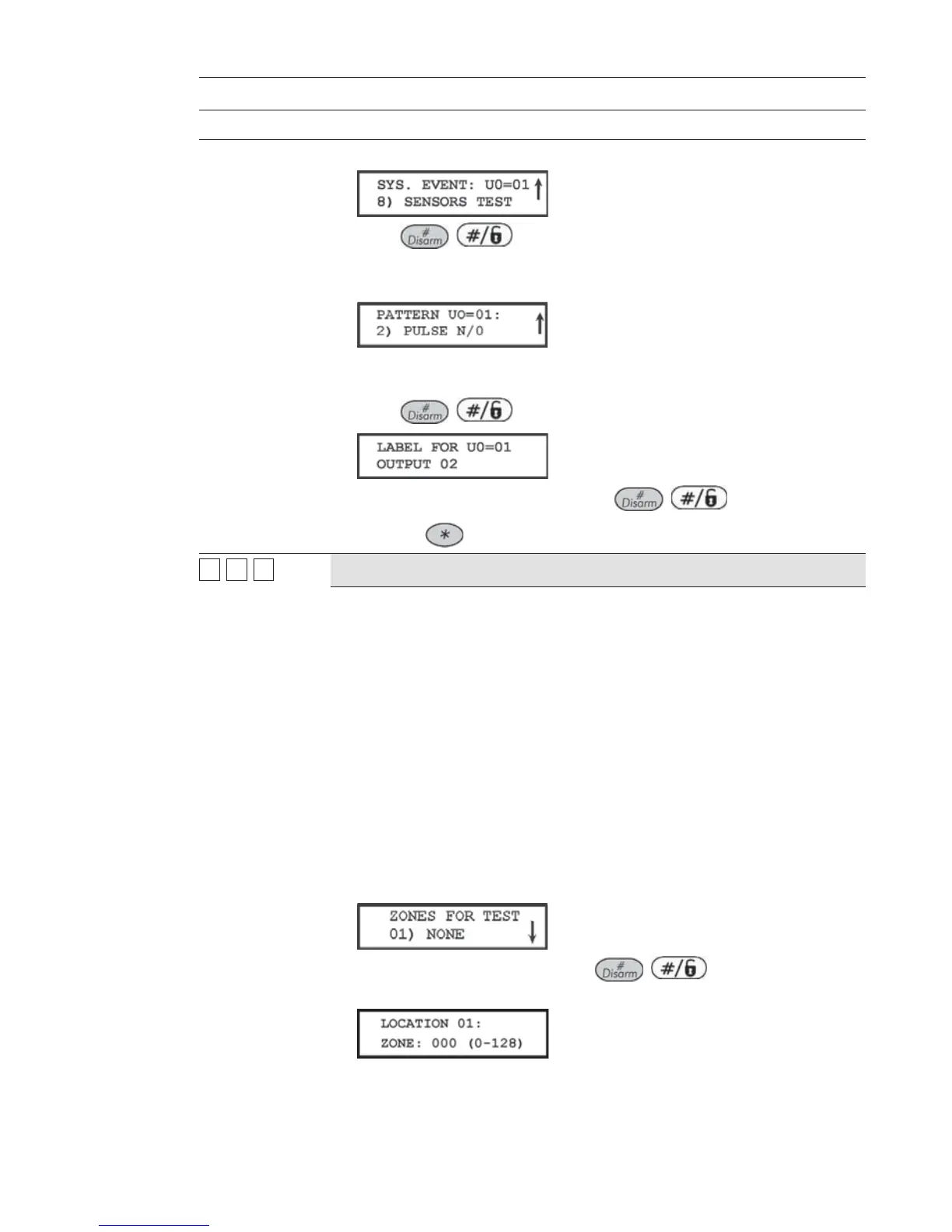
7. Press [8] to select the sensors test. The following display appears:
8. Press / .
9. Select the manner in which the UO is to operate, by choosing [2] PULSE
N/O. The following display appears:
10. The UO, acting like a normally-open switch, is closed for a predetermined
period, completing a circuit that activates a noise source.
11. Press
/ . The keypad displays the label for the UO.
12. Accept or rename the label and press / .
13. Press the
key, as required, to return to the previous menus.
22
99
99
Soak Test
The Soak Test feature is designed to allow false alarming for predefined
detectors to be bypassed from the system, while any alarms generated are
displayed to the user for reporting to the
MS. This is especially useful if Police
response withdrawal is being threatened and a particular zone is causing
unidentified problems.
Up to 8 zones can be placed on Soak Test. Any zone placed in the Soak Test
list is bypassed from the system for 14 days and is automatically reinstated
after that time if NO alarms have been generated by it.
If a zone in the Soak Test list has an alarm during the 14-day period, the
keypad indicates to the user that the test has failed. After the user looks at the
View Trouble option (described in the ProSYS User's Manual), the trouble
message will be erased. This will be indicated in the event log, but no alarm
ill be generated. The alarmed zone's 14-day Soak Test period is then reset
and restarted.
1 From the Installer Programming menu, press quick keys
[2] [9] [9]. The following display appears:
2. To put a zone on Soak Test, press / . The following display
appears:
3. Press the keys as per the zone number (e.g. 001 for zone 1), as shown in
the following display:



 To Next Page