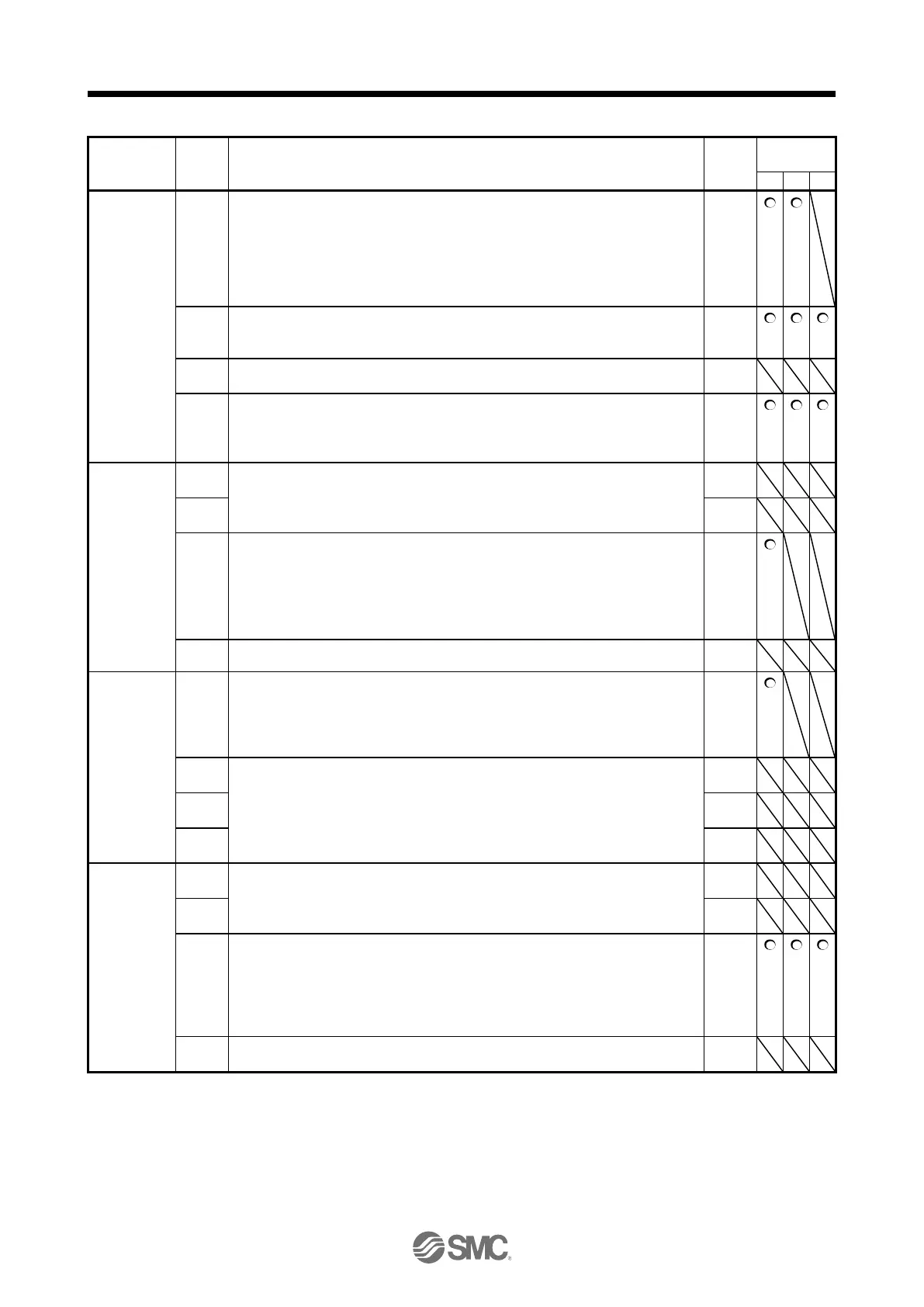
PD30
*DOP1
Function
selection D-1
Stop method selection for LSP (Forward rotation stroke end) off and LSN (Reverse
rotation stroke end) off
Select a stop method for LSP (Forward rotation stroke end) off and LSN (Reverse
rotation stroke end) off. Setting "2" or "3" will trigger [AL. 37] in the mode other than
the positioning mode.
0: Quick stop
1: Slow stop
Base circuit status selection for RES (Reset) on
0: Base circuit shut-off
1: No base circuit shut-off
Enabled/disabled selection for a thermistor of servo motor.
0: Enabled
1: Disabled
The setting in this digit will be disabled when using a servo motor without thermistor.
PD31
*DOP2
Function
selection D-2
INP (In-position) on condition selection
Select a condition that INP (In-position) is turned on.
0: Droop pulses are within the in-position range.
1: The command pulse frequency is 0, and droop pulses are within the in-position
range.
When the position command is not inputted for about 1 ms, the command pulse
frequency is decided as 0.
PD32
*DOP3
Function
selection D-3
CR (Clear) selection
Set CR (Clear).
0: Deleting droop pulses at the leading edge of turning on of CR
1: Continuous deleting of droop pulses while CR is on
2: Disabled
PD33
*DOP4
Function
selection D-4
Rotation direction selection to enable torque limit.
Select a direction which enables internal torque limit 2 or external torque limit.
Refer to section 3.6.1 (5) for details.
0: Both of "CCW or positive direction" and "CW or negative direction" are enabled.
1: Enabled with "CCW or positive direction"
2: Enabled with "CW or negative direction"


 To Next Page
 Loading...