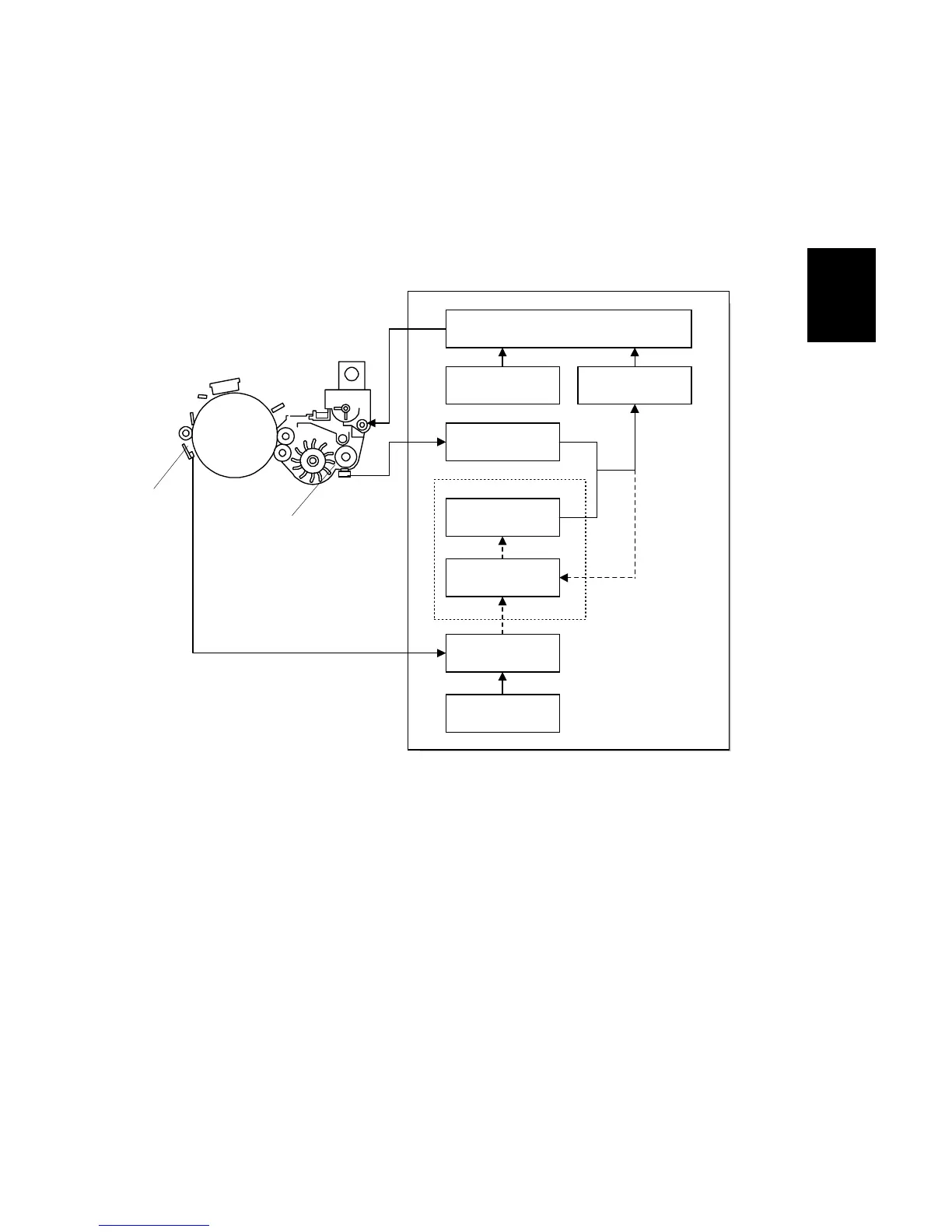
DEVELOPMENT AND TONER SUPPLY
2-75
Detailed
Descriptions
SM A229
2.6.7 TONER DENSITY CONTROL
Overview
There are two modes for controlling toner supply: sensor control mode and image
pixel count control mode. The mode can be changed with SP2-208. The factory
setting is sensor control mode. Image pixel count mode should only be used if the
TD or ID sensor is defective.
Sensor control mode
In sensor control mode, the machine varies toner supply for each copy to maintain
the correct proportion of toner in the developer and to account for changes in drum
reflectivity over time. The adjustment depends on two factors.
•
The amount of toner required to print the page (based on the black pixel amount
for the page)
•
Readings from the TD sensor [A] and ID sensor [B].
Toner density sensor initial setting
When the new developer is installed, TD sensor initial setting must be done using
SP2-801. This sets the sensor output to 2.5V. This value will be used as the TD
sensor reference voltage (V
REF
).
TD Sensor
Output (V
T
)
ID Sensor Output
(V
SP
/V
SG
)
GAINPixel Count
Toner Supply Clutch On Time
Calculation
V
REF
Update
TD Sensor Initial
Setting (V
REF
)
VT Reference
Voltage (V
REF
)
VT Reference
Voltage Update
(New V
REF
)
A229D644.WMF
[A]
[B]









 To Next Page