IMAGE PROCESSING
2-31
SM A229
Detailed
Descriptions
2.3.7 TEXT/PHOTO AREA SEPARATION
This is used only in text/photo mode.
Text/photo separation is done at two points during image processing. The first one
is immediately after auto shading, and is a complex process involving comparison
with surrounding pixels and the use of matrixes. The second process comes at the
end of the image processing path, and is a simple process that only examines
surrounding pixels as part of the error diffusion process for text/photo mode.
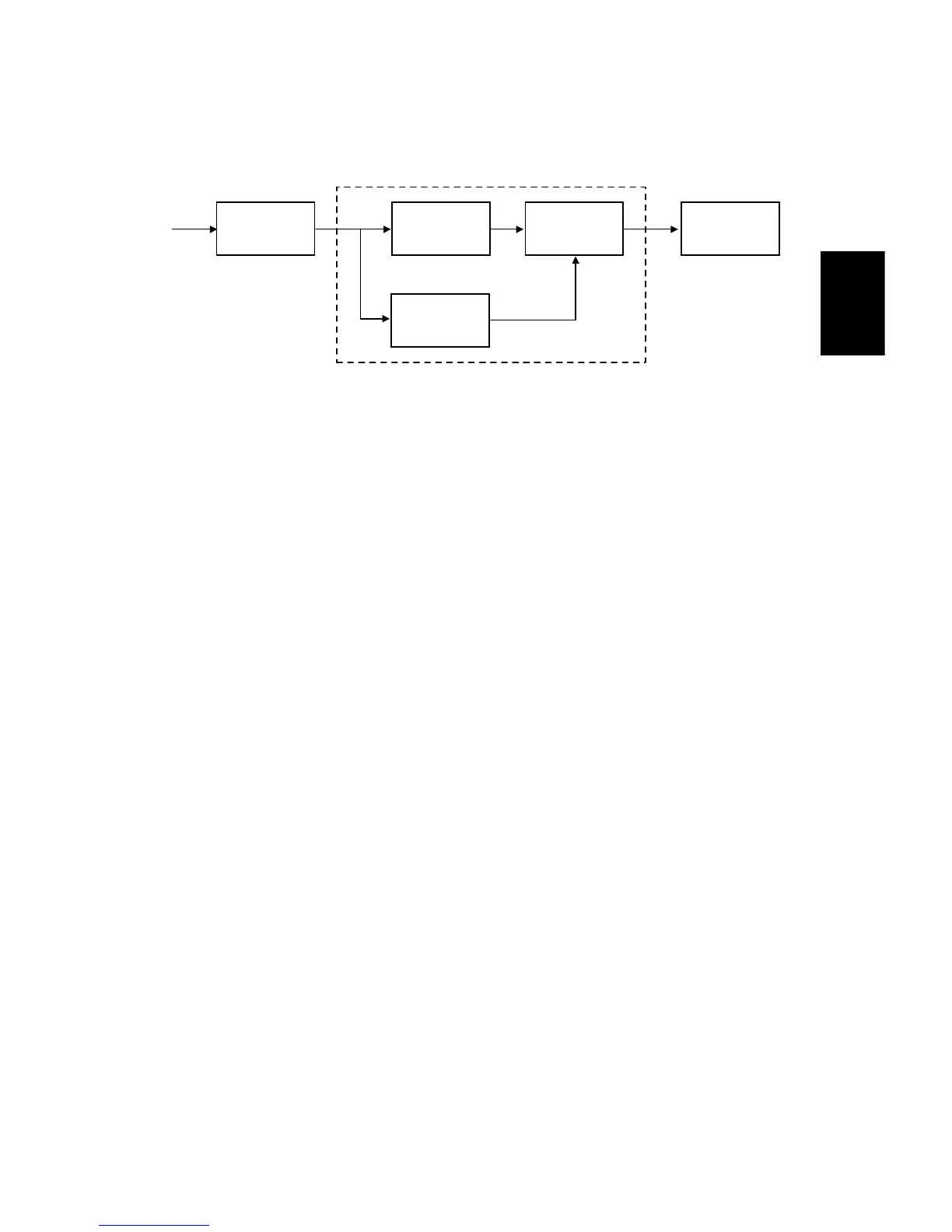
The above drawing shows the data path during the first text/photo area separation
process.
The image data coming in after auto shading is tested by edge determination and
dot screen determination at the same time to separate the image into text and
photo areas. Then the results of both these tests go to a final evaluation, to identify
image and text areas.
Edge Determination
Edges of letters and parts of images are detected by checking for strong contrast,
continuity of black pixels, and continuity of white pixels around the black pixels.
The detected edges are treated with an MTF filter, which is part of the text/photo
separation process, and not the same as the one used in the filtering step of the
image processing path.
The filter strength can be changed in the main scan and sub scan directions with
SP mode (SP4912-01 and 02).
After filtering, the edge pixels are divided into four shades (black, dark gray, pale
gray, and white). The threshold levels to distinguish between the shades are
determined by SP4912-003 to 005.
Auto
Shading
Edge
Determination
Dot Screen
Determination
Final
Evaluation
Filtering
Text/Photo Separation
A229D625.WMF









 To Next Page