DOCUMENT FEEDER
SM 5-11 A229
Replacement
and
Adjustmen
t
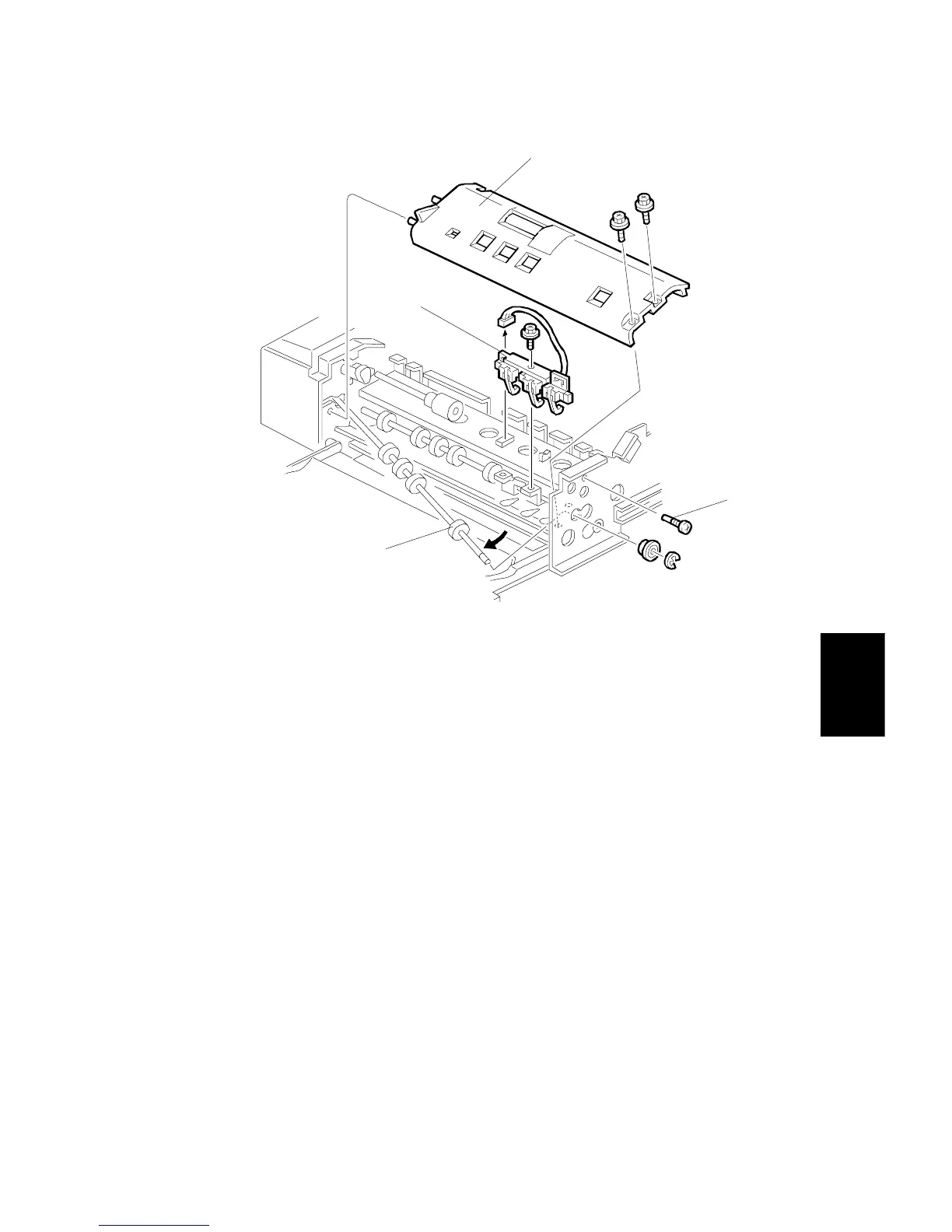
Width Sensor
1. Remove the feed unit.
2. Remove the front cover.
3. Remove the stopper screw [A].
4. Remove the guide plate [B] (2 screws).
5. Release the front end of the upper transport roller [C] (1 bushing, 1 E-ring).
6. Remove the sensor unit [D] (1 screw).
7. Replace the width sensor.
A806R107.WMF
[A]
[B]
[C]
[D]









 To Next Page