PAPER SIZE CHANGE
SM 3-13 A229
Installation
3.3 PAPER SIZE CHANGE
If the customer requests, change the paper size as follows.
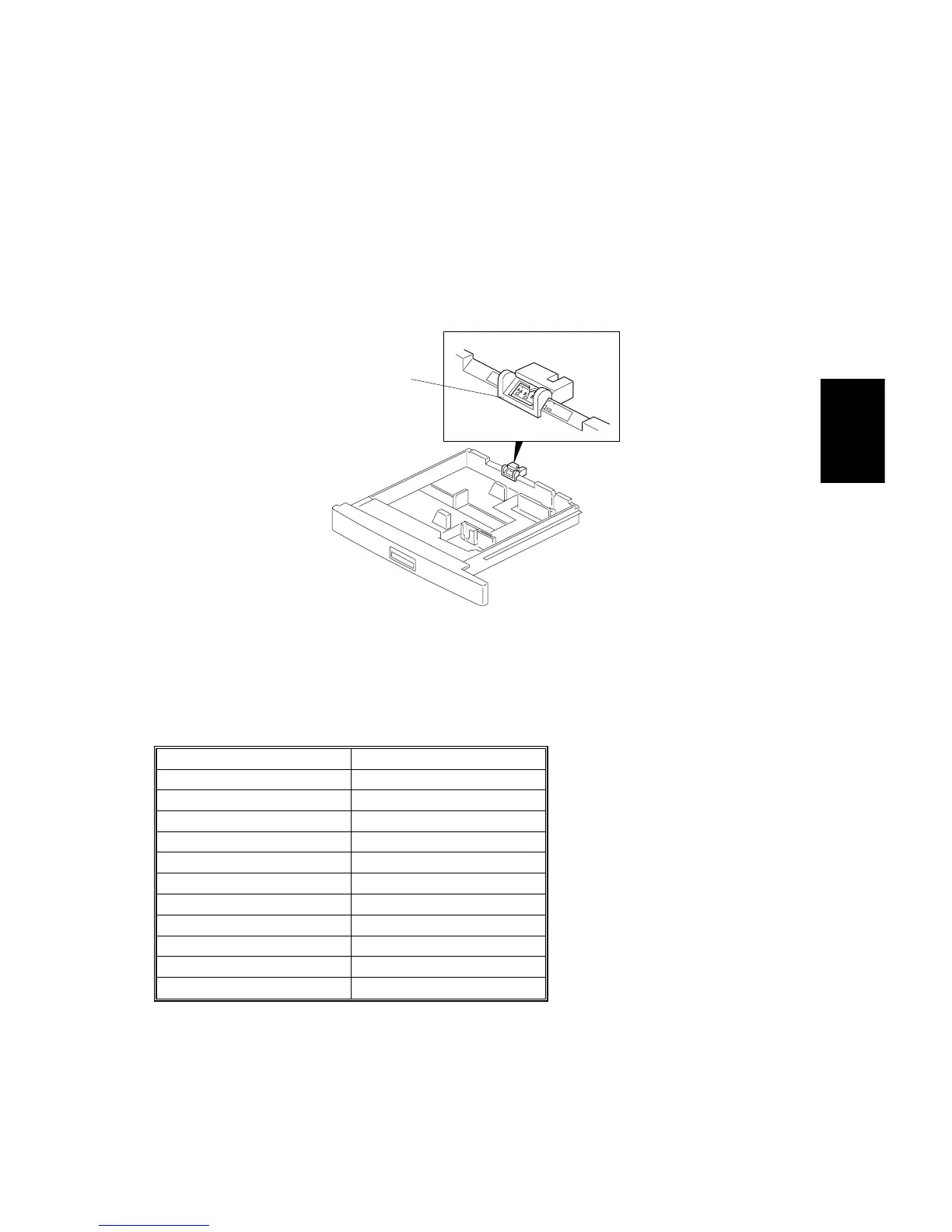
3.3.1 550-SHEET PAPER TRAY (TRAY 2)
NOTE:
At the factory, this tray is set up for A3 or DLT depending on the machine
destination code.
Slide the paper size slider [A] to the paper size indication that matches the paper
size in the tray. The following paper sizes can be selected with the paper size
slider.
A4/A3 Version LT/DL Version
A3 (lengthwise) 11" x 17"
A4 (lengthwise) 8
1/2
" x 14"
A4 (sideways) 8
1/2
" x 11"
A5 (sideways) 11" x 8
1/2
"
8
1/4
" x 13" (lengthwise) 8
1/2
" x 5
1/2
"
8
1/2
" x 13" (lengthwise) 8" x 10
1/2
"
✽
11" x 15"
– 10" x 14"
–8" x 10"
–8" x 13"
–
✽
NOTE:
When the paper size slider is set at the “
✽
” position, a wider range of
paper sizes can be selected using the System Settings in the User Tools.
A229I526.WMF
[A]









 To Next Page