PROGRAM DOWNLOAD
4-61
Service
Tables
SM A229
4.3 PROGRAM DOWNLOAD
In this machine, the SBICU software is upgraded using a flash memory card.
There are two program download procedures. One downloads from the flash
memory card to the SBICU. The other downloads from the SBICU to a flash
memory card.
NOTE:
The procedure for how to write the source software from a flash memory
card writer to a flash memory card is described in the SwapBox FTL
manual.
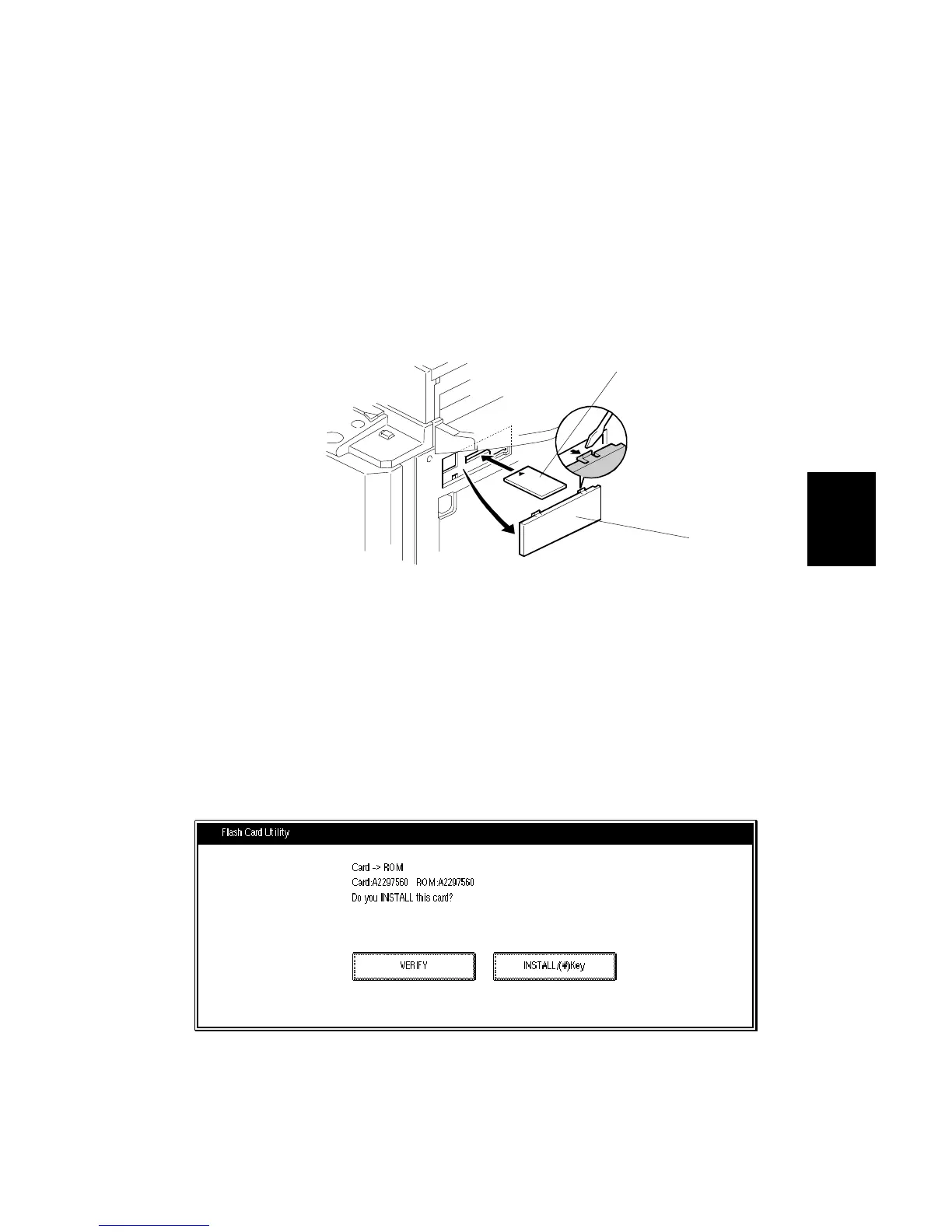
Downloading to the SBICU
1. Turn off the main power switch.
2. Remove the flash memory card cover [A].
3. Plug the flash memory card [B] into the card slot.
NOTE:
Make sure that the surface printed “A” faces upwards.
4. Turn on the main power switch.
A229R120.WMF
A229M507.TIF
[A]
[B]









 To Next Page