MailBox &
Bridge Unit
G909/G912
MAILBOX (G909)
SM 10-11 A229
3. INSTALLATION PROCEDURE
3.1 MAILBOX (G909)
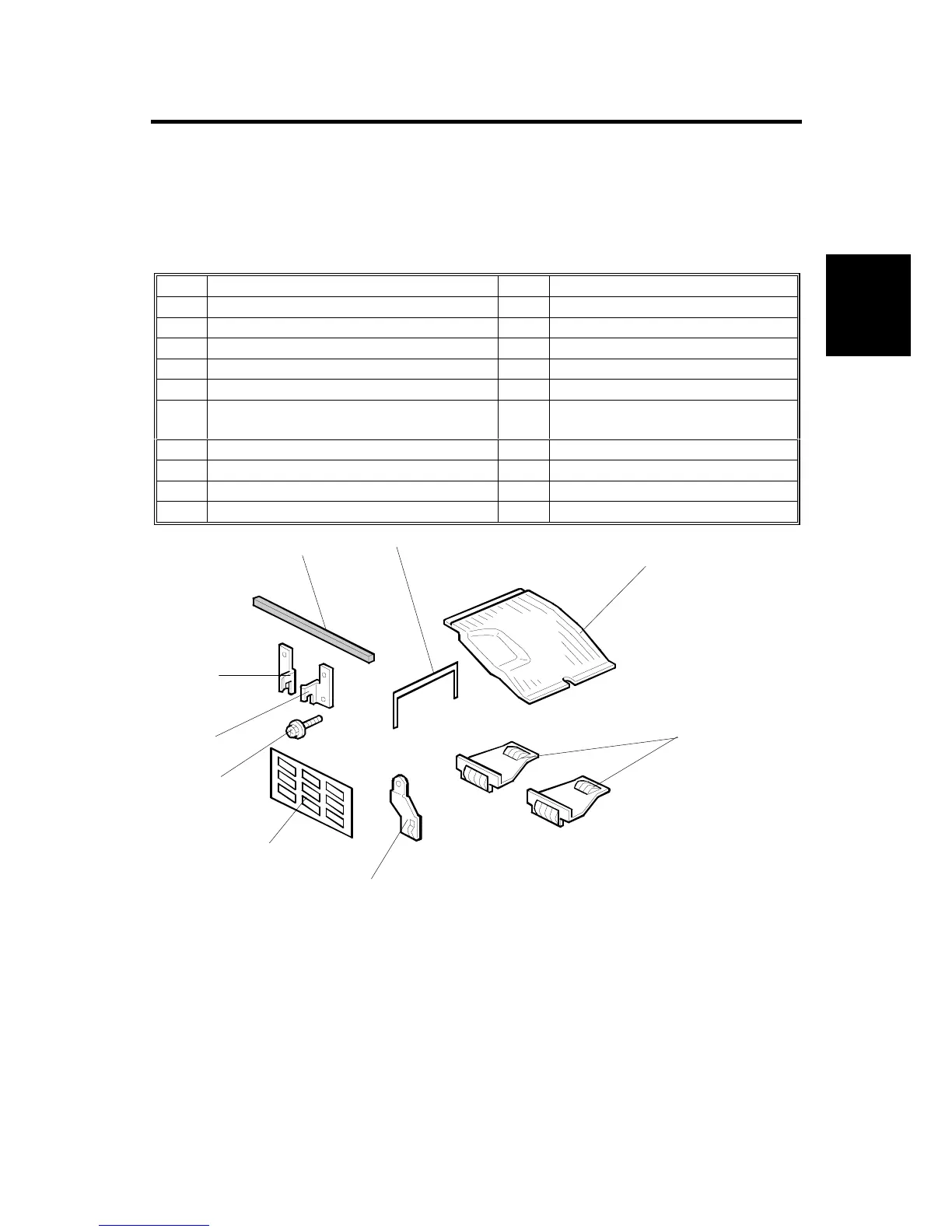
3.1.1 ACCESSORY CHECK
Check the accessories in the box against the following list.
No. Description Q’ty Note
1 Front Joint Bracket 1
2 Rear Joint Bracket 1
3 Exit Guide Mylar 1 For A229
4 Proof Tray Attachment 1 For A230, A231, and A232
5 Upper Grounding Plate 1 For A230, A231, and A232
6
Lower Grounding Plate
2
One for A230, A231, and A232
Two for A229
7 Cushion 1
8 Tapping Screw - M4 x 14 4
9 Tray Decals 1
10 Installation Procedure 1
3.1.2 REQUIREMENT OPTIONS FOR MAIN MACHINE
When the mailbox is going to be installed to the A230, A231, or A232 machines,
the following options for the main machine are required.
1. Bridge Unit Type 450 (A688)
2. Paper Tray Unit – PS360 (A682)
G909I501.WMF
1
2
3
4
5
6
7
8
9









 To Next Page