SCANNER UNIT
A229 5-20 SM
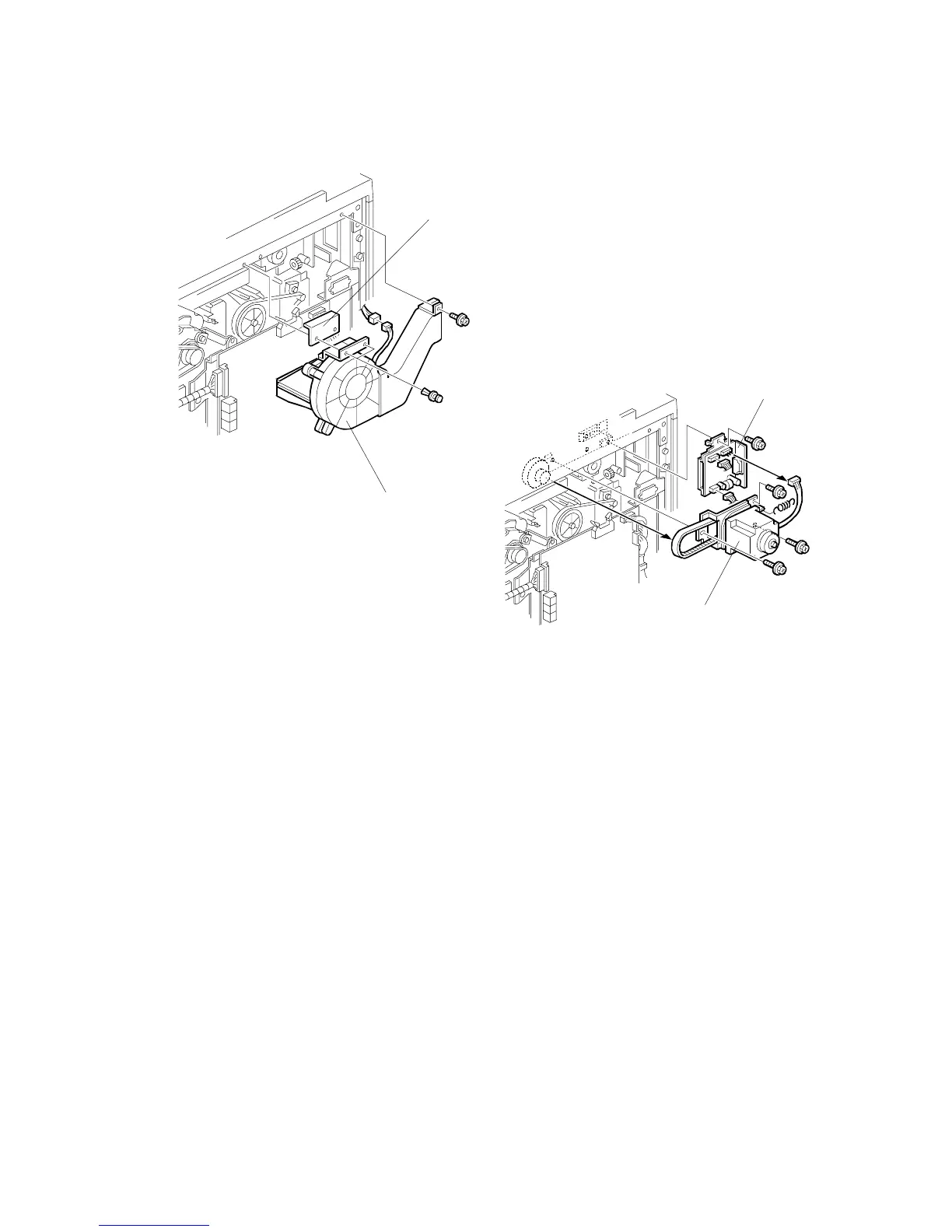
5.3.7 SCANNER MOTOR/SCANNER MOTOR DRIVE BOARD
Scanner Motor
1. Remove the scanner rear cover. (See Covers - Rear.)
2. Remove the exhaust fan [A] (1 screw, 1 connector, 2 snap fit screws).
NOTE:
Do not lose the mylar [B].
3. Replace the scanner motor [C] with the bracket (3 screws, 1 connector, 1
spring).
4. Do the scanner and printer copy adjustments. (See Replacement and
Adjustment – Copy Image Adjustments.)
Scanner Motor Drive Board
1. Do steps 1 and 2 of the scanner motor removal.
2. Replace the scanner motor drive board [D] (1 screw and 3 connectors).
A229R672.WMF
A229R673.WMF
[A]
[C]
[D]
[B]









 To Next Page