PAPER FEED
A229 5-80 SM
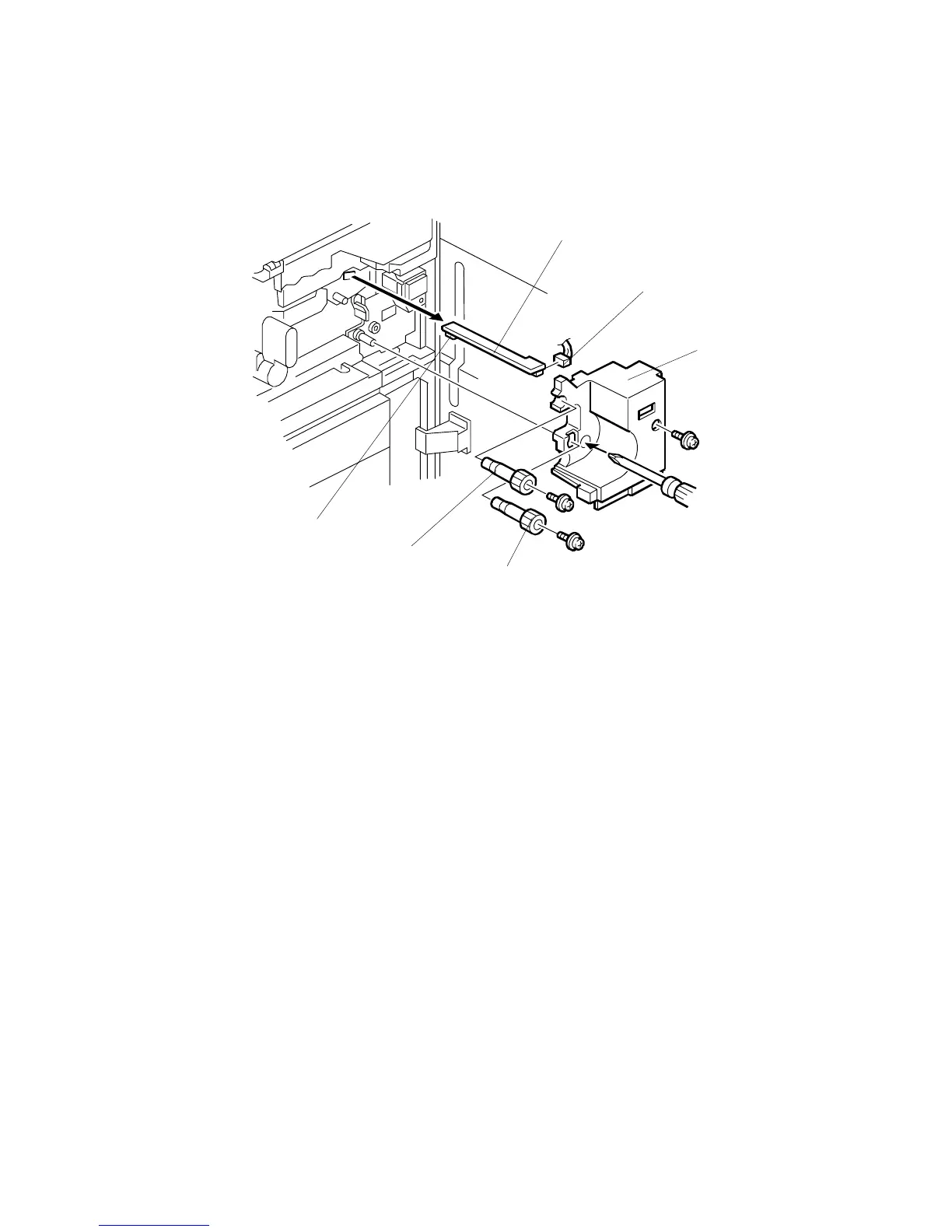
5.8.15 REGISTRATION SENSOR REMOVAL
1. Remove the relay roller knob [A] (1 screw).
2. Remove the registration roller knob [B] (1 screw).
3. Remove the right inner cover [C] (1 screw).
4. Disconnect the connector [D].
5. Pull out the registration sensor assembly [E].
6. Clean the sensor [F] with a blower brush.
A229R622.WMF
[C]
[D]
[A]
[B]
[E]
[F]









 To Next Page