IMAGE PROCESSING
2-37
SM A229
Detailed
Descriptions
Main scan magnification/reduction
Reduction and enlargement in the sub scan direction are done by changing the
scanner speed. However, reduction and enlargement in the main scan direction
are handled by the IPU chip on the SBICU board.
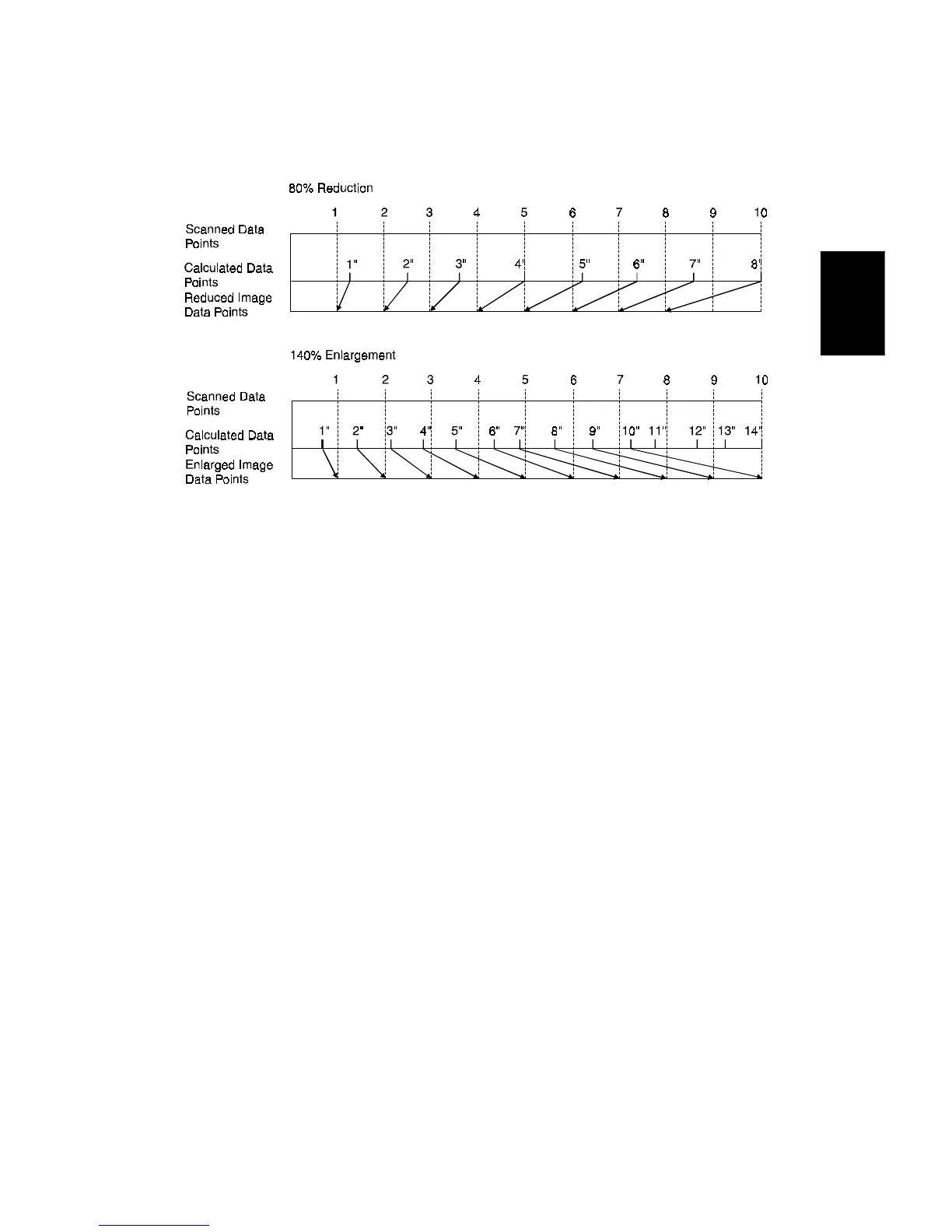
Scanning and laser writing are done at a fixed pitch (the CCD elements cannot be
squeezed or expanded). So, to reduce or enlarge an image, imaginary points are
calculated that would correspond to a physical enlargement or reduction of the
image. The correct image density is then calculated for each of the imaginary
points based on the image data of the nearest four true points. The calculated
image data then becomes the new (reduced or enlarged) image data.
Main scan magnification can be disabled with SP 4903-5 to test the IPU IC.
A229D646.WMF









 To Next Page