FUSING UNIT
SM 5-93 A229
Replacement
and
Adjustment
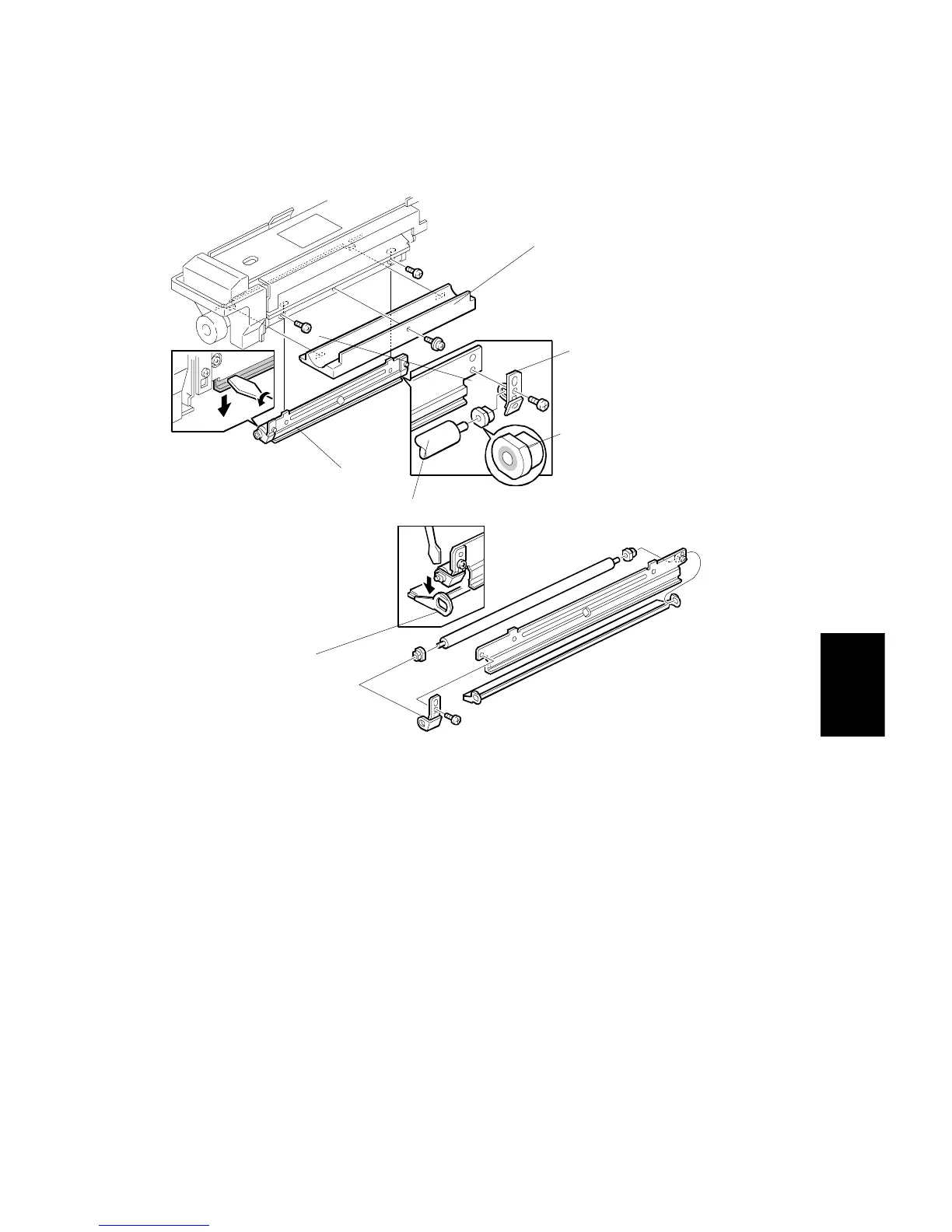
5.9.9 PRESSURE ROLLER CLEANING ROLLER REPLACEMENT
1. Pull out the fusing unit.
2. Remove the bottom plate [A] (1 screw).
3. Remove the cleaning roller unit [B] (2 screws).
4.
(EU only)
Remove the cleaning roller brush [C].
5. Remove the brackets [D] (1 screw each).
6. Remove the bushings [E].
7. Replace the cleaning roller [F].
8. Reassemble the unit.
A229R516.WMF
229R693.WMF
[A]
[B]
[D]
[E]
[F]
[C]









 To Next Page