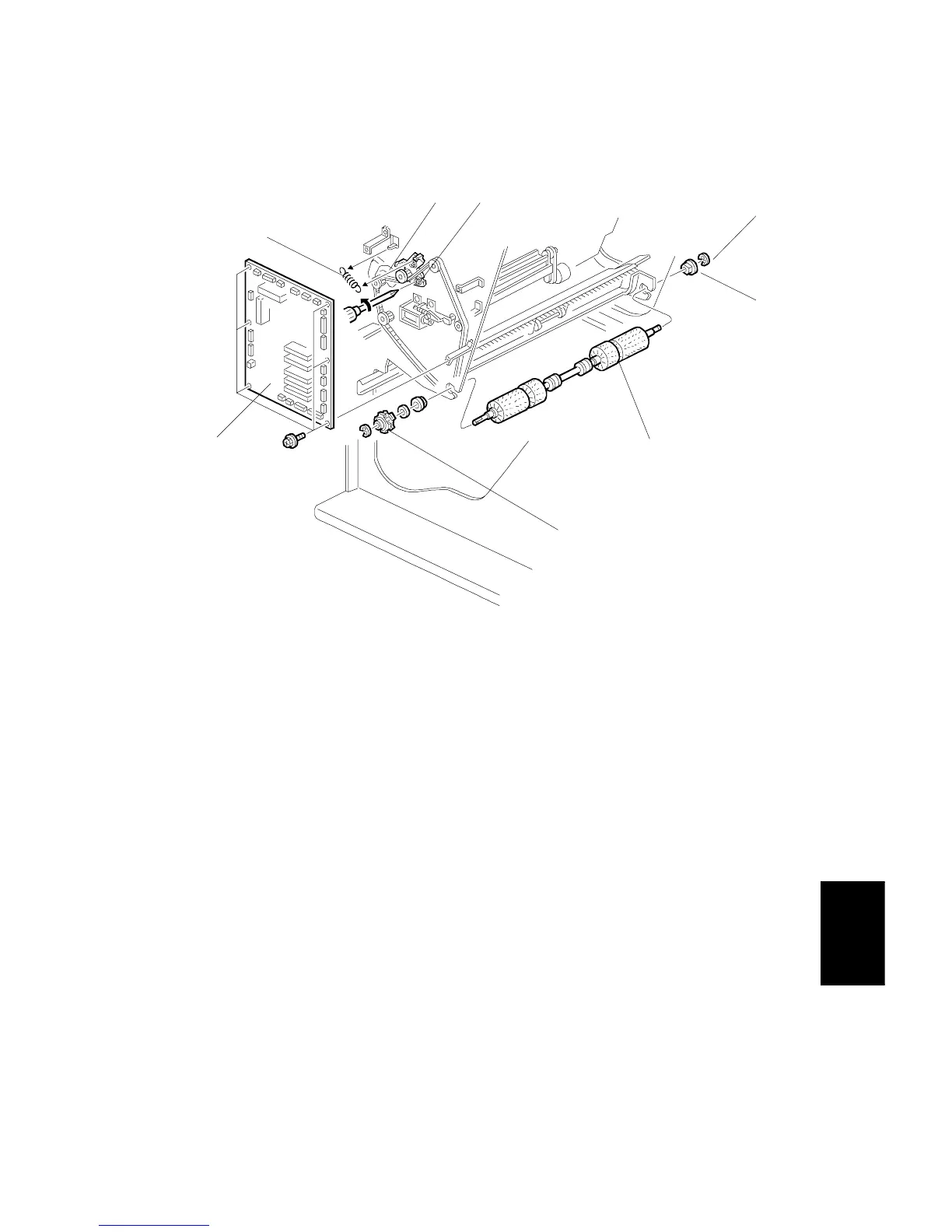
ALIGNMENT BRUSH ROLLER REPLACEMENT
SM 7-25 A229
Finisher
A697
4.3 ALIGNMENT BRUSH ROLLER REPLACEMENT
1. Open the front door and pull out the jogger unit.
2. Remove the rear cover.
3. Remove the main board [A] (6 screws, all connectors).
4. Remove a screw [B] and a tension spring [C] for the tension bracket [D], and
release the tension of the timing belt.
5. Remove the front side E-ring [E] and bushing [F].
6. Remove the alignment brush roller assembly.
7. Remove the timing pulley [G] (1 E-ring).
8. Replace the alignment brush roller [H] (1 spacer, 1 bushing).
[D]
[C]
[B]
[E]
[F]
[H]
[G]
[A]









 To Next Page