FUSING UNIT
SM 5-85 A229
Replacement
and
Adjustment
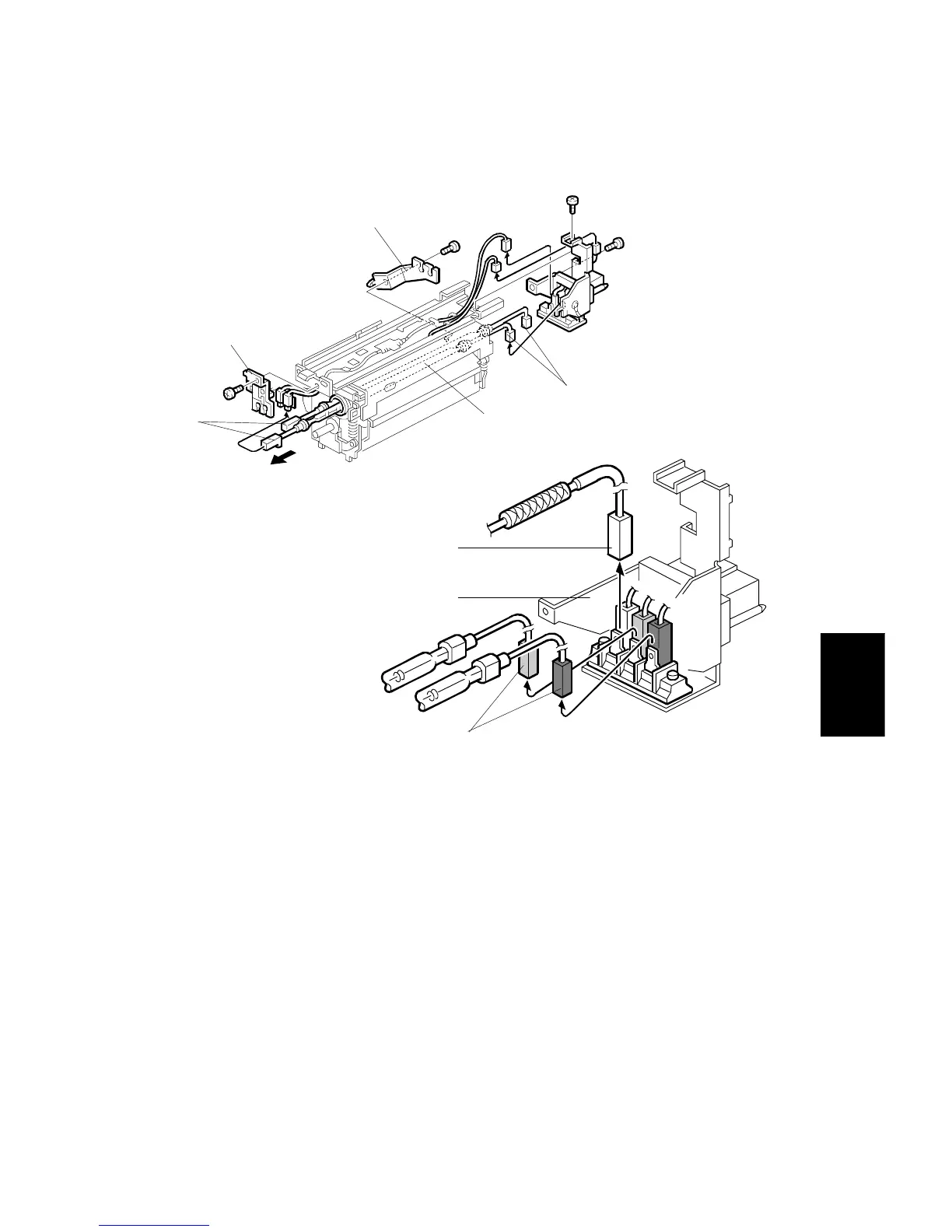
5.9.3 FUSING LAMP REPLACEMENT
1. Remove the fusing unit. (Refer to Fusing Unit Removal.)
2. Remove the terminal bracket [A] (2 screws).
3. Disconnect the front connectors [B] and the rear connectors [C].
4. Remove the front fusing lamp holder [D] (1 screw) and the rear fusing lamp
holder [E] (1 screw).
5. Replace the fusing lamps [F].
NOTE:
At the rear terminal, make sure to connect the green connectors [G]
and white connector (from the thermofuse) [H] in the correct positions
on the terminal.
A229R505.WMF
A229R504.WMF
[B]
[D]
[E]
[C]
[A]
[G]
[F]
[H]









 To Next Page