DOCUMENT FEEDER
SM 5-9 A229
Replacement
and
Adjustmen
t
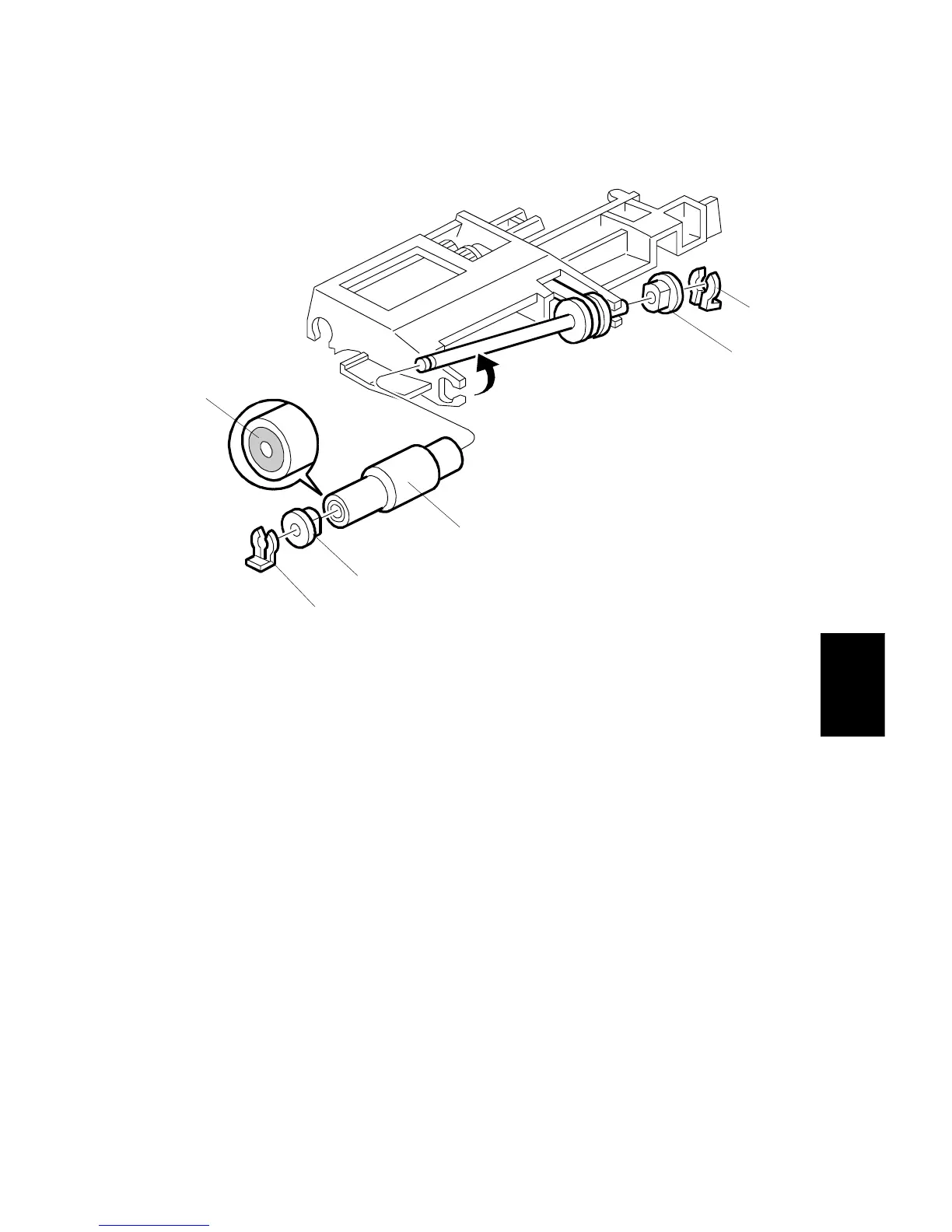
5.2.4 PICK-UP ROLLER REPLACEMENT
1. Open the left cover.
2. Remove the two snap rings [A].
3. Remove the two bushings [B].
4. Replace the pick-up roller [C].
NOTE:
When reinstalling the pick-up roller, make sure that the one-way clutch
[D] is not at the gear side.
A806R114.WMF
[A]
[B]
[C]
[B]
[D]
[A]









 To Next Page