SENSOR REPLACEMNT
A229 7-26 SM
4.4 SENSOR REPLACEMNT
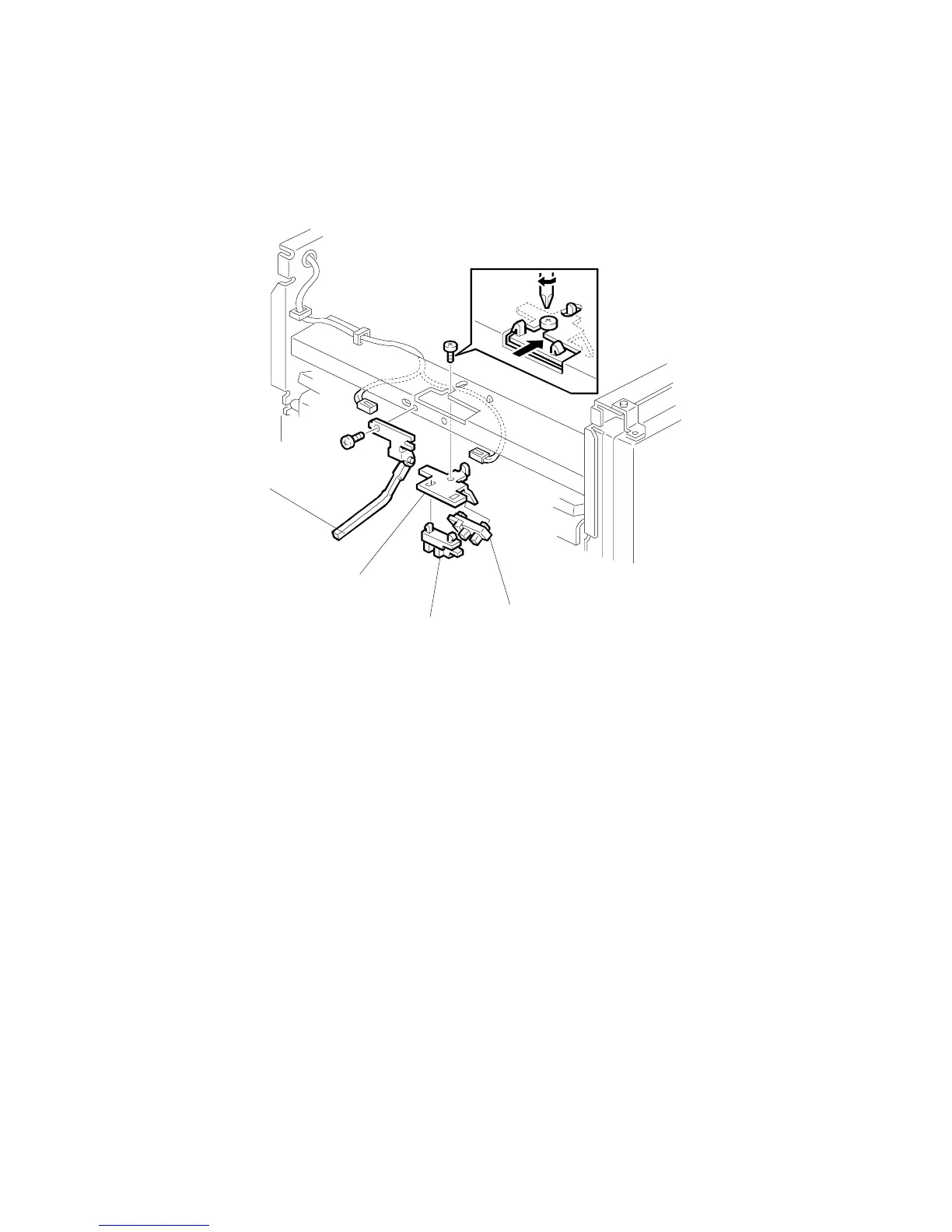
4.4.1 STACK HEIGHT SENSOR 1 AND 2
1. Remove the upper left cover.
2. Remove the upper cover.
3. Remove the sensor feeler [A] (1 screw, 1 connector).
4. Remove the sensor bracket [B] (1 screw).
5. Replace the stack height sensor 1 [C] or 2 [D].
A697R503.WMF
[B]
[A]
[C]
[D]









 To Next Page