PAPER FEED
A229 5-66 SM
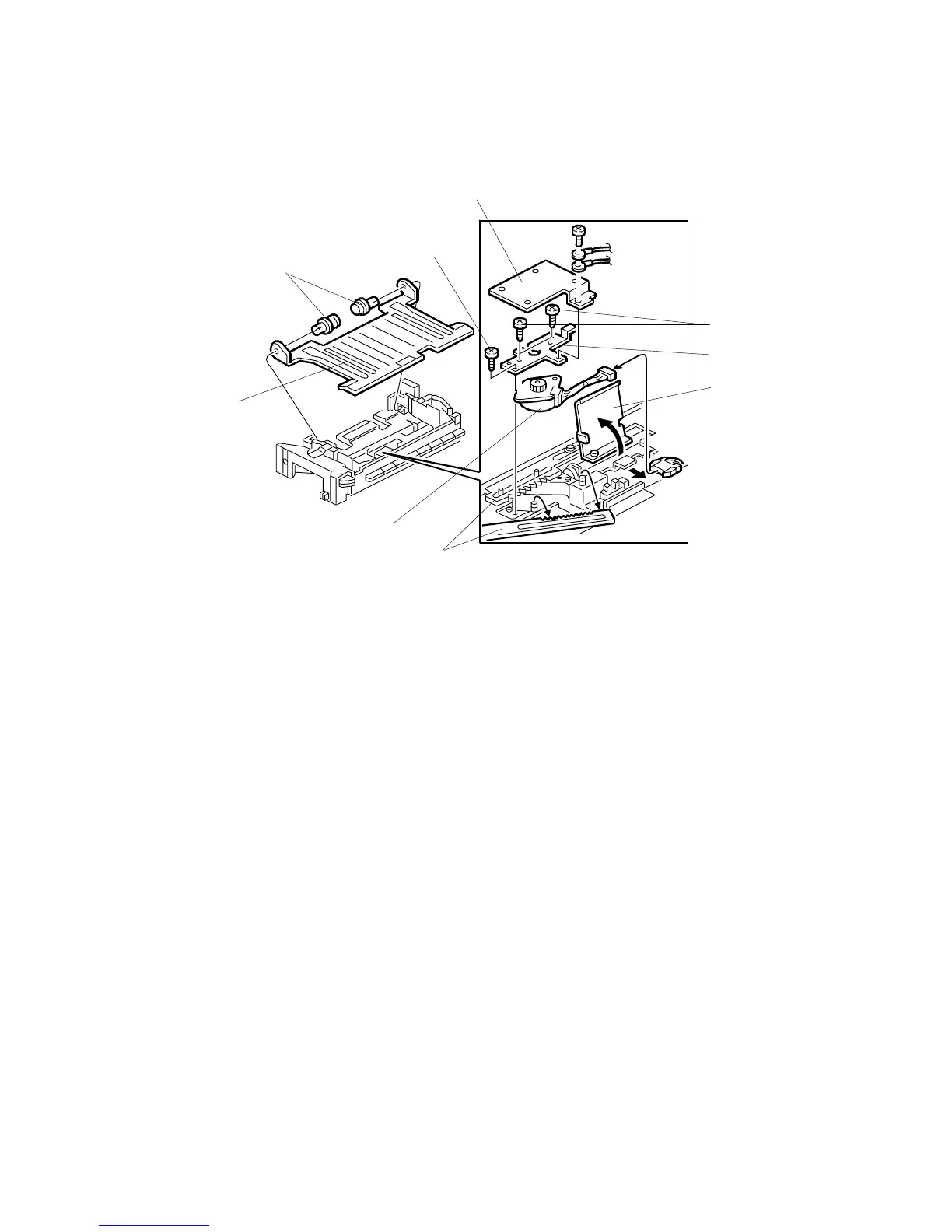
5.8.5 TANDEM SIDE FENCE MOTOR REMOVAL
1. Remove the bottom plate [A] of the right tandem tray (2 nylon rivets [B]).
2. Raise the lift arm [C] (2 screws).
3. Remove the cover [D] (1 screw).
4. Remove the motor/bracket assembly [E] (2 screws [F]).
5. Remove the side fence motor [G] (2 screws [H], 1 connector).
NOTE:
When installing the side fence drive motor, move both side fences to
the innermost position, then set the motor gear between the two rack
gears [I].
A229R602.WMF
[B]
[C]
[D]
[A]
[G]
[F]
[H]
[E]
[I]



 To Next Page