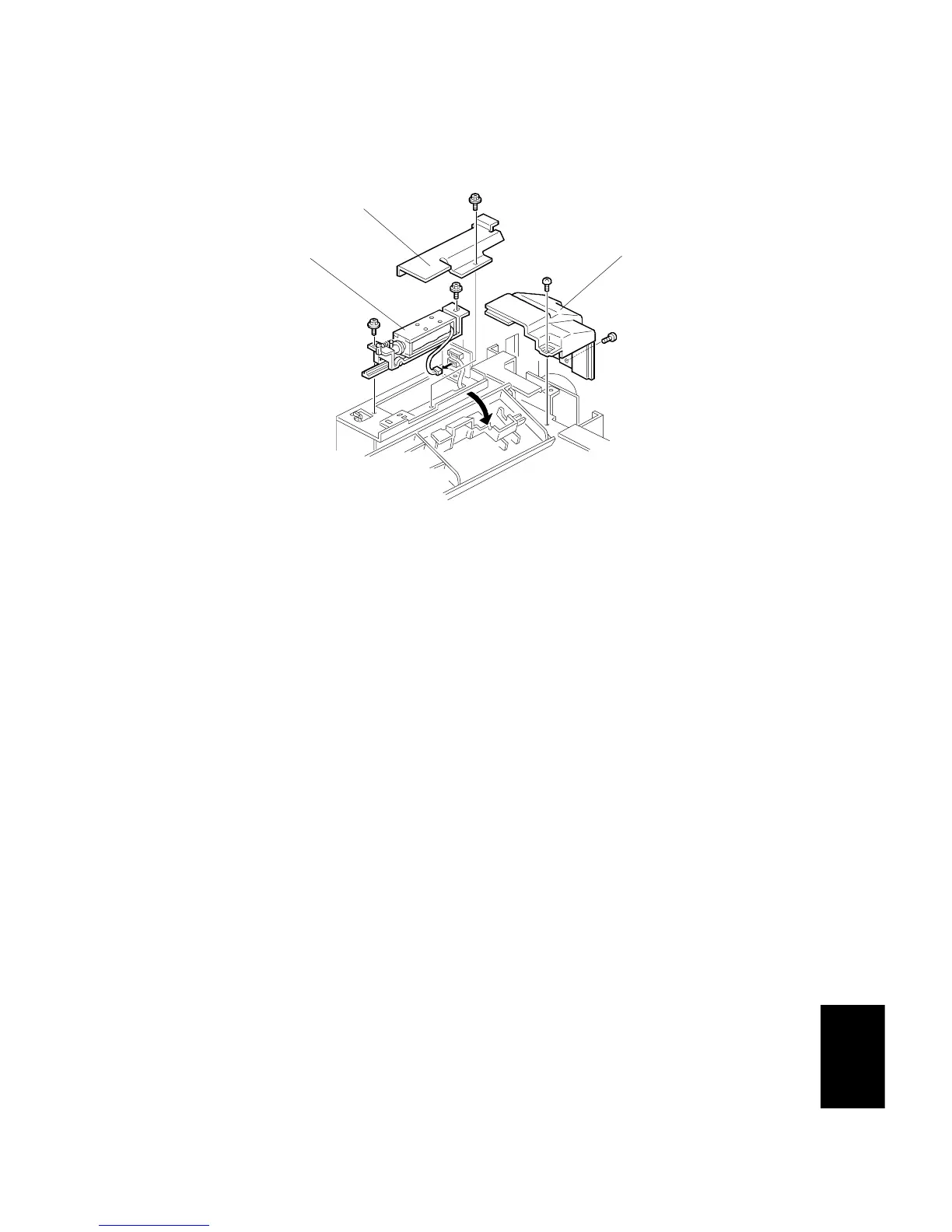
PICK-UP SOLENOID REPLACEMENT
SM 8-17 A229
Large
Capacity
Tray A698
4.6 PICK-UP SOLENOID REPLACEMENT
1. Open the feed unit cover.
2. Remove the upper rear cover [A] (2 screws).
3. Remover the solenoid cover [B] (1 screw).
4. Replace the pick-up solenoid [C] (2 screws, 1 connector).
A698R103.WMF
[A]
[B]
[C]



 To Next Page