PAPER EXIT/DUPLEX UNIT
A229 5-96 SM
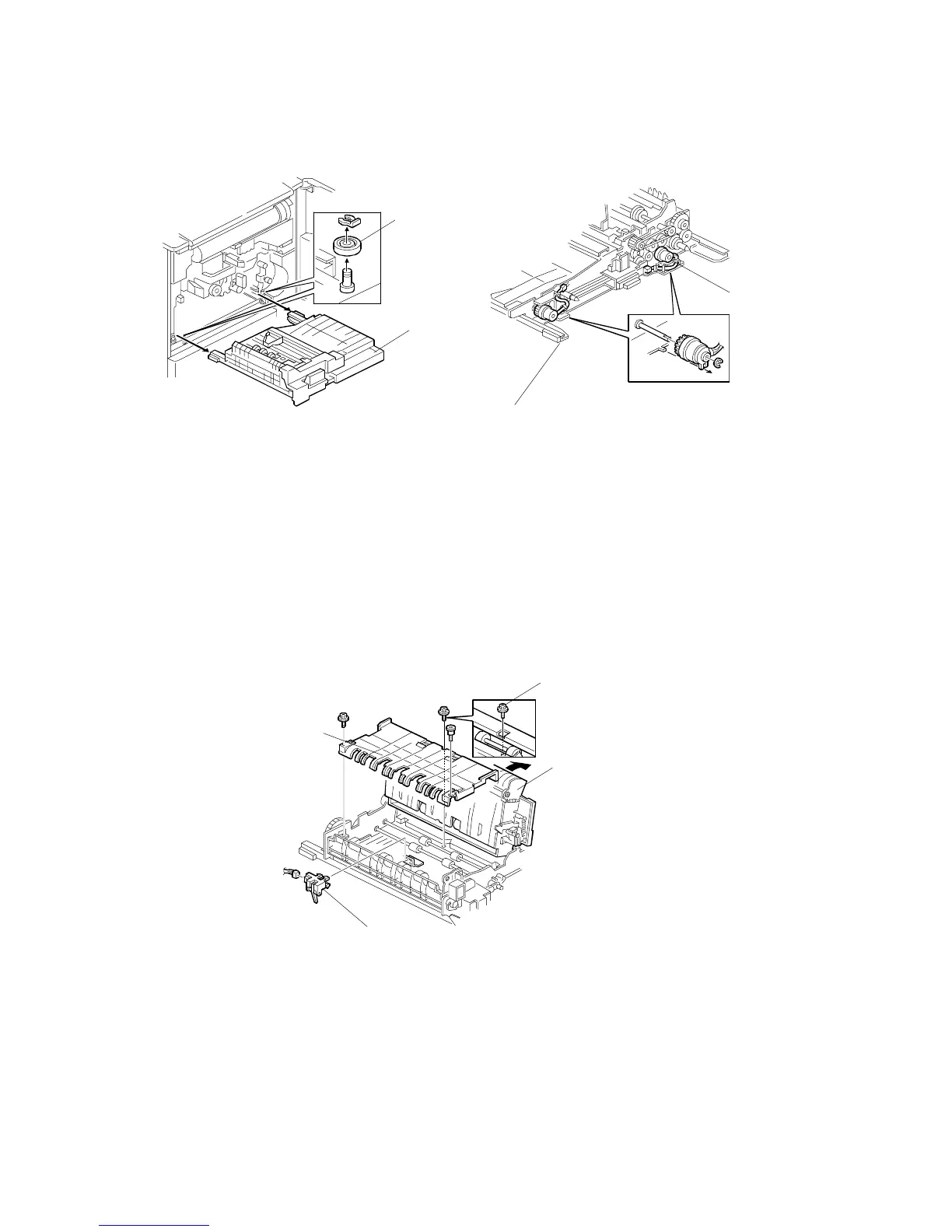
5.10.4 DUPLEX TRANSPORT/DUPLEX FEED CLUTCHES
Open the front door.
2. Pull out the duplex unit.
3. Remove the two pulleys [A] (1 snap ring each).
4. Remove the duplex unit [B].
5. Remove the duplex transport clutch [C] (1 E-ring).
6. Remove the duplex feed clutch [D] (1 E-ring).
5.10.5 DUPLEX TRANSPORT SENSOR 1
1. Open the front door.
2. Pull out the duplex unit.
3. Remove the screw [A].
4. Open the inverter roller unit [B] (pull the jam removal level E4).
5. Remove the guide [C] (2 screws).
6. Remove duplex transport sensor 1 [D] (1 connector).
A229R584.WMF
A229R585.WMF
[A]
[B]
[C]
[D]
[A]
[B]
[C]
[D]









 To Next Page