SCANNING
2-16
A229 SM
2.2 SCANNING
2.2.1 OVERVIEW
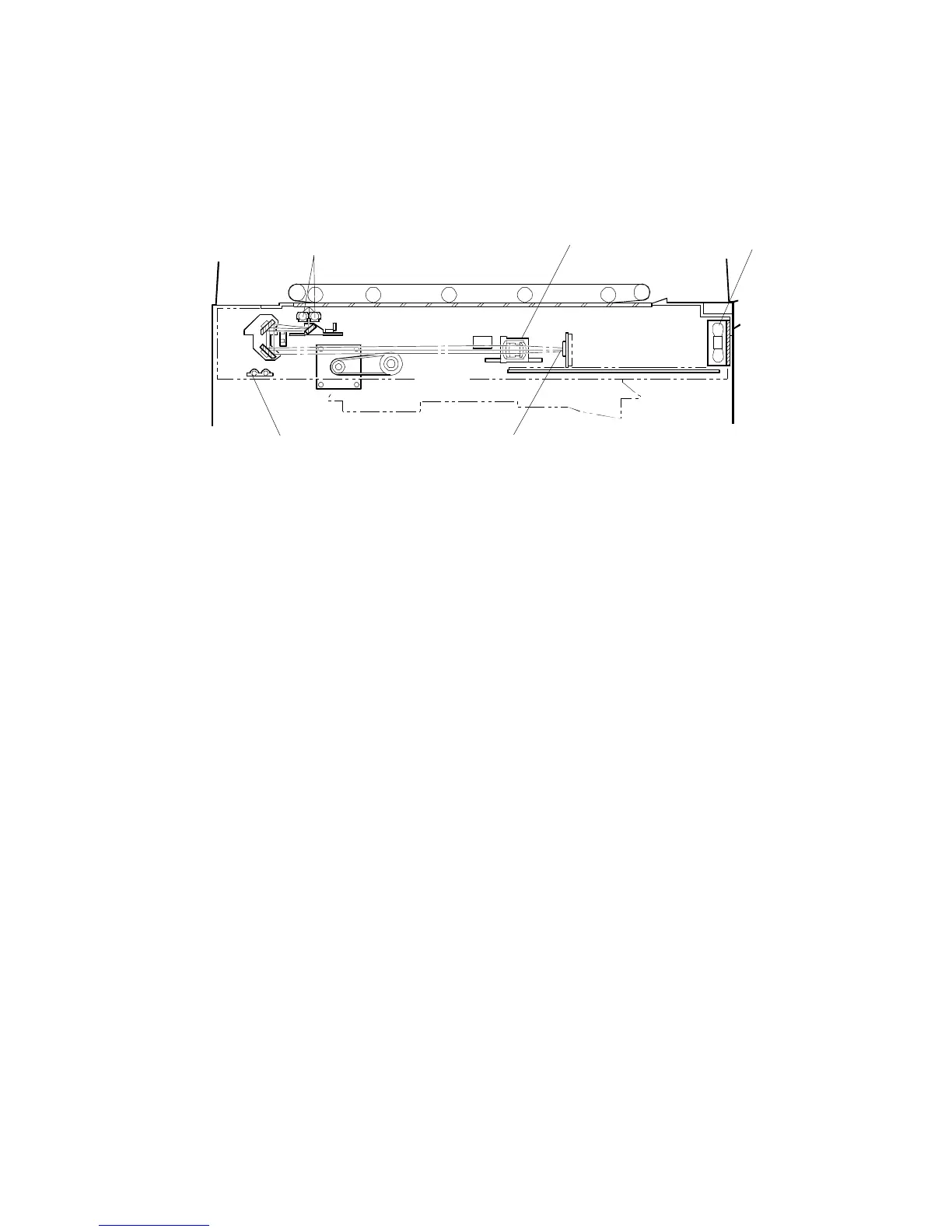
The original is illuminated by the two exposure lamps (xenon lamps in this model)
[A]. The image is reflected onto a CCD (charge coupled device) [B] via the 1st,
2nd, and 3rd mirrors, and through the lens [C].
The 1st scanner consists of the two exposure lamps and the 1st mirror.
The exposure lamp is energized by a dc supply (24 V) to avoid uneven light
intensity while the 1st scanner moves in the sub scan direction (down the page).
The entire exposure lamp surface is frosted to ensure even exposure in the main
scan direction (across the page).
There is an optics cooling fan [D] on the right side of the optics cavity to draw cool
air inside. The hot air exits through the vents in the upper cover. The fan operates
whenever the operation switch is turned on.
The optics anti-condensation heater [E] (a standard component for this machine,
located on the optics base plate) turns on while the main switch is off, to prevent
moisture from forming on the optics.
A229D532.WMF
[B]
[C]
[D]
[E]
[A]









 To Next Page