PAPER FEED
A229 5-70 SM
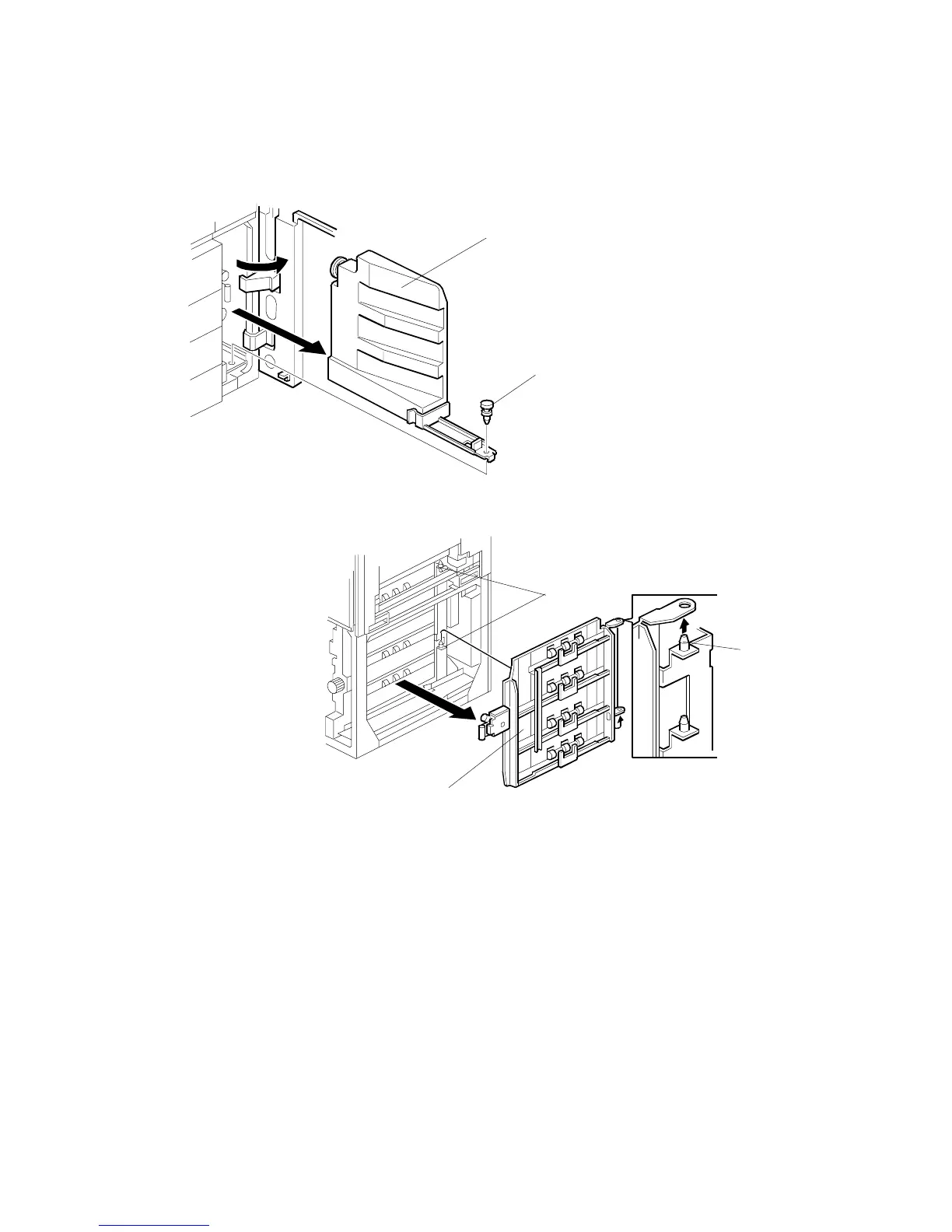
5.8.8 PAPER FEED CLUTCH/RELAY CLUTCH REMOVAL
1. Turn off the main switch, then open the right front door and remove the push-
lock [A].
2. Remove the toner collection bottle [B].
NOTE:
If the LCT is installed, remove it from the copier.
3. Remove the lower right cover. (Refer to Lower Right Cover Removal.)
4. Remove the vertical transport guide [C].
NOTE:
When reinstalling the guide, rest it on the upper and lower pins [D].
A229R603.WMF
A229R604.WMF
[B]
[A]
[C]
[D]
[D]









 To Next Page