PAPER FEED
SM 5-75 A229
Replacement
and
Adjustmen
t
5.8.11 BY-PASS PAPER SIZE BOARD REPLACEMENT
1. Turn off the main switch.
2. Open the by-pass table and remove the feed unit cover. (Refer to Right Cover
Removal.)
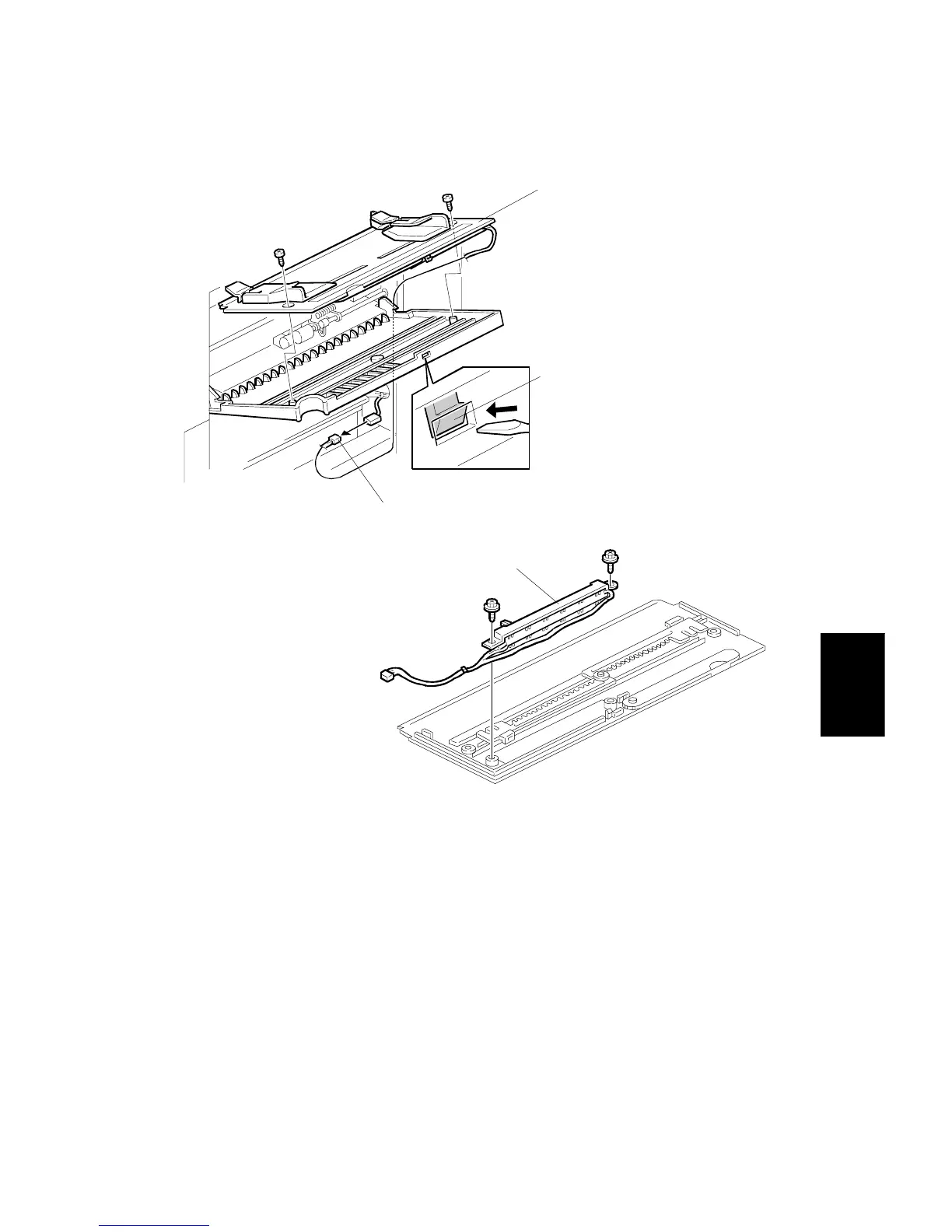
3. While pushing the hook [A] with a flat-head screwdriver as shown, remove the
table assembly [B] (2 screws, 1 connector [C]).
4. Remove the by-pass paper size board [D] (2 screws).
A229R614.WMF
A229R615.WMF
[A]
[B]
[C]
[D]



 To Next Page