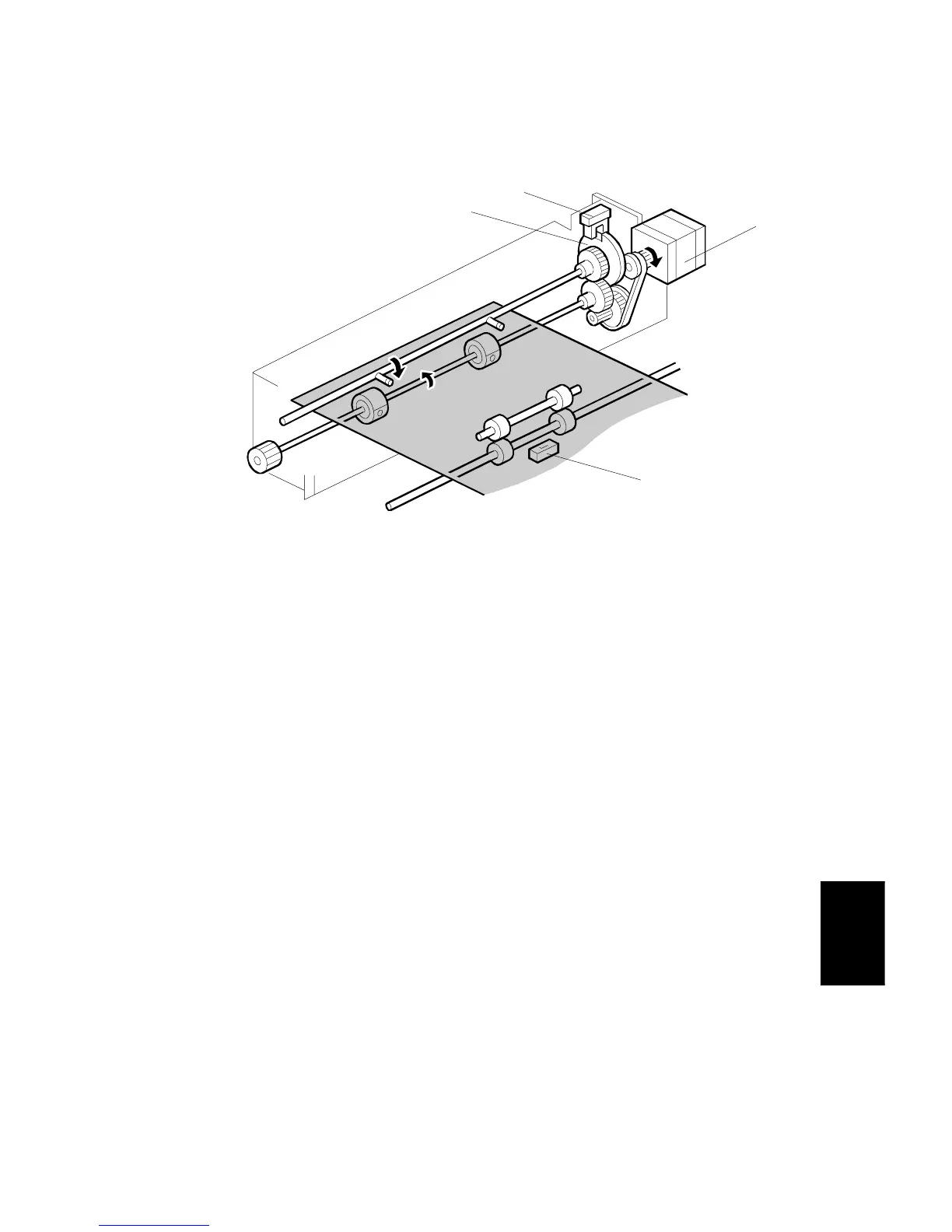
PUNCH UNIT DRIVE MECHANISM
SM 7-15 A229
Finisher
A697
2.8 PUNCH UNIT DRIVE MECHANISM
The punch unit makes 2 or 3 holes (depending on the type of punch unit) at the
trailing edge of the paper.
The punch unit is driven by the punch motor [A]. The punch motor turns on 78 ms
after the trailing edge of the paper passes through the entrance sensor [B], and
makes the punch holes.
The home position is detected by the punch HP sensor [C]. When the cut-out on
the punch shaft gear disk [D] enters the punch HP sensor, the punch motor stops.
The punch position is adjusted as follows:
Right to left: SP mode
Front to rear: Spacers
A697D501.WMF
[A]
[C]
[D]
[B]









 To Next Page