SCANNER UNIT
A229 5-24 SM
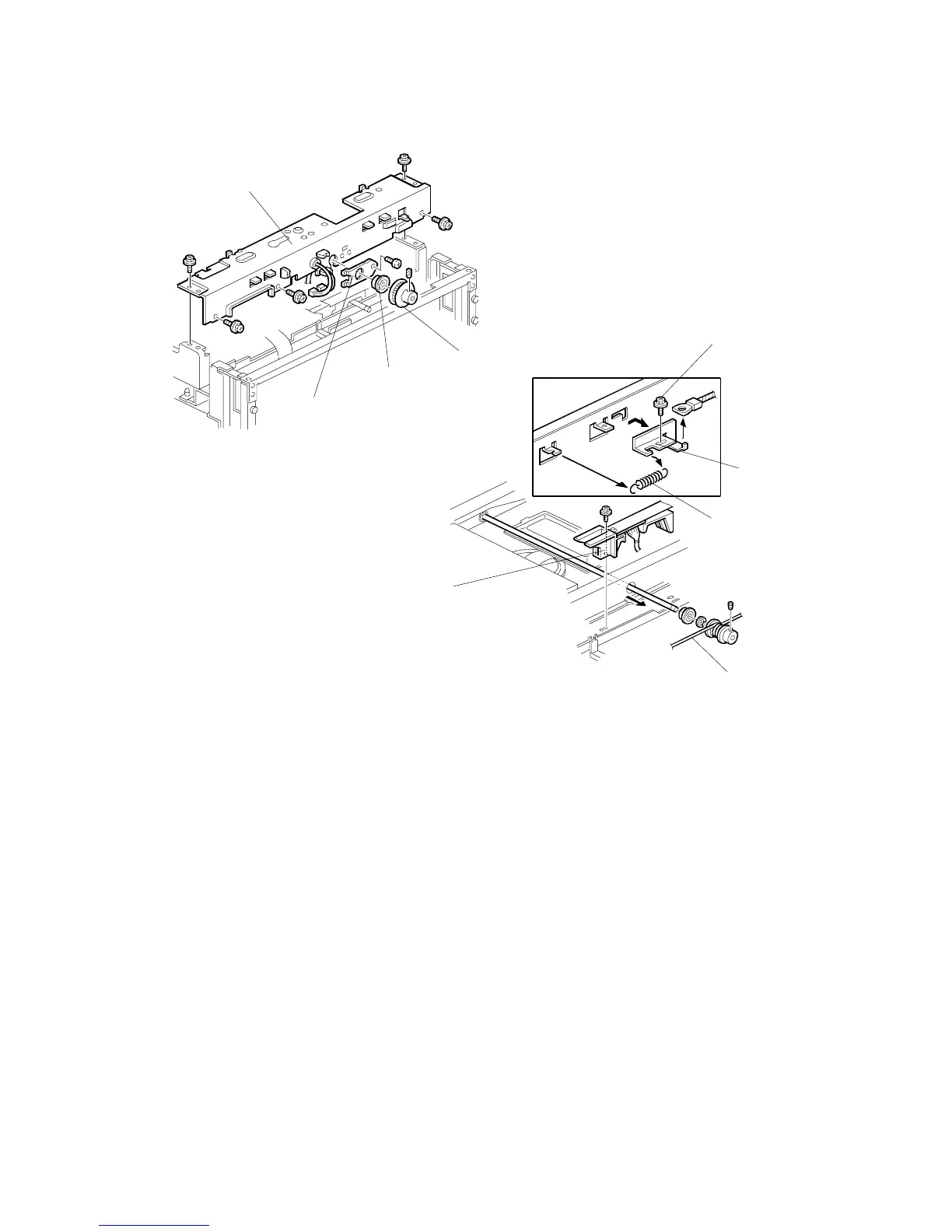
Rear Scanner Drive Wire
11. Remove the scanner motor and the scanner motor drive board. (See Scanner
Motor and Scanner Motor Drive Board.)
12. Remove the drive pulley [A] (1 Allen screw), bearing [B], and the bearing holder
bracket [C] (1 screw).
13. Remove the scanner rear frame [D] (5 screws).
14. Remove the rear scanner wire bracket [no illustration] (1 screw).
15. Remove the cable guide [F] (1 screw).
16. Remove the tension spring [G].
17. Loosen the screw [H] securing the wire tension bracket [I], and remove the rear
scanner wire [J].
A229R684.WMF
A229R685.WMF
[A]
[C]
[D]
[B]
[F]
[G]
[H]
[I]
[J]









 To Next Page