DRUM UNIT
SM 5-41 A229
Replacement
and
Adjustmen
t
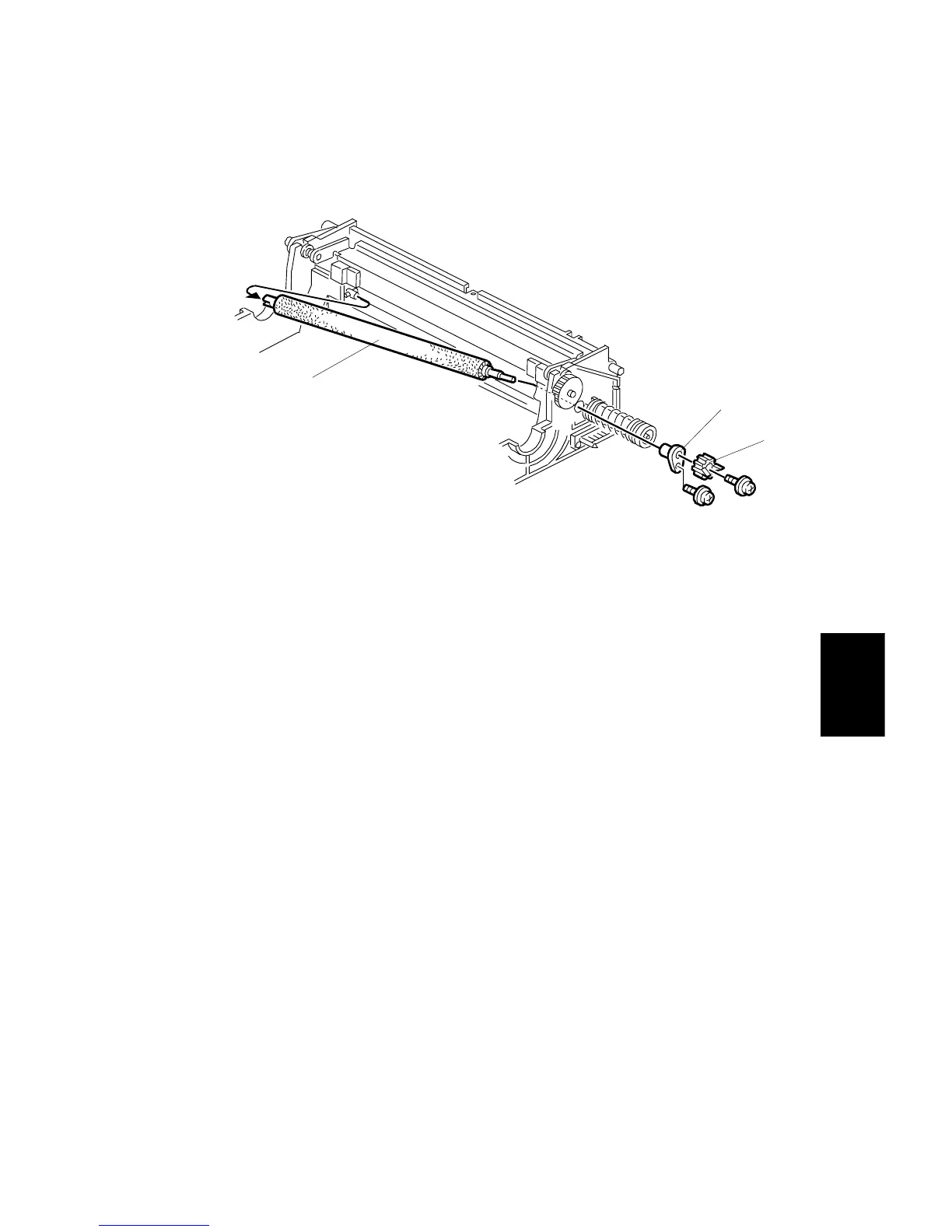
5.5.6 CLEANING BRUSH REPLACEMENT
1. Remove the cleaning blade. (Refer to Cleaning Blade Replacement.)
2. Remove the coupling gear [A] (1 screw).
3. Remove the bushing [B] (1 screw).
4. Pull the cleaning brush shaft to the rear to release the cleaning brush [C], then
remove the cleaning brush.
NOTE:
Do not touch the cleaning brush with bare hands.
After replacement, clean the ID sensor surface. Then do SP 3-001-2 to
initialize the sensor.
A229R560.WMF
[A]
[B]
[C]









 To Next Page