SIDE FENCE POSITION CHANGE
SM 8-19 A229
Large
Capacity
Tray A698
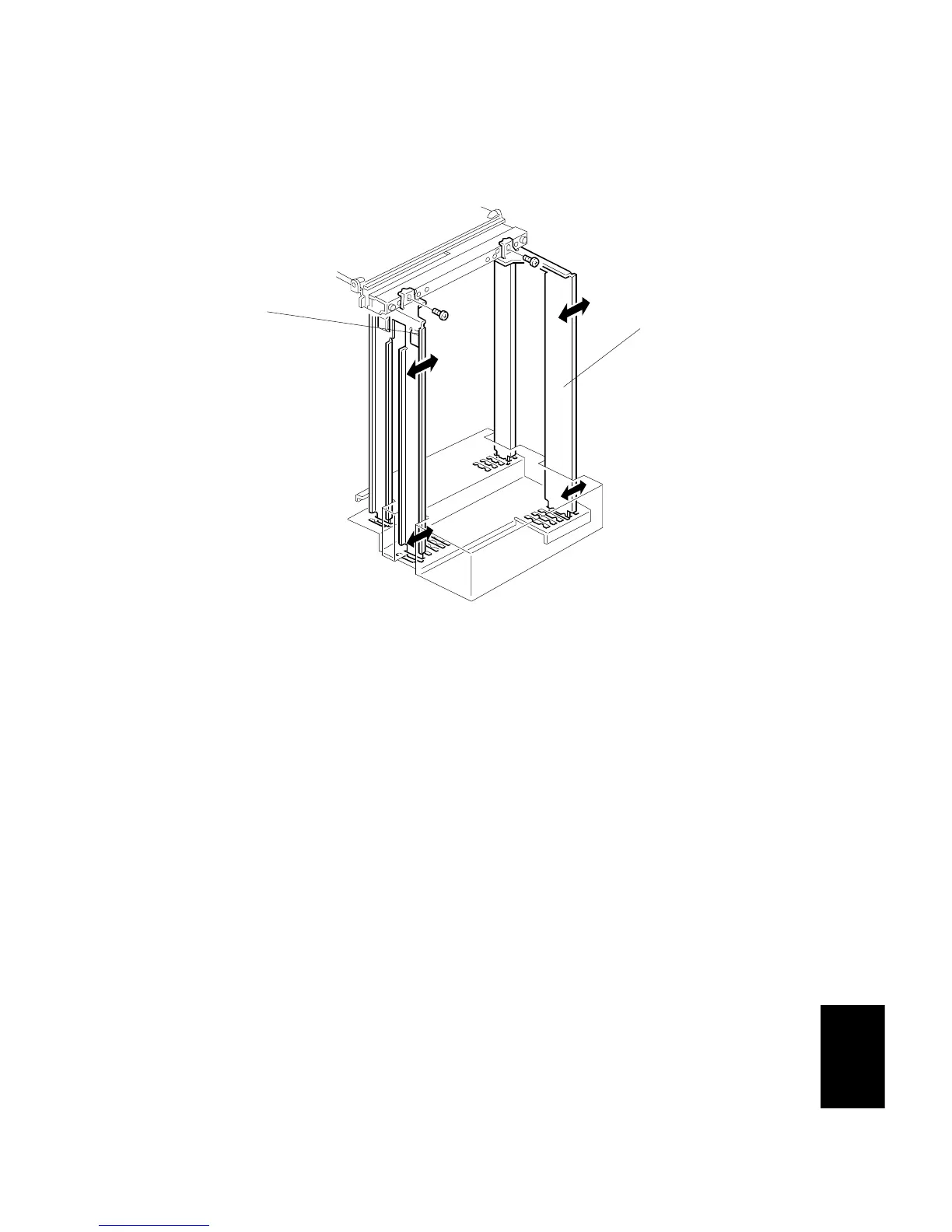
4.8 SIDE FENCE POSITION CHANGE
1. Cover the paper position sensor.
2. Push the down switch to lower the tray bottom plate to its lowest position.
3. Open the tray cover.
4. Remove the right cover.
5. Remove the front and rear side fences [A, B] (1 screw each).
6. Install the side fences in the correct position.
7. Input the paper size with SP5-019.
A698D109.WMF
[A]
[B]









 To Next Page