PAPER SIZE CHANGE
A229 3-20 SM
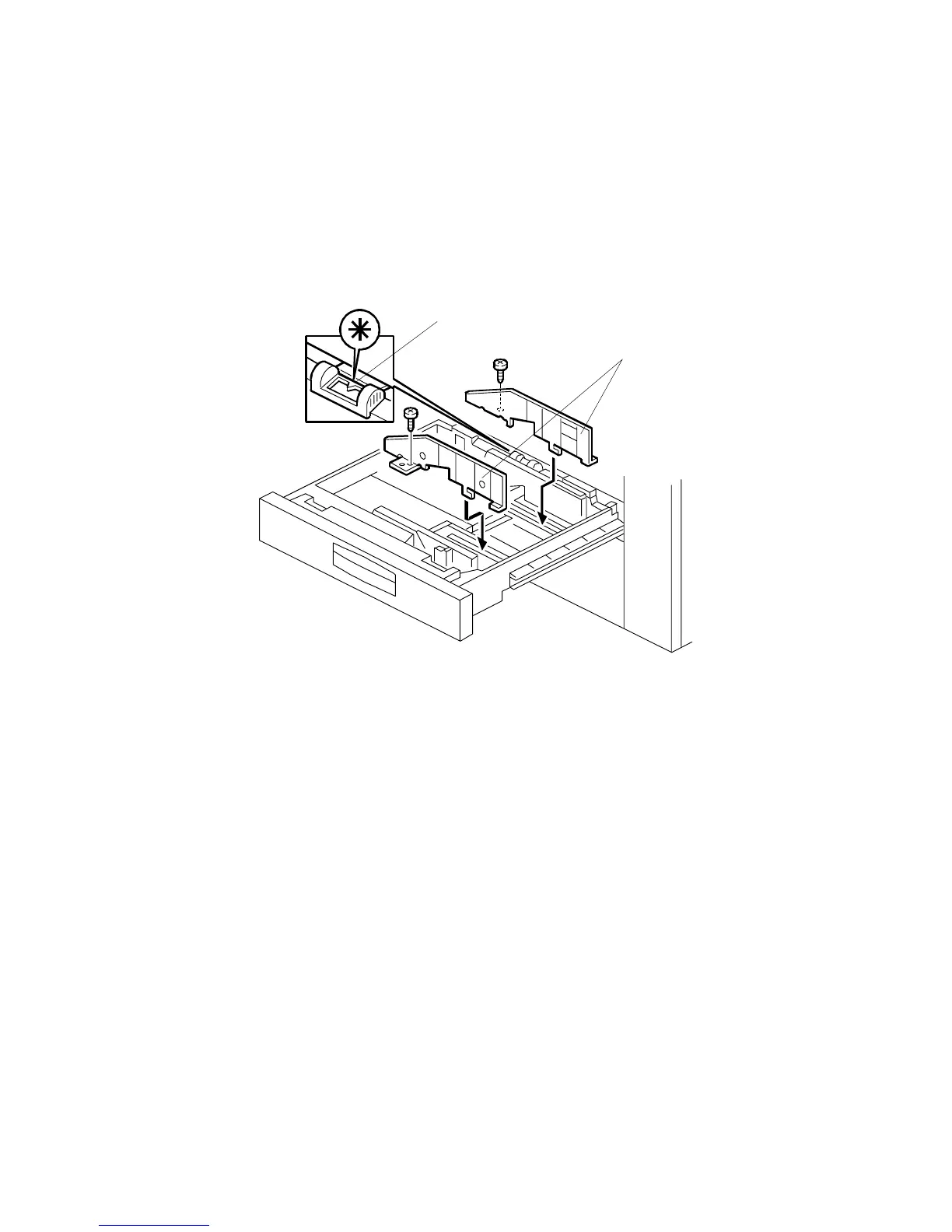
3.3.5 CHANGING THE UNIVERSAL TRAY PAPER-SIZE
At the factory, the universal paper tray is set to A4/8
1/2
" x 11" sideways. Normally,
the customer changes the paper size by following the operating instructions.
Only when the customer needs A5/5
1/2
" x 8
1/2
" (lengthwise) duplex copies does a
service representative need to change the paper size. In this case, proceed as
follows:
1. Install the front and rear side fences [A] according to the paper size (2 screws).
Front fence: A0966549
Rear fence: A0966550
Binding self tapping screw – M4 x 8: 04140082B
2. Change the position of the size sensor slider [B] to the asterisk position.
3. Enter SP mode (No. 5112) and select “Yes” (non-standard paper size can be
input for tray 2.)
4. Select the paper size (A5/5
1/2
" x 8
1/2
" lengthwise paper size) using an UP
mode.
A229I535.WMF
[A]
[B]









 To Next Page